What Is InMail? A Proven Path To Higher Prospect Replies

By Mriganka Bhuyan
•Founder at Munch
Think of InMail as the VIP entrance to someone's LinkedIn inbox. It's LinkedIn's own premium messaging feature that lets you slide right into the DMs of people you aren't connected with. No waiting for a connection request to be accepted; your message gets a direct, front-of-the-line pass.
So, How Is InMail Different From a Cold Email?
This is where things get interesting. At its heart, an InMail is built to feel more like a personal introduction than a cold pitch blasted out to the masses. A standard connection request is easy to ignore, just another notification in a long list. An InMail, on the other hand, shows up with a bit more weight to it.
It’s the difference between a soggy postcard left on the doorstep and a registered letter that has to be signed for.
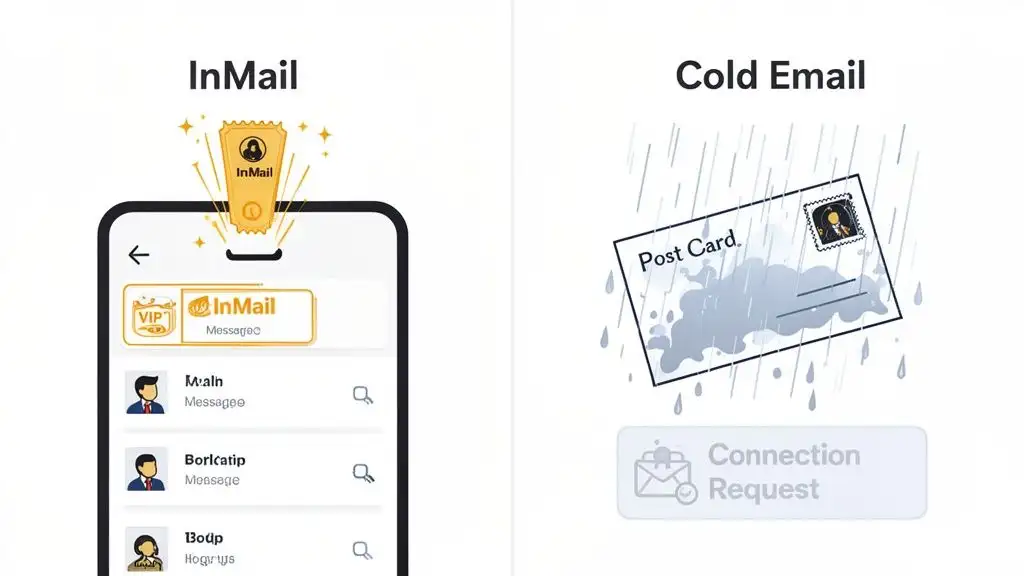
A cold email has to fight a brutal battle just to be seen. It has spam filters, the promotions tab, and general inbox fatigue all working against it. An InMail, however, lands inside an ecosystem people trust for professional conversations. That built-in trust is a huge reason why they often get much better open and response rates.
InMail vs Connection Request vs Cold Email
To really get why InMail is such a big deal in an outreach strategy, it helps to see it side-by-side with the other usual suspects. Knowing when to use which tool is half the battle.
Here’s a quick breakdown of how these three outreach methods stack up.
| Feature | InMail | Connection Request | Cold Email |
|---|---|---|---|
| Recipient | Anyone on LinkedIn | 2nd or 3rd-degree connections | Anyone with an email address |
| Delivery | Primary LinkedIn Inbox | Notifications/Requests Tab | Email Inbox (often Spam) |
| Perception | Professional & Prioritized | Standard Networking | Often Unsolicited & Ignored |
| Cost | Requires Premium/Sales Nav | Free | Free (but low ROI) |
As you can see, each has its place. But for a direct, professional, and reliable shot at getting your message read by a key decision-maker, InMail is hard to beat. It’s a core piece of the puzzle, and we dig deeper into building a full outreach strategy in our guide on how to use LinkedIn for prospecting. In the world of B2B sales, it’s about as close to a guaranteed delivery as you can get.
Understanding the InMail Credit System
Before you start firing off InMails like they’re going out of style, you need to know the rules of the road. LinkedIn doesn't just hand you an all-you-can-eat messaging buffet. Instead, it operates on a credit system, and you can think of these credits as your monthly allowance for reaching out to your most important prospects.
When you sign up for a premium plan like LinkedIn Sales Navigator, you get a fresh batch of credits every month. This isn't just some arbitrary limit; it's designed to make you think before you type, pushing you toward quality outreach instead of just blasting the same message to everyone.
How InMail Credits Work
The whole system is surprisingly simple. Sending one InMail costs you exactly one credit. But here’s the clever part: when someone actually replies to your message within 120 days, LinkedIn gives you that credit back.
It’s like a built-in reward for not being boring. This little feature is a game-changer because it actively encourages you to write messages that people genuinely want to read. We're talking about messages that are personal, relevant, and start actual conversations.
This credit-back system fundamentally shifts the focus from quantity to quality. LinkedIn is giving you a direct incentive to stop spamming and start crafting messages that actually resonate.
If you play your cards right, a good InMail strategy can practically pay for itself. The better your response rates, the more credits you earn back, which means you can keep reaching out to new people without ever hitting your monthly cap.
InMail Credits Per Plan
So, how many of these magical credits do you actually get? It all depends on which plan you’re on. Each subscription tier is built for a different level of outreach.
-
LinkedIn Premium: This is the entry-level plan, so you get a fairly small number of credits. It’s best for someone who only needs to do a little bit of outreach here and there.
-
Sales Navigator Core: Here’s where things get serious. You get 50 InMail credits per month, which is a solid number for anyone running a consistent sales cadence.
-
Sales Navigator Advanced: The credit count goes up, giving you more ammo for bigger campaigns.
-
Sales Navigator Advanced Plus: This is the top dog, offering the most credits for enterprise teams and power users who are prospecting all day, every day.
One more thing to keep in mind: your credits do roll over from month to month, but they expire after 120 days. You can save them up for a big campaign, but you can’t just hoard them forever.
Mastering this little credit economy is a huge part of effective LinkedIn prospecting. While you can buy more credits if you run out, it's way smarter and cheaper to just get better at writing messages that earn them back for free.
Is InMail Actually Worth the Money?
Alright, you get how InMail credits work. Now for the million-dollar question: is it actually worth paying for?
It’s a fair question. When cold email is technically free, spending money on messages can feel a bit like buying fancy bottled water when the tap is right there. But let's be honest, sometimes tap water is... well, tap water. The data suggests that with InMail, you're getting pure, filtered spring water.
The number one reason sales leaders happily fork over cash for InMail credits is the night-and-day performance difference compared to old-school outreach. Firing off a cold email often feels like screaming into a canyon and hoping to hear an echo. For example, the average response rate for a cold email campaign is a pretty dismal 1-5%. It's a pure volume game, where you have to send a ton just to get a trickle of replies.
The Great Response Rate Debate
This is where InMail completely flips the script. Instead of feeling like digital junk mail, a well-written InMail arrives with the credibility of a professional introduction. That subtle shift in context makes a huge difference in engagement.
The average response rate for InMail is 10-25%. That's a 400-500% jump over cold email. It’s the difference between shouting into the void and having a reserved seat at the table.
This infographic really drives the point home, showing just how massive the gap is between InMail and cold email.
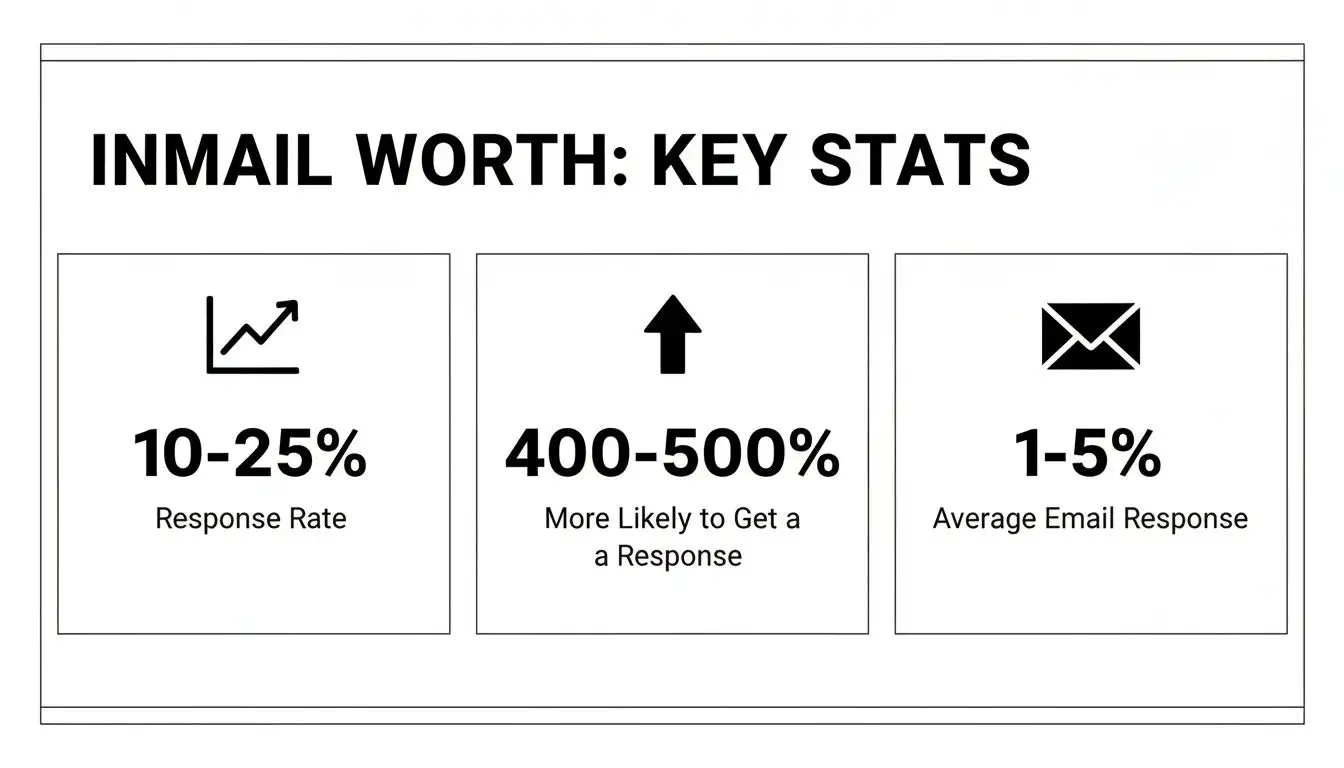
As you can see, we're not talking about a small improvement here. It's an entirely different ballgame. For sales teams trying to build a predictable revenue engine, wasting time on low-yield activities just isn't an option.
Hitting the Benchmarks
While 10-25% is the typical range, the real pros often push their response rates into the 30-40% territory. That’s not luck; it’s the result of laser-focused targeting and killer messaging.
For example, did you know that keeping your message under 400 characters can bump up your performance by 22%? Or that a snappy subject line of just 3-5 words gets the best open rates? These are the kinds of details that matter when you're serious about prospecting for sales and turning conversations into closed deals.
Of course, your mileage may vary. Some industries, like SaaS and software, are so saturated with pitches that decision-makers have serious fatigue. In that space, a practical response rate might dip to around 4.77%. This just hammers home the need for real personalization, especially when you consider that four out of five key decision-makers are active on LinkedIn.
For anyone trying to cut through the noise, the formula is simple: combine InMail's direct line to the inbox with a message that shows you've done your homework. That's how you justify the investment, every single time.
How to Write InMails That Actually Get Read
Knowing what an InMail is gets you in the door. Knowing how to write one that doesn't immediately get deleted? That’s what gets you the meeting.
It’s time to ditch the generic, robotic templates that everyone is tired of seeing. Let's be honest, a bad InMail is like Jar Jar Binks: well-intentioned, maybe, but ultimately just annoying and completely useless. We're going to make your InMails more like Han Solo: direct, a little charming, and a whole lot more effective.
The secret isn't some mystical formula. It's a simple change in perspective. Stop thinking of your InMail as a sales pitch and start treating it like a conversation starter. Your only goal with that first message is to be interesting enough to earn a response. That's it.
The Anatomy of a Perfect InMail
Every great InMail has three crucial parts working in harmony: a killer subject line, a personalized opening that proves you’re not a robot, and a clear, low-effort call to action. Nail these three, and you're well on your way.
Here’s how that breaks down in the real world:
-
The Subject Line: Keep it short, specific, and genuinely intriguing. Think 3-5 words, max. A subject like "Quick Question" is lazy and overused. "Question about [Their Recent Project]" is worlds better.
-
The Personalized Opener: This is your "why you, why now." Reference something specific and recent, for example, a funding announcement, a new senior hire, a blog post they just published, or a shared connection. This proves you’ve done your homework.
-
The Body: This is where you connect the dots. Link their recent activity or a known industry challenge to a problem you can solve. Keep it brutally concise. LinkedIn’s own data shows that messages under 400 characters get a 22% higher response rate.
-
The Ask: Make it ridiculously easy for them to say yes. Instead of the dreaded, "Can I get 15 minutes to demo our product?" try a softer approach like, "Open to learning more if this is a priority?"
Before and After InMail Examples
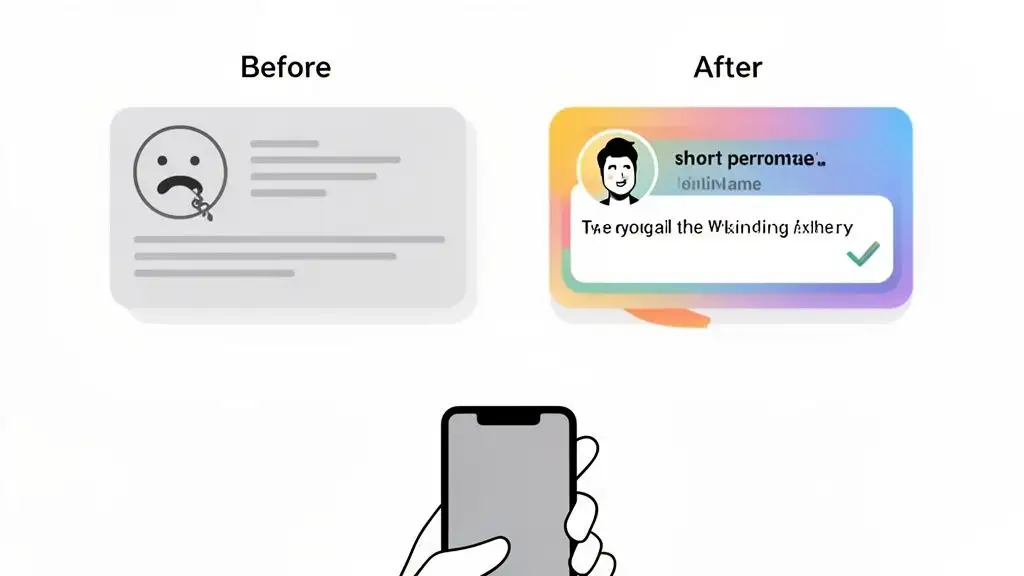
Let's put this theory into practice. Here’s a typical, cringey InMail someone might send to a Head of Marketing after their company announced a fresh round of funding.
The "Before" Template (The Jar Jar Binks):
Subject: Congrats on the funding!
Hi [Name],
I saw your company just raised a Series B, congrats! My company helps businesses like yours scale their marketing efforts. We have a revolutionary platform that can streamline your workflow.
Are you free for a 15-minute demo next week?
Best,
[Sender]
This is a one-way ticket to the archive folder. It’s generic, completely self-serving, and asks for their valuable time without offering a shred of value in return.
Now, let's give it the Han Solo treatment.
The "After" Template (The Han Solo):
Subject: Scaling post-Series B?
Hi [Name],
Huge congrats on the new funding round! I saw in the press release that a key goal is expanding into the EMEA market. Usually, that means hiring and onboarding a new marketing team fast.
We helped [Similar Company] cut their new hire ramp time by 30% with our onboarding platform.
Is that a challenge on your radar right now?
Best,
[Sender]
See the difference? It's shorter, it immediately connects their stated goal to a real-world problem, and it offers a tasty, relevant data point. It’s not about you; it’s about them.
If you're looking for more ideas to get the creative juices flowing, checking out different follow up email template scenarios for sales and recruiting can give you some fantastic starting points. And to see how this fits into a bigger outreach plan, you can learn more about LinkedIn automated messages and when to use them.
Pro Tip: Use Munch AI to research all your leads and craft personalized outreach messages at scale!
When to Send InMails for Maximum Impact
Let's be real: timing is everything. Blasting out a perfectly polished InMail at 5 PM on a Friday is like whispering a secret in a rock concert; it’s just going to get lost in the noise. To actually get noticed in a crowded inbox, you have to be just as smart about when you send as you are about what you send.
The data doesn't lie. While every industry has its own weird quirks, some clear patterns have emerged over the years. Just think about the typical B2B workweek. Monday is a frantic scramble of catch-up and planning, and Friday is basically pre-weekend mode. That leaves a golden window right in the middle.
Research consistently shows that Tuesdays have the highest response rates, hitting a peak of around 6.90%. It just makes sense. People have settled into the week but aren't drowning in deadlines just yet.
But nailing your timing is more than just picking a day of the week. You’ve got to factor in who you're talking to and where they are. For example, SaaS buyers are constantly bombarded with pitches, which is why their response rates hover around 4.77%. On the flip side, folks in legal services are far more likely to engage, with response rates hitting a whopping 10.42%.
Geography matters, too. Professionals in Southern Europe, for instance, tend to be the most responsive.
Where InMail Fits in Your Sales Cadence
Knowing the best day to send a message is great, but it's only one piece of the puzzle. The real magic happens when you figure out where to slot InMail into your grand outreach plan. An InMail shouldn't be a shot in the dark; it should be a calculated move in a much larger, multi-channel game.
Think of your outreach like a conversation that slowly builds over time. Here’s a simple sequence that shows how you can weave InMail in for a bigger punch:
-
Day 1 (Tuesday AM): Kick things off with a super-personalized cold email. Your only job here is to offer value and give them a reason to care.
-
Day 3 (Thursday PM): Time for a little LinkedIn reconnaissance. Pop over to their profile, maybe like or comment on a post. It's a low-key way to get on their radar without being creepy.
-
Day 5 (Following Monday): Send a quick follow-up email. Keep it short and sweet, maybe referencing your first message and the LinkedIn nod.
-
Day 7 (Wednesday AM): Now, unleash the InMail. If your emails have been met with silence, this is your moment. A simple subject line like, "Trying a different channel" works wonders. It shows you’re persistent, not just a pest, and uses the high-visibility of LinkedIn's inbox to your advantage.
-
Day 10 (Friday AM): Pick up the phone. By this point, you can reference all your previous touchpoints, proving you’ve done your homework and aren’t just another random cold caller.
When you use InMail as a strategic middle touchpoint like this, it stops feeling like a random poke and starts feeling like a thoughtful, cohesive outreach campaign. You’re not just trying to get a response; you’re earning their attention and starting a real conversation.
Scaling InMail Without Sounding Like a Robot
Sending one killer InMail is an art. But sending hundreds? That’s a science. And this is precisely where most sales reps slam into a brick wall. You quickly realize that handcrafting every single message is about as scalable as a lemonade stand in a blizzard.
The real puzzle is how to pump up the volume without sounding like a generic, copy-paste bot from a bad 90s sci-fi movie. The secret isn’t just grinding harder; it’s about building a smarter outbound machine, and that process starts way before you ever type a single word.
Finding the Right Signals
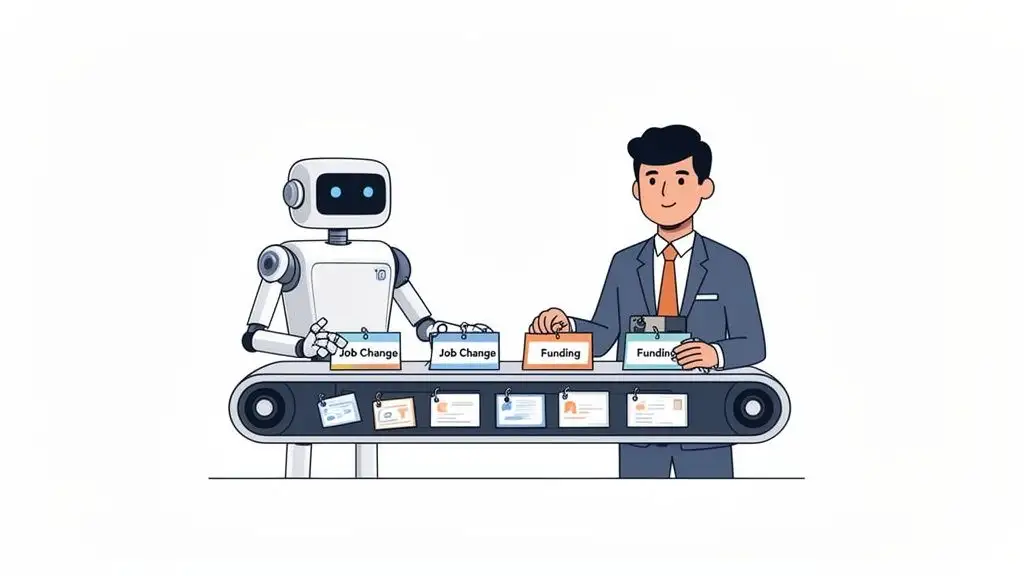
First thing's first: stop chasing ghosts. You need to quit spraying and praying to cold leads and instead zero in on prospects who are practically waving a flag saying, "I might need help soon!" This is where sales intelligence platforms become your best friend. Think of them as your personal scout, constantly scanning the market for juicy buying signals.
These signals are the golden nuggets you need for that perfect "why you, why now" opener. Instead of the tired, old "I came across your profile," you get to lead with something that actually lands.
-
Job Changes: For a new VP of Sales, try: "Saw you just started at Acme Corp, congrats! Usually, a big priority in the first 90 days is..."
-
Funding Events: After a Series B, you could say: "Huge news on the funding! When we saw your goal is to expand into EMEA, we thought of..."
-
Hiring Sprees: If a company is hiring 20 new SDRs, lead with: "Noticed you're scaling the sales team fast. This often brings up challenges around..."
See the difference? These triggers give you an immediate, relevant reason to slide into their inbox, instantly turning a cold shoulder into a warm, timely conversation.
Personalization at Scale with AI
Okay, you've got your list of high-intent prospects and the triggers that make them tick. Now what? Writing a unique message for every single one still takes an eternity. This is the moment to bring in some backup. Modern AI for sales prospecting can take those buying signals and spin them into unique, context-aware messages for everyone on your list.
AI doesn't just automate the sending; it automates the thinking. It crafts personalized hooks based on real data, solving the personalization-at-scale problem once and for all.
By mashing up sharp buying signals with AI-powered writing, you create a seriously powerful system. You get the speed of automation without losing the human touch that actually gets people to hit "reply." This is how you bridge the gap between art and science, finally making your InMail efforts scale without turning into a robot.
Got Questions About LinkedIn InMail? We've Got Answers.
Alright, let's tackle some of the head-scratchers that trip people up when they're getting started with InMail. Think of this as the FAQ you wish existed: straight-up answers to help you build your outreach strategy without the guesswork.
First, what's the real difference between sliding into someone's DMs via a shared group versus sending a proper, paid InMail? Both get you in front of people you aren't connected with, but an InMail lands right in their main inbox. It has a certain professional heft to it.
A group message, on the other hand, can feel a bit... casual. It’s easily lost in the shuffle of group notifications and feels more like trying to pitch your startup in the middle of a My Chemical Romance concert. Good luck with that.
Making the Right Strategic Moves
So, what happens when you burn through all your InMail credits for the month? You could just buy more, sure. But hold on a second. Running out of credits is often a big, flashing neon sign that your messages aren't hitting the mark.
Instead of just throwing more money at the problem, take a step back. Is your targeting sloppy? Are your messages a novel-length snoozefest? Are they so generic they could be about anything?
Running out of credits is feedback. Treat it like a signal from the universe telling you to sharpen your messaging and tighten your targeting before you open your wallet again.
And now for the million-dollar question: should you lead with an InMail or a connection request? There's no single right answer, but here’s a simple framework to guide you.
-
Send a Connection Request when: You're going after a high-value, tier-one whale. A personalized request feels less like a sales pitch and more like a genuine attempt to network. This is the move for senior decision-makers you want to build a real relationship with.
-
Send an InMail when: You need to be fast and direct. If you’re working through a big prospect list or have a timely reason to reach out (they just announced a new funding round, for example), InMail is the express lane to their inbox.
Ready to stop guessing and start targeting prospects who are actually ready to buy? Munch uncovers high-intent signals and helps you craft personalized outreach that gets replies. Ditch the cold leads and start building a pipeline you can count on at https://usemunch.com.