LinkedIn Automated Messages That Actually Get Replies

By Mriganka Bhuyan
•Founder at Munch
LinkedIn automation has a bit of a reputation, and it’s not exactly a glowing one. When you hear the term, you probably picture those cringey, generic DMs that land in your inbox, the ones that feel about as personal as a "Dear Occupant" letter.
It's the digital equivalent of a salesperson jumping out from behind a bush to pitch you something you don't need. It’s startling, unwelcome, and frankly, a little weird.
But what if we flipped the script? What if automation wasn't about being annoying, but about being incredibly relevant?
Ditch the Spam Cannon for a Sniper Rifle
The old way of doing things, blasting a hundred random people with the same stale template, is dead. It was the Fyre Festival of outreach strategies; it looked flashy on paper but always ended in disaster and a restricted account.
The smart way forward is all about quality over quantity. It's about using hyper-personalized, trigger-based automation that starts conversations based on real buying signals. This is the secret sauce for effective prospecting on LinkedIn.
Instead of spamming, you set up smart workflows that kick in when:
-
A key decision-maker at a target company announces a new role.
-
A company in your ideal customer profile (ICP) just landed a big round of funding.
-
A prospect you're tracking posts about a problem you know how to solve.
See the difference? You’re not tricking anyone. You're just showing up with a relevant solution at the perfect moment. Your outreach goes from being an annoying interruption to a genuinely helpful touchpoint.
The table below breaks it down. Are you operating like it's 2014 or 2024?
The Old Way vs. The Smart Way of LinkedIn Automation
| Tactic | The Old Way (Leads to Restrictions) | The Smart Way (Leads to Replies) |
|---|---|---|
| Targeting | Massive, unfiltered lists. "Spray and pray." | Niche, hyper-segmented lists based on buying signals. |
| Messaging | Generic, "me-focused" templates. | Personalized copy based on the prospect's recent activity. |
| Timing | Random, whenever the tool is running. | Triggered by specific events (e.g., job change, funding). |
| Volume | High-volume connection requests and DMs. | Lower volume, higher quality interactions. |
| Goal | Get a demo booked, no matter what. | Start a genuine, valuable conversation. |
The choice is pretty clear. One path gets you ignored and potentially banned, while the other gets you replies and builds real relationships.
Go Beyond LinkedIn for Explosive Results
Relying only on LinkedIn is like trying to build a house with just a hammer. You can get somewhere, but you're missing out on some seriously powerful tools.
The real magic happens when you create multi-channel sequences. We've seen it time and again. A LinkedIn-only campaign might get you a respectable ~12% reply rate, which isn't bad.
But when you combine LinkedIn with a few well-timed emails? That number can jump to around ~42%. That's a 3.5x increase in conversations just by adding another channel to the mix.
The big takeaway is this: Smart automation isn't about being lazy. It’s about being strategic. It’s about using technology to deliver the right message to the right person at the right time, making your outreach feel less like a bot and more like a well-informed pro who's here to help.
Don't Be a Digital Ghost: Finding the Right People
Sending a killer message to the wrong person is like telling a brilliant joke in an empty theater. It doesn't matter how good the material is if no one's there to hear it. The same goes for your LinkedIn automated messages: if they land in the wrong inbox, you're just shouting into the void.
The goal here isn't to be a digital stalker. It’s about being so precise with your targeting that your message feels like a helpful tap on the shoulder at just the right moment. Forget the old-school approach of just filtering by "job title" and "industry." That's like trying to win a Grand Prix in a horse and buggy. It’s clunky, outdated, and you'll get left in the dust.
Tune In to Their Frequency: Spotting Buying Signals
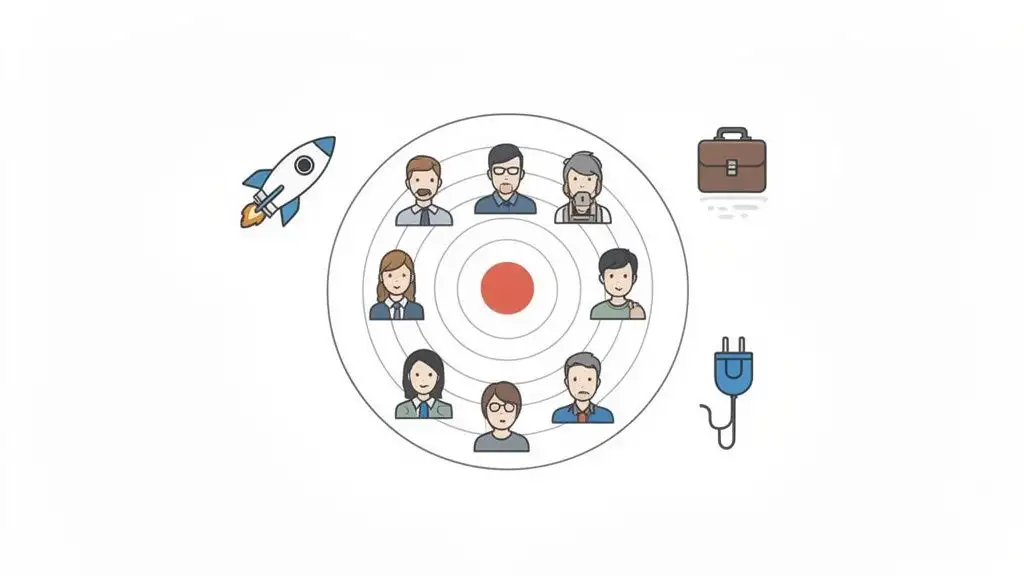
The real magic happens when you start hunting for intent signals. Think of these as little digital breadcrumbs people leave behind, practically yelling, "Hey, over here! I might have a problem you can solve!" Instead of carpet-bombing every marketing manager in North America, you can build razor-sharp lists based on what's happening right now.
Here are a few high-intent moments to watch for:
-
The Fresh Start: Someone just landed a new job. New hires are gold. They often have a fresh budget, a mandate to shake things up, and are 3x more likely to invest in new tools to score some quick wins.
-
The Tech Trail: You notice a company just adopted a new piece of software that plays nicely with your own. For example, if they just rolled out HubSpot, they’re probably looking for tools that plug right into it. That's your cue.
-
The Cash Injection: A company proudly announces a big funding round. All that new capital has to go somewhere, and it's usually toward growth: new projects, bigger teams, and a sudden appetite for innovative solutions.
This isn't random outreach; it's strategic. You're no longer just another salesperson cluttering their DMs. You're a well-informed pro who actually did their homework. For a deeper dive, check out our guide on how to find connections on LinkedIn.
Why Context Is Your Secret Weapon
Let's talk numbers for a second. Smart, AI-assisted LinkedIn messaging is already changing the game. It can easily double response rates to 10.3%, leaving old-school cold email's 5.1% in the dust. But when you add intent signals to the mix, like engaging with a post or visiting a profile, those reply rates can skyrocket to an average of 27%. You can explore Martal's latest LinkedIn stats to see just how powerful this is.
It's not about being creepy; it's about being relevant. When your opening line is based on context, like "Saw you guys just closed a Series B, that's huge!", you immediately stand out from the 90% of messages that are just generic, self-serving pitches. You’ve just earned their attention.
Writing Messages That Actually Sound Human
Alright, let's get into the heart of it: the actual messages you'll be sending. This is where the magic happens. A killer automated message feels like it was handwritten specifically for the person reading it, even if it's going out to hundreds of people.
The biggest trap people fall into? Thinking that plugging in a {{first_name}} tag counts as personalization. Nope. That’s table stakes, the bare minimum. The real secret to cutting through the noise is context. You don't have to cyber-stalk their entire life story, but a little bit of genuine observation makes all the difference.
The DNA of a Great Message
Every message that gets a reply, whether it's automated or typed out by hand, shares a similar skeleton. It’s less of a rigid formula and more of a conversational flow.
Think of it like this:
-
The Opener: Your first line has one job: make it about them. Mention something specific you noticed. Did they just share a great post? Start a new job? Did their company hit a big milestone? Lead with that.
-
The Bridge: This is the "so what?" part. You've mentioned what you noticed, now you need to connect the dots. Why are you, of all people, reaching out about it? This should feel like a natural segue, not a hard left turn into a sales pitch.
-
The Value: What’s in it for them to reply? Forget listing your product's features. Instead, offer a piece of insight, share a resource, or hint at a solution to a problem they're likely facing right now.
-
The Ask: Keep your call-to-action super low-pressure. Forget "Can I have 15 minutes of your time?" Try something casual like, "Curious to get your take on this?" or "Worth a brief chat?"
This approach turns a cold, generic message into a warm, relevant conversation starter. It’s the difference between that default "I'd like to add you to my professional network" snooze-fest and a message that genuinely sparks a connection.
Need a little more inspiration? We've got a ton of solid ideas in our guide on crafting the perfect LinkedIn connection message.
Let AI Do the Heavy Lifting
So, how on earth do you do this for hundreds of people without sounding like you're just copying and pasting? This is where AI-powered personalization tools change the game. They can scan a prospect's profile for those context-rich nuggets and spin up unique icebreakers for every single person on your list.
Let’s look at a couple of real-world scenarios.
Scenario 1: The New Job
Your prospect just started a new role as a Head of Sales.
-
The Generic Way:
Hi {{first_name}}, congrats on the new role!(Yawn.) -
The AI-Personalized Way:
Hey {{first_name}}, saw you just started as the new Head of Sales at {{company_name}}. Making the jump from {{previous_company}} is a big move! Usually, new sales leaders are looking to hit the ground running with quick wins. Curious how you're thinking about pipeline generation in Q3?
See the difference? It’s specific, shows you paid attention, and opens a relevant conversation.
Scenario 2: The Big Company News
Your target account just announced a major product launch.
-
The Generic Way:
Hi {{first_name}}, I see your company launched a new product. -
The AI-Personalized Way:
Hi {{first_name}}, that launch for {{product_name}} looked huge! The article in TechCrunch was a great read. We work with SaaS companies to drive user adoption post-launch, and I had a few ideas for {{company_name}}. Worth a quick chat next week?
The goal is to move from simply stating an observation to starting a conversation. Don’t just mention the thing you saw; tie it directly to a challenge or an opportunity. That's what shows you've not only done your homework but have also genuinely thought about how you can help.
Pro Tip: Use Munch to craft personalized outreach messages for each of your leads at scale!
Building Your Automated Outreach Machine
Alright, you’ve picked your targets and crafted some killer messaging. Now for the fun part: assembling the Avengers of outreach. This is where we wire everything together, turning LinkedIn and email into a multi-channel system that works for you.
Think of it this way: a standalone LinkedIn campaign is like a solo artist. They might be amazing, but a full band makes a much bigger, more resonant sound. When you combine channels, you dramatically boost your chances of getting a reply simply by meeting people where they’re already hanging out.
This is all about moving from basic research to genuinely personalized engagement.
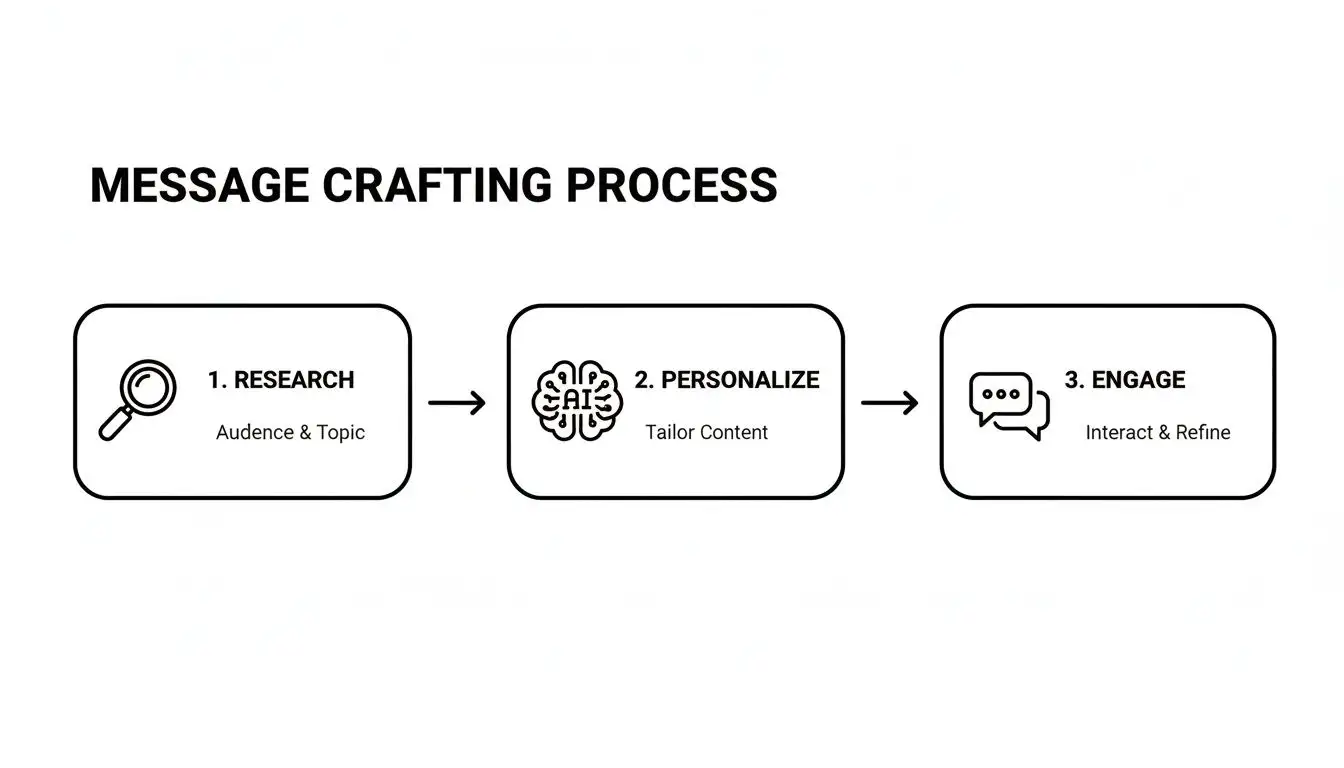
This simple flow ensures every message you send feels less like a blast from a robot and more like a thoughtful, one-to-one conversation.
Designing Your Multi-Channel Sequence
The secret sauce here is cadence, the rhythm and timing of your messages. Bombarding someone with messages too quickly is the digital equivalent of being a stage-five clinger. It’s a huge turn-off. You’ve got to give your prospects room to breathe.
A well-paced sequence feels persistent without being pushy. It’s built on the understanding that people are busy and sometimes need a few gentle nudges.
Here’s a practical, day-by-day playbook that I’ve seen work wonders. It balances LinkedIn and email without ever feeling overwhelming.
Sample 14-Day Multi-Channel Outreach Sequence
| Day | Action | Channel | Key Tip |
|---|---|---|---|
| 1 | Send personalized connection request. | Mention a specific post, mutual connection, or recent company news. Keep it about them! | |
| 3 | Follow up if no reply (but accepted). | Offer a quick piece of value, like a link to a relevant article or a surprising stat. No hard sell. | |
| 5 | Send a context-aware first email. | Find their work email. Reference your LinkedIn connection attempt so it feels warm, not random. | |
| 9 | Share a different angle of value. | Try a short case study or a customer story that mirrors their industry. Focus on the outcome. | |
| 14 | Send a friendly "breakup" email. | This is a low-pressure way to close the loop. "Looks like now isn't a good time..." leaves the door open. |
This multi-channel approach is a cornerstone of modern automated lead generation. It respects the prospect's time while giving you the best shot at starting a real conversation.
The goal isn't to blast every channel at once. It's about orchestrating a series of thoughtful touchpoints that build on each other. If one channel doesn't work, you pivot to the next with relevant context.
Test, Track, and Dominate
I’ll let you in on a secret: nobody gets it perfect on the first try. The best in the business are relentless testers. You have to treat your outreach like a science experiment, constantly tweaking variables to see what actually moves the needle.
Seriously, A/B test everything.
-
Subject lines
-
Opening hooks
-
Your call-to-action
Does a casual tone beat a formal one with this audience? For instance, does "Quick question" get more opens than "Inquiry regarding your software stack"? Does asking a question get more replies than making a statement? The data will give you the answers, so you don't have to guess.
Get obsessed with tracking your key metrics:
-
Connection Acceptance Rate: Your foot-in-the-door metric. Are people even letting you into their network? Aim for 40% or higher.
-
Reply Rate: The real engagement signal. Are they talking back? A good rate here is 10-15%.
-
Positive Reply Rate: This is the money metric. How many replies are a "tell me more" versus a polite "no thanks"?
When you track these numbers, you stop guessing and start making data-driven decisions. You’ll quickly discover what resonates and can pour fuel on the fire for the strategies that are actually delivering results.
Staying Out of LinkedIn Jail: Your Guide to Safe Automation
With great automation power comes great responsibility. Let's be real: getting your LinkedIn account restricted is a nightmare. It stops your lead flow cold and can be a massive pain to fix.
Think of this section as your get-out-of-jail-free card. We'll cover the rules of the road, both written and unwritten, to make sure your automated messages keep landing in inboxes, not the spam folder.
Play By the (Unspoken) Rules
LinkedIn is famously tight-lipped about its exact limits. But over time, the community has figured out where the invisible fences are. Pushing those limits is like speeding; you might get away with it for a while, but eventually, you'll get caught.
The platform is coming down hard on anything that smells robotic. It’s no surprise that profiles with active, regular posting see 3x higher connection acceptance rates and 45% more profile views. Why? Because they look like real, engaged people.
On the flip side, accounts that look like obvious bots are getting slapped with restrictions at a rate 5x higher than active profiles. This is exactly why you can't just flip a switch and go full-throttle.
The bottom line: Your automation needs to look human. The goal is to mimic the natural rhythm of a real person, not the relentless, perfect cadence of a machine.
Your Account Warm-Up Plan
Firing off a hundred connection requests on day one from a brand-new or long-dormant account is the fastest way to get flagged. You have to "warm up" your account first. This means gradually ramping up your activity to signal to LinkedIn that you're a legitimate user, not a spam-bot on a mission.
Here’s a simple schedule to get your account seasoned and ready for action:
-
Week 1: Keep it light. Send just 10-15 connection requests per day. Your main focus should be manual activity: liking posts, dropping thoughtful comments, and engaging with people already in your network.
-
Week 2: Time to dial it up a notch. Increase to 20-25 requests per day. Now's a good time to introduce some light, automated welcome messages to your new connections.
-
Week 3: You're getting warmer. Push the daily requests up to 30-40. At this point, your account is building a solid history of normal activity and can handle more consistent outreach.
-
Week 4 and Beyond: You've made it. Now you can comfortably operate in the 50-70 connection requests per day range. For most accounts, this is the sweet spot for generating leads without raising red flags.
This slow-and-steady approach mirrors how a real person would naturally increase their activity on the platform, keeping you safely under the radar. And remember, a smart outreach strategy and a well-designed sales cadence are your best friends in this game.
Here's another pro tip: randomize your sending times. Real people don't send a message at 9:01 AM on the dot every single day. Set your automation tool to run at varied intervals throughout the day. It's these small details that sell the "human" illusion and keep your account safe.
Got Questions About LinkedIn Automation? We've Got Answers.
Time for the lightning round. You've been asking some great questions about automating LinkedIn messages, so let's clear up the common head-scratchers. This way, you can get your outreach humming along with total confidence.
So, Is This Even Allowed on LinkedIn?
Ah, the million-dollar question. Officially, LinkedIn's user agreement isn't a fan of third-party automation tools. It's a bit like when your parents told you not to stay up late watching TV; everyone did it, but you had to be smart about it.
The secret is using automation that acts human. If you fire off 200 connection requests in an hour from an account that's been gathering dust, you’re basically sending up a flare and asking for a restriction. But if your tool sends thoughtful, personalized messages at a natural pace? You'll stay safely under the radar. It's all about playing it cool.
Cloud vs. Browser-Based Tools: What’s the Real Difference?
Think of it like streaming a movie versus downloading it to your laptop.
-
Cloud-based tools are the streamers. They run 24/7 from a dedicated server, even when your computer is tucked away for the night. This is great for teams, but some of the less sophisticated ones can be easier for LinkedIn to spot.
-
Browser-based tools, like a Chrome extension, are the downloaders. They run right from your computer, making the activity look just like you're doing it all by hand. This makes them much harder for LinkedIn to detect.
So, which one wins? It really comes down to your setup. For most solo entrepreneurs and small teams, browser-based tools hit that sweet spot of safety and power.
Will I Get My Account Banned for This?
Let's put this fear to rest. Getting your account permanently banned is incredibly rare. That’s usually reserved for the worst offenders, the people running obvious, large-scale spam factories. Think of them as the supervillains of LinkedIn.
For most folks who might accidentally step over the line, LinkedIn usually just gives a warning or a temporary restriction first. Stick to the "warm-up" plan we talked about and keep your activity reasonable (like under 100 connection requests per week), and your risk plummets. Your goal is to make your automation look less like a relentless robot and more like a super-efficient personal assistant.
Here's a simple rule to live by: If an activity would seem physically impossible for a human to do (like viewing 500 profiles in 30 minutes), don't automate it. Your common sense is the best shield you have.
What’s a Safe Number of Messages to Send Each Day?
There's no single magic number etched in stone, but the general consensus in the industry is to keep your total automated messages, including all your follow-ups, under 150 per day. If you're working with a newer account or one that hasn't been very active, starting much lower, around 25-50 per day, is the way to go.
And remember, consistency beats volume every time. A steady flow of 50 genuinely personalized messages every single day will crush the results you'd get from blasting 200 generic templates once a week. This is a marathon, not a sprint.
Ready to turn those buying signals into actual booked meetings, all without putting your account on the line? Munch is your all-in-one workflow for finding leads, enriching their data, and using AI to write personalized outreach that people actually reply to. Find high-intent prospects and start your journey with Munch today!