Unlock Better Inbox Delivery: Improving Email Deliverability Tactics That Work

By Mriganka Bhuyan
•Founder at Munch
Let's be honest, before your killer sales email ever gets a chance to shine, it has to survive a brutal technical gauntlet. Think of it like getting past the velvet rope at an exclusive club. The bouncers, Google, Microsoft, and other inbox providers, are checking your ID. If you don't look legit, you're not getting in.
This isn't about your witty subject line or your irresistible offer. It's a purely technical handshake that happens in milliseconds. Get it wrong, and you're banished to the spam folder, a place where commissions go to die. Getting this technical setup right is absolutely non-negotiable and one of the most important email deliverability best practices you can implement.
Your Technical Handshake to Dodge the Spam Folder
So, how do you prove you're on the list? By properly setting up your domain's authentication protocols. I know, "authentication protocols" sounds like something your IT department mumbles about, but getting a handle on SPF, DKIM, and DMARC is your ticket to the primary inbox.
Think of them as your official, verified digital passport. They tell the world's inboxes that you are who you say you are, and you're not some spammer trying to crash the party.
Decoding the Alphabet Soup: SPF, DKIM, and DMARC
It sounds like a failed 90s boy band, I get it. But these three protocols are the bouncers you need to befriend. They work together to build trust with inbox providers and prove your emails are the real deal.
-
Sender Policy Framework (SPF): This is the guest list. It’s a simple record you add to your domain's settings that says, "Hey world, only servers on this approved list are allowed to send emails from my domain." For example, if you send emails using Munch, your SPF record must explicitly list Munch's servers as authorized senders. An email from anywhere else? Suspicious.
-
DomainKeys Identified Mail (DKIM): If SPF is the guest list, DKIM is the secret handshake. It adds a tamper-proof digital signature to every single email you send. When the email arrives, the receiving server looks for this signature and checks it against a public key you've published. If they match, it proves the email is genuinely from you and wasn't altered in transit, like a wax seal on a letter from a king. A missing DKIM signature is a massive red flag.
-
Domain-based Message Authentication, Reporting, and Conformance (DMARC): This is the head of security. DMARC is the policy that tells the bouncers what to do with party crashers. If an email fails the SPF or DKIM checks, your DMARC policy tells the server whether to quarantine it, reject it flat out, or just let it through and keep an eye on it. It also sends you reports, so you can see if anyone is trying to spoof your domain.
Key Takeaway: You need all three. SPF, DKIM, and DMARC working together is the gold standard. It's like showing up with a photo ID, a VIP pass, and a personal recommendation from the club owner. You’re not just getting in; you’re being welcomed with open arms.
Why This Matters for Sales Teams
Look, as a sales rep, your first instinct might be to zone out and think this is just "an IT problem." That's a huge mistake. Poor authentication directly torpedoes your pipeline.
Every single email that lands in spam is a conversation that never happened. A domain with proper authentication sees drastically better inbox placement. That means more prospects actually see your message, which leads to more opens, more replies, and more deals.
Let's put some numbers on it. A sales team firing off 1,000 emails a week with a weak, unauthenticated setup could easily see 20-30% of them go straight to spam. That's up to 300 missed opportunities. Every. Single. Week.
Fixing your authentication is a one-time task that pays off forever. It’s also something you absolutely must nail down before you even think about cleaning your lists. You can learn more about that process in our guide on how to verify email addresses. Getting your technical house in order isn’t just a step, it's the foundation of your entire outreach strategy.
How to Warm Up Your Domain Without Getting Burned
So, you’ve wrestled with the technical alphabet soup of SPF, DKIM, and DMARC. Nicely done. Now for the real test: introducing your domain to the world’s inboxes without getting immediately blacklisted.
Let’s be real. Hitting "send" on a thousand emails from a brand-new domain is the digital equivalent of walking into a quiet library and screaming, "WHO WANTS TO BUY SOME SOFTWARE?" You’ll be shown the door. Fast.
Instead, you need to warm up your domain and IP address. This isn't about blasting emails; it's about building a solid reputation with inbox providers like Google and Microsoft. Think of it like making new friends. You don’t just walk up to a huge group and start shouting. You start small, build trust, and prove you're not going to be a problem. This is a non-negotiable step for improving email deliverability right from the start.
The Art of the Slow Roll
The whole point of a warm-up is to gradually ramp up your sending volume while raking in positive engagement signals. Opens are good, but replies are pure gold. These interactions whisper to the inbox filters, "Hey, this sender is legit. People actually want this mail."
Trying to rush this process is like flooring it in an old station wagon; you’ll just blow a fuse and end up going nowhere. A proper warm-up demands patience and a structured plan.
It’s all about consistency, not speed. You kick things off by sending a small batch of emails to people you know will engage. I’m talking about friends, former clients you’re on great terms with, or colleagues at other companies who owe you a favor.
Pro Tip: Your first move should be creating a dedicated "warm-up" list of about 30-50 trusted contacts. These folks are your secret weapon. Their opens and replies are the foundation of your domain’s good reputation.
Your Domain Warm-Up Calendar
To put this into practice, let’s map out a realistic schedule. The magic formula is a slow, steady increase in volume, combined with a gradual pivot from your "friendly" list to actual cold prospects.
Here’s a simple two-week plan to get you off the ground:
-
Week 1 (Days 1-2): Send 20-30 emails per day. These go only to your friendly warm-up list. The goal here is simple: get replies.
-
Week 1 (Days 3-5): Bump it up to 40-50 emails per day. Now you can start mixing in a handful of your most qualified, warmest leads alongside your friendly contacts.
-
Week 2 (Days 6-8): Time to push the volume to 70-80 emails daily. Aim for a mix of about 30% friendly contacts and 70% top-tier prospects.
-
Week 2 (Days 9-10): Let’s go for 100-120 emails per day. At this point, you can phase out most of the friendly list and start focusing on your primary outreach targets.
The game has changed. Inbox placement is now almost entirely driven by how recipients behave. Things like opens, clicks, and (heaven forbid) spam complaints dictate your sender reputation. I’ve seen teams that nail this consistency achieve 15-20% higher reply rates because they’ve built that foundational trust. If you want to dive deeper, there's some great email deliverability research that breaks this down.
And remember, none of this warm-up stuff works unless your technical authentication is locked in first.
This process shows how SPF, DKIM, and DMARC all work together to build a trusted sender identity. That trust is the launchpad for your entire warm-up strategy.
Getting Those Crucial Replies
Look, just sending the emails is only half the battle. You have to get people to engage. During the warm-up phase, personalization isn't just a nice-to-have; it's absolutely essential.
Ditch the generic templates. Your only mission is to start a real conversation.
-
Personalize the first line. No excuses. Reference a recent LinkedIn post, a company blog, a mutual connection, anything that proves you’re a human who did their homework.
-
Ask a simple, open-ended question. Instead of a hard pitch, try asking for their take on an industry trend or a quick piece of advice. Make it easy for them to say yes.
-
Keep it short and sweet. Your warm-up emails should be ridiculously easy to read and reply to on a phone. Three or four sentences is the sweet spot.
By taking this methodical approach, you’re not just sending emails. You’re building a reputation. You're teaching the algorithms that your messages are welcome. A little patience now pays off big time later, drastically improving email deliverability for every campaign you run in the future.
Building an Email List That Actually Wants Your Emails
So, your domain is authenticated and warmed up. You’ve basically gone from a mysterious stranger at the club door to a recognized regular. Awesome. But even the best reputation won't save you if you start spamming the entire guest list.
Your email list can be your greatest asset or your fastest ticket to the penalty box.
Sending emails to an unverified, stale list is like playing Battleship blindfolded. You're just calling out coordinates, hoping for a hit, and mostly hearing, "You sunk my deliverability!" This isn't just a waste of time; it actively damages the reputation you just worked so hard to build. Forget buying those dusty old lists from a guy who knows a guy. It's time to build a list of people who might actually want to hear from you.
Hunt for Buying Signals, Not Just Names
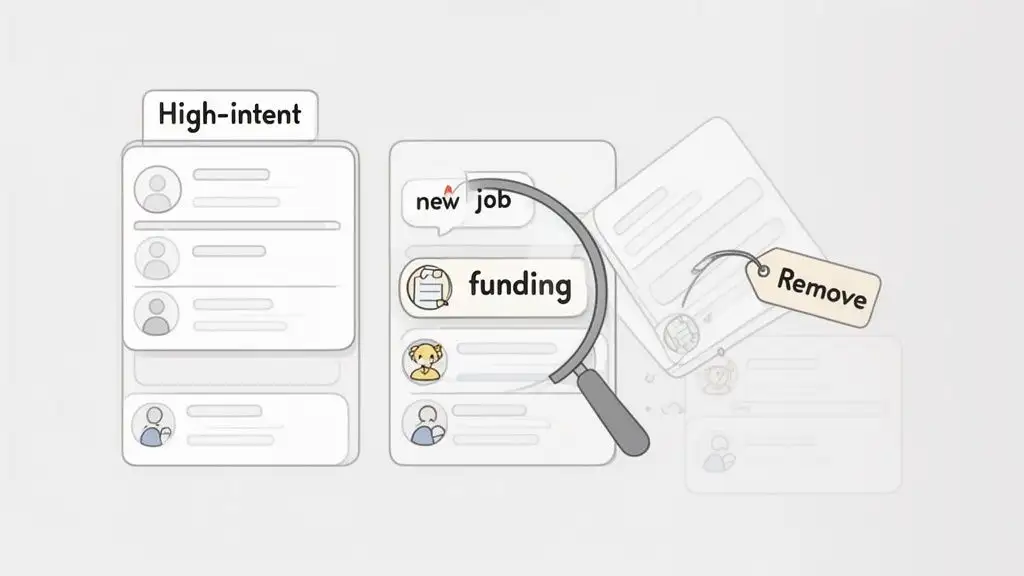
The best prospects leave breadcrumbs. Instead of just scraping for any email address that looks remotely relevant, you need to get smarter. Focus on finding high-intent leads by tracking real buying signals, those little triggers that suggest a person or company is actively looking for a solution like yours right now.
What do these signals look like in the wild?
-
Job Changes: A new VP of Sales just started at a target company. You can bet they’re looking to make their mark, evaluate the current tech stack, and implement new tools. That’s your cue.
-
Company Funding: A startup just closed a Series B round. That fresh injection of cash often means they're scaling up teams and investing in new software to support that growth. Hello, opportunity.
-
Technology Adoption: You notice a key account just started using a complementary technology. This could open the door for an integration conversation or highlight a need your product can fill.
Hunting for these signals turns ice-cold outreach into, at the very least, lukewarm outreach. You're no longer a random salesperson; you're a problem-solver showing up at the perfect time. If you're looking for more ways to find the right contacts, check out our guide on how to find email addresses for companies.
The Marie Kondo Method for List Hygiene
Even a list built on the best of intentions needs regular cleaning. Data decays surprisingly fast; people change jobs, companies get acquired, and email addresses become obsolete. Letting this digital dust accumulate is a recipe for high bounce rates and a one-way trip to the spam folder.
It’s time to apply the Marie Kondo method to your contact list. If a contact doesn't spark joy (or at least a potential sales conversation), thank it for its service and let it go.
Tidying Up Your List: Think of a spam trap as a landmine. It’s an inactive email address that inbox providers reactivate for the sole purpose of catching irresponsible senders. Hitting one is a direct signal to providers that you aren't managing your lists properly, which can absolutely tank your sender score.
A rigorous list hygiene process is fundamental to improving email deliverability. It shows inbox providers that you're a responsible sender, not a digital hoarder.
Your Practical List Cleaning Checklist
Regularly cleaning your list is non-negotiable. This should be a recurring task, not a once-a-year panic session before a big campaign.
Here’s what to look for and ruthlessly remove:
-
Hard Bounces: These are permanent delivery failures, usually from invalid or nonexistent email addresses. Remove them immediately. There is no "maybe they'll come back." They're gone.
-
Inactive Subscribers: If someone hasn't opened one of your emails in the last 90 days, they've basically ghosted you. Continuing to email them is like texting someone who left you on read three months ago. It's a bad look and signals low engagement to the email gods.
-
Typo Domains: Keep an eye out for obvious misspellings like "gnail.com" instead of "gmail.com." These are guaranteed bounces that hurt your reputation for no good reason.
-
Role-Based Addresses: Emails like "info@," "support@," or "sales@" are black holes. They are rarely monitored by a single decision-maker and have a much higher likelihood of being marked as spam. Focus on emails tied to individuals.
The proof is in the data. The quality of your list is now the main factor in deliverability success, and not all industries are created equal.
Email Deliverability Rates by B2B Industry
The table below highlights just how much inbox placement can vary across different B2B sectors. This really underscores why generic, one-size-fits-all list building just doesn't cut it anymore.
| Industry | Average Inbox Placement Rate |
|---|---|
| Software & SaaS | 80.9% |
| Financial Services | 87.5% |
| Marketing & Advertising | 90.1% |
| Business Consulting | 92.4% |
| Manufacturing | 94.6% |
As you can see, the SaaS industry often struggles the most to land in the inbox, while more traditional sectors see higher success rates.
This variance is a clear signal that a clean, high-intent list is your best defense against the dreaded spam folder. It's no surprise that 60% of B2B senders now clean their lists regularly to dodge spam traps and bounces. While general B2B emails see a delivery rate of about 98.16%, the SaaS industry's lower inbox placement rate of 80.9% shows just how many of those "delivered" emails are going straight to junk.
Crafting Emails That Actually Get Opened and Answered
So, you’ve done the hard tech work. Your authentication is solid, your domain is nicely warmed up, and your contact list is cleaner than a brand-new spreadsheet. Now comes the fun part, the part that actually makes you money: writing an email someone wants to read.
Let's be blunt. A generic, self-absorbed sales pitch is the fastest way to get your message digitally yeeted into the trash. It’s the email equivalent of a pop-up ad everyone reflexively closes. To stand a chance, your email needs to feel less like a mass broadcast and more like a real conversation starter.
This is where the art and science of improving email deliverability really collide. A personalized, relevant message doesn't just get replies; it actively trains inboxes like Gmail and Outlook to see your emails as valuable content, not just more noise to be filtered away.
Your Subject Line Is Your One Shot
Think of your subject line as the movie trailer for your email. You have about three seconds to convince someone that what’s inside is worth their time. Blow it, and the show’s over before it even begins.
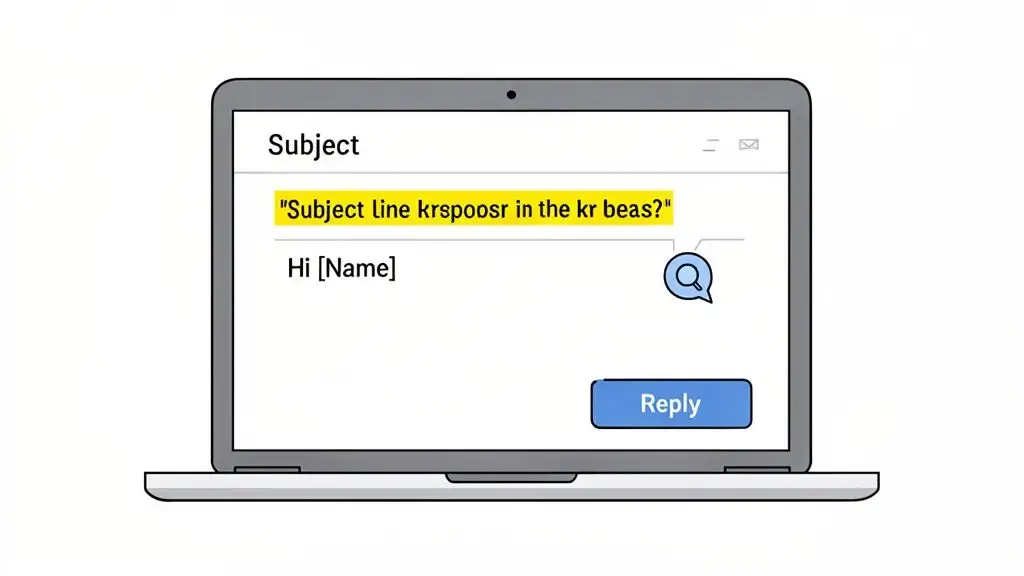
The goal here is to spark curiosity without being a cringey, clickbait-y mess. You want to sound like a human, not a late-night infomercial. Ditch the "URGENT ACTION REQUIRED" and try something more like, "Quick question about [Company Name]'s recent launch."
Let's do a quick makeover.
-
Before: "Revolutionize Your Workflow with Our SaaS Solution"
- This just screams "I am a generic sales email, please delete me." It’s all about you, your solution, and your buzzwords.
-
After: "Idea for your new SDR team"
- Now this is intriguing. It’s specific, it’s about them, and it hints at a solution without giving the whole game away. It sparks just enough curiosity to earn that all-important click.
Writing Body Copy That Actually Connects
Okay, they opened it. The clock is ticking. You have a few precious sentences to prove you’re not about to waste their time. The secret? Make it all about them.
Seriously. Your prospect doesn't care about your company's founding story or your laundry list of features. They care about their problems, their goals, and the fact that their own inbox is a raging dumpster fire. Your job is to connect your solution directly to their world, right now.
A classic mistake I see all the time is reps leading with their product, just assuming the prospect will do the mental gymnastics to figure out why they should care. It's like a terrible first date where the other person does nothing but talk about themselves.
Let’s transform a bland, me-focused message into something that resonates.
Before: "Hi Sarah, My name is Tom, and I work for SalesPlatform. We offer an industry-leading tool that helps companies increase their sales efficiency by 30% with features like automated sequencing and lead scoring."
This is a one-way ticket to the archive folder. Sarah has seen this exact template a thousand times.
After: "Hi Sarah, Saw your post on LinkedIn about the challenges of scaling your new SDR team. Getting everyone ramped up and hitting quota fast is a huge lift, especially when you're trying to avoid burnout. I had an idea on how you could automate the initial prospecting grind so they can focus purely on conversations."
See the difference? The "after" version is specific, relevant, and empathetic. It shows you did a tiny bit of homework and are focused on solving her problem, not just peddling your product. This is a crucial skill, and you can go way deeper into how to write cold emails that convert in our detailed guide.
Pro Tip: Munch does the boring job of researching your prospects and then carfting personalized outreach messages in minutes.
The Call to Action That Gets, Well, Action
You've nailed the subject and the body copy. Don't fumble at the goal line! You have to stick the landing with a clear, low-friction call to action (CTA). So many otherwise great emails fall apart right at the end with a vague or overly demanding request.
Avoid the big, high-commitment asks like, "Are you free for a 30-minute demo next Tuesday?" You haven't earned that yet. It’s the sales equivalent of asking for marriage on the first date. You gotta start smaller.
Your goal with a CTA in a first-touch email is beautifully simple: start a conversation.
Here are a few low-friction CTAs that work like a charm:
-
Interest-Based CTA: "Open to learning more?" or "Worth a chat?" This is a simple yes/no that’s incredibly easy to answer.
-
Problem-Based CTA: "Is tackling [specific problem] a priority for you right now?" This keeps the focus on their needs.
-
Resource-Based CTA: "Happy to send over a short case study on how [Similar Company] solved this. Sound good?" This offers immediate value without demanding their time.
By crafting every single element of your email with the recipient in mind, you do more than just get replies. You build a positive sending reputation that boosts your deliverability for the long haul. Every positive engagement is a vote of confidence, telling inbox providers that your emails aren't just spam, they're actually wanted.
Keeping a Watchful Eye on Your Sender Reputation
Look, improving your email deliverability isn't a one-and-done deal. You can't just set up your authentications, warm up your domain, and then blast out thousands of emails on autopilot. That’s like trying to win a Grand Prix by flooring it and then closing your eyes. You won't know you’re in trouble until you're spinning out into the wall.
You have to stay vigilant. The pros know this. They have a dashboard, a set of warning lights that start flashing before the entire campaign goes up in smoke. This is the difference between an amateur sender and a pro who consistently lands in the inbox.
Your Go-To Dashboard: Google Postmaster Tools
Think of Google Postmaster Tools (GPT) as your free, backstage pass to see exactly how Gmail, the biggest inbox provider on the planet, sees your domain. Not using it is like ignoring a text from your biggest client. You can do it, but the consequences will not be pretty.
Getting GPT set up is a piece of cake, and it gives you a direct line of sight into the metrics that actually move the needle. It’s your mission control.
Here’s the intel you'll get inside:
-
Spam Rate: This is the big one. It’s the percentage of your emails that real humans are dragging to the spam folder. If this number creeps above 0.3% consistently, you’ve got a big, flashing red light on your dashboard.
-
IP & Domain Reputation: Google grades you on a simple "Bad" to "High" scale. You want to live in the "High" zone. If you see it dip to "Medium," consider it a warning shot. Hitting "Low" or "Bad" means you're in the penalty box.
-
Authentication: This is your report card for SPF, DKIM, and DMARC. It tells you at a glance if your emails are passing these critical technical checks. If you see a high failure rate, you’ve likely got a configuration problem that needs fixing, stat.
Reading the Tea Leaves: What Your Metrics Are Telling You
Beyond Google's tools, the analytics inside your own sending platform are a goldmine. But you have to know what you’re looking at. These aren't just numbers to make you feel good; they're the vital signs of your sender health.
A sudden spike in your bounce rate, for example, is a massive clue. Did you just import a new list you bought from a shady source? Maybe a technical glitch is causing your authentication to fail intermittently. A high bounce rate is a direct signal to inbox providers that you're not keeping a clean house.
Similarly, if your open rates are steadily dropping, don't just blame your subject lines. Your first thought should be, "Am I landing in spam?" Digging into how to approach understanding open email tracking can help you figure out if the problem is your message or your inbox placement.
Pro Tip: Never look at these metrics in a vacuum. A high bounce rate, a low open rate, and a "Medium" domain reputation in GPT all tell the same story: your emails aren't getting through, and you need to play detective.
A Real-World Troubleshooting Guide
So, the warning lights are flashing. Don't panic. Panic is not a strategy. Let's walk through a classic scenario.
You log into your sending platform and your stomach drops. Your bounce rate, which is normally a healthy 2%, shot up to a terrifying 15% overnight. What now?
-
Find the Source: First, isolate the problem. Did this spike happen right after you launched a sequence to a new list segment? Bingo. That's your prime suspect. Pause all sending to that list right now.
-
Check Your Vitals: Head straight over to Google Postmaster Tools. Is your authentication success rate still hovering near 100%? If you see a sudden drop in DKIM or SPF passes, someone in IT might have changed a setting without telling you. It happens.
-
Scrub the List: If your authentication is solid, the problem is almost certainly the list. It's probably stale or full of typos and invalid addresses. It's time to run that segment through a verification tool again and get it squeaky clean before you even think about hitting "send."
This kind of methodical approach shifts you from being a victim of deliverability to being a master of it. By keeping a close eye on your metrics, you can spot trouble early, protect the reputation you've worked so hard to build, and make sure all your hard work actually pays off.
A Few Lingering Questions About Email Deliverability
Alright, we've waded through the deep end of authentication, warm-ups, and list hygiene. But let’s be real, email deliverability can sometimes feel like trying to nail Jell-O to a wall. It’s tricky.
So, let's tackle a few of the most common questions that pop up. Think of this as the final polish to get you from feeling overwhelmed to totally in control.
How Often Should I Be Cleaning My Email List?
Honestly? More often than you probably think. People switch jobs, companies get acquired, and old email addresses turn into dusty, forgotten spam traps. Data gets stale fast.
For a busy B2B sales team, a good cadence is to run your entire contact list through a verification tool at least once a quarter. If you're bringing in a fresh list of prospects? Verify it before a single email goes out. It's the kind of proactive move that saves you from a world of deliverability pain down the road.
Are Email Warm-Up Services Actually Worth It?
Yes, absolutely, and for most teams, they're a huge time-saver. As we covered, warming up an inbox manually takes some serious patience and attention to detail. Warm-up tools handle all that for you, automatically creating positive interactions to build your sending reputation without you lifting a finger.
Expert Tip: These services are fantastic for building your technical reputation, but don't mistake that for the whole picture. You still have to send genuinely good emails that people want to open and reply to. That's what builds your engagement reputation, and the two go hand-in-hand.
What Exactly Is a Spam Trap, and How Do I Stay Away?
Imagine a hidden tripwire set by email providers. That's a spam trap. It's an email address that looks real but isn't used by a person. Hitting one instantly signals to providers that you aren't managing your lists properly, and it's a huge red flag for your sender reputation.
You'll mainly run into two kinds:
-
Pristine Traps: These are "clean" email addresses that have never been legitimately used. They usually end up on lists that have been scraped from the web.
-
Recycled Traps: These are old email addresses that a real person once used but have since abandoned. Providers reactivate them specifically to catch senders who don't clean their lists.
The only real defense here is obsessive list hygiene. This means regular verification and never, ever buying lists. They are almost always crawling with traps. Staying clear of spam traps is fundamental to any solid strategy for improving email deliverability.
If you want to dive even deeper, this definitive guide on improving email deliverability is a fantastic resource. You can also see how different platforms stack up in our breakdown of the best cold email software.
Ready to stop guessing and start landing in the inbox? Munch is your all-in-one platform for finding high-intent prospects, enriching their data with 95%+ accurate emails, and launching personalized outreach that gets replies. Stop worrying about deliverability and start booking meetings. Discover your next customer with Munch today.