How To Find Email Addresses For Companies Like A Pro

By Mriganka Bhuyan
•Founder at Munch
Finding a direct line to a decision-maker is part art, part science, and a whole lot of digital detective work.
Your goal isn't just to find an email address. It's to find the right one, so you can send a message that lands in the inbox of a real person who can actually say "yes" to you. Sending a pitch to a generic info@company.com address is like leaving a voicemail on a disconnected number. You're just talking to yourself.
This is your ticket to starting real business conversations.
Your Mission: Finding the Right Company Emails
Before you dive headfirst into the internet's rabbit holes, let's get one thing straight. This isn't about spamming. It's about precision-guided outreach. You're trying to build a genuine business relationship, and that starts with a message that solves a real problem for the person on the other end.
A direct, verified email is the difference between getting a reply and getting ghosted. Simple as that.
For any B2B sales team or scrappy startup founder, the secret sauce is a smart mix of manual sleuthing and strategic automation. The game plan is pretty straightforward:
-
Pinpoint Key Contacts: Figure out who the decision-makers are. The ones with the power to make things happen.
-
Verify Everything: Make sure the email is active before you hit send. This keeps your sender reputation squeaky clean.
-
Personalize Your Message: Use what you've learned to craft an email that sounds like it came from a human, not a bot.
Of course, knowing how to find an email is only half the battle. You first need to know who you're even looking for. If you haven't nailed that down yet, you might want to check out our guide on creating an ideal customer profile template.
This simple workflow breaks down the entire process from discovery to validation.
As you can see, successful outreach isn't a one-and-done task. It’s a three-part harmony of sleuthing, scaling, and verifying. The numbers don't lie, either. Sending automated but highly targeted emails can generate four times better conversions. We're talking about click-through rates jumping from a sad 1.5% to a much healthier 5.4%.
Now, let's get into the nitty-gritty of how you actually find these emails.
Email Finding Methods at a Glance
Here's a quick comparison of the most common methods for finding company emails, weighing their speed, accuracy, and cost.
| Method | Speed | Accuracy | Cost |
|---|---|---|---|
| Manual Search | Slow | Varies | Free |
| Email Permutators | Fast | Low-Medium | Free |
| Email Finders | Very Fast | High | Paid |
| Data Enrichment | Instant | Very High | Paid |
Each method has its place. Manual searching is great when you're just starting, while paid tools are essential once you need to scale your efforts without sacrificing accuracy.
Mastering the Art of Manual Sleuthing
Before you unleash the fancy tools and automation, let's go old school. Think of yourself as a digital detective, a modern-day Sherlock Holmes, but with better Wi-Fi. Sometimes, the most reliable way to find an email address is with your own brain, a dash of intuition, and a search engine.
This is the ground game. It’s not about breakneck speed; it's about surgical precision. You're hunting for that one perfect clue that cracks the case, and you'd be surprised how often it's hiding in plain sight.
Start Where They Live: The Company Website
Your first stop should always be the company's own digital turf. It sounds almost too simple, I know, but you wouldn't believe what companies willingly post on their own websites. It's like the villain in a movie explaining their entire evil plan moments before the hero shows up.
Don't just skim the homepage. You need to dive into the forgotten corners of the site where the real treasure is usually buried.
-
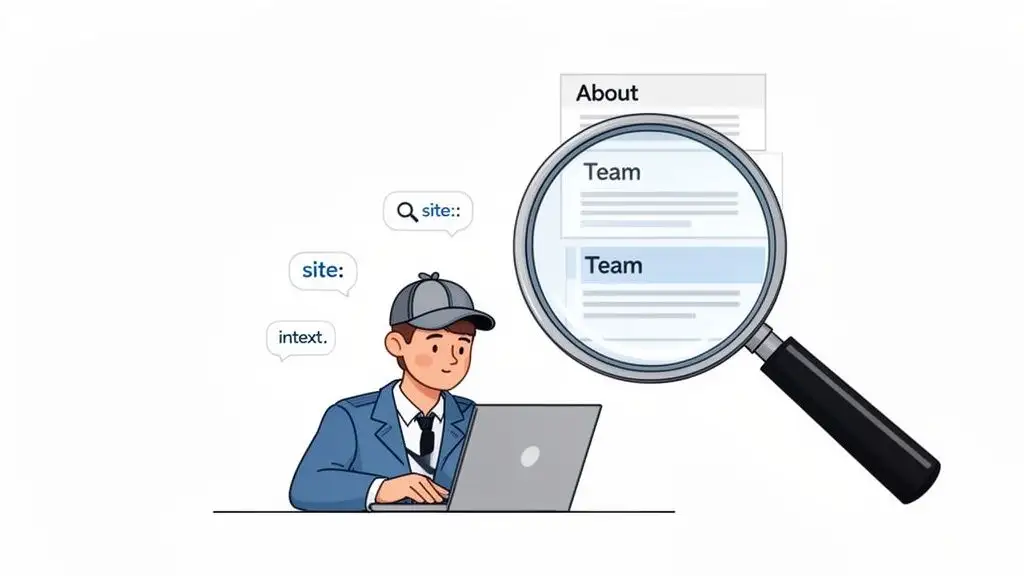
The 'About Us' or 'Team' Page: This is your low-hanging fruit. Many companies, especially smaller ones and startups, proudly list their key players. You'll often find direct contact info or, at the very least, a full name and title you can work with later.
-
Press Releases or the 'News' Section: When a company puts out a press release for a new hire, a funding round, or a product launch, they almost always include a media contact. This is often a direct line to someone in marketing or PR, complete with their name and email. Jackpot.
-
Author Bios on the Blog: If your target has ever written for the company blog, check their author bio. It’s a classic spot to drop a direct email to encourage feedback from readers.
Remember, the goal here isn't always to find your exact target's email right away. You're looking for the company's email pattern. If you find just one person's email, like
jane.doe@acmecorp.com, you've likely figured out the format for everyone else.
This initial recon gives you the raw intelligence you need to move forward. You’ve got a name, a title, and maybe even the company's email structure. Now, it's time to confirm your hunch.
Level Up with Advanced Search Operators
Basic Google searches are for amateurs. We're going full-on Neo from The Matrix now, bending the search engine to our will. Advanced search operators are special commands that filter your search results, letting you pinpoint information with incredible accuracy.
Think of them as cheat codes for Google.
Instead of just typing "Jane Doe Acme Corp email," you can build a query that forces Google to find exactly what you're looking for. This is what separates the pros from the casual searchers.
Here are a few of my go-to search strings you can copy and paste:
-
To find an email on the company site:
site:company.com "Jane Doe" email
This tells Google to search only withincompany.comfor pages mentioning both the person's name and the word "email." -
To uncover emails from press releases:
"Jane Doe" "Acme Corp" filetype:pdf
This is brilliant for digging up PDFs, like official press releases or conference speaker lists, where contact details are often tucked away. -
To locate an email in an author bio:
intext:"email Jane Doe" site:industrypublication.com
Theintext:operator is your secret weapon. It finds specific text within the body of a page, perfect for sniffing out bios where someone has contributed an article. -
To combine operators for a power search:
(site:company.com OR site:linkedin.com/in/janedoe) "Jane Doe" contact
Here, you’re telling Google to search either the company's site or a specific LinkedIn profile for your prospect's name right next to the word "contact."
Getting good at these operators turns you from a hopeful prospector into a surgical information extractor. Once you've got this down and need to find entire teams, you can learn more about how to search for employees on LinkedIn. It’s the perfect next step to scale up your efforts.
Time to Scale: Unleashing the Power of Smart Email Finder Tools
Look, playing detective is fun for a while. Channeling your inner Sherlock Holmes to hunt down that one golden email address feels like a win. But let's get real, you have a quota to hit, and you can't spend your entire day sleuthing.
When you need to find more than just a handful of emails, it's time to call in the cavalry. This is where you graduate from hopeful guesswork to strategic, scalable outreach. Email finder tools are your force multiplier, taking the soul-crushing grunt work off your plate so you can focus on what you're actually good at: starting conversations and closing deals.
Think of these tools less as a magic wand and more like a super-soldier serum for your sales game. They won’t do all the work, but they'll make you faster, stronger, and ridiculously more efficient.
From Simple Scrapers to Full-Blown Sales Intelligence
The world of email finders isn't a one-size-fits-all market. These tools range from handy little browser extensions to massive, all-in-one platforms that feel like they were sent back from the future to help you crush your numbers.
-
Browser Extensions: These are your entry-level workhorses. They live in your browser and pop up when you're on a LinkedIn profile or a company website. With a single click, they'll sniff out and try to verify an email. They're quick, easy, and perfect for grabbing a few emails on the fly.
-
Bulk Email Finders: Got a list of names and companies but no contact info? This is your tool. For example, you can upload a CSV with a "FirstName," "LastName," and "Company" column, and the tool will add a new column with the verified email address for each person.
-
Sales Intelligence Platforms: Welcome to the big leagues. These platforms go way beyond just finding emails. They unlock a whole universe of data like direct-dial phone numbers, deep company insights, buying signals (like a recent funding round or a new tech adoption), and even detailed org charts.
The best tools don’t just make educated guesses. They use a pretty sophisticated process to make sure the data you're getting is actually worth a damn.
What is Waterfall Enrichment, Anyway?
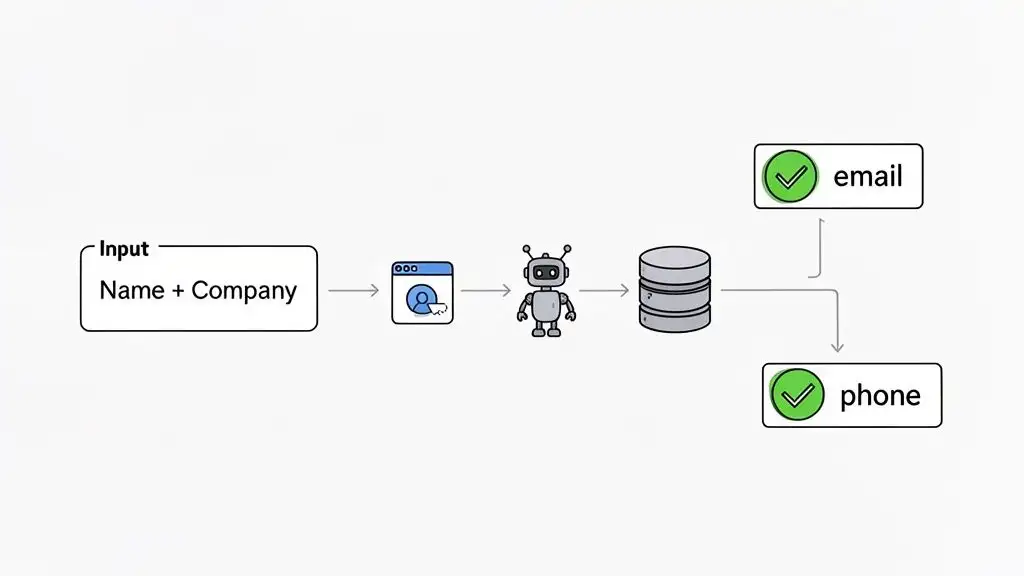
So, how do the top-tier platforms find emails with such scary-good accuracy? The secret sauce is a method called waterfall enrichment. It sounds complex, but the idea is actually pretty straightforward.
Instead of just checking one dusty old database, the tool queries multiple data sources in a specific, logical order.
Think of it like a detective cross-referencing clues from different witnesses. The tool hits its most reliable, proprietary data source first. If there's no high-confidence match, it immediately pivots to the next best source, then the next, and the next, until it finds a verified hit. It’s like a relentless information-gathering machine that doesn't stop until it's certain.
This layered approach is a game-changer, dramatically increasing the odds of finding a correct, verified email. You end up with a contact profile packed with useful information, transforming a simple name into a genuine sales opportunity. You can see how this works by exploring various data enrichment tools and what they bring to the table.
Key Takeaway: Waterfall enrichment is a multi-step verification process that checks several data sources in sequence. This method significantly boosts accuracy, often achieving 95% or higher, which means fewer bounced emails and a healthier sender reputation.
This accuracy isn't just a vanity metric; it directly impacts your bottom line. Average B2B cold email open rates have climbed to a respectable 36%, but that number lives and dies by the quality of your list. Bad data can easily torpedo your open rates, sending them plummeting below 25%. That's a clear sign that your list needs a serious clean-up.
Why Verification is the Real MVP
Finding an email is only half the battle. The real prize is knowing it’s a valid email that won’t bounce back and smack you in the face.
A high bounce rate is a massive red flag for email providers like Google and Microsoft. It's the fastest way to get your domain blacklisted. Think of it as getting kicked out of the club for trying to talk to people who don't even exist.
Modern email finder tools have verification built right in, and they typically check a few key things:
-
Syntax Check: Is the email formatted correctly? For example,
name@domain.com. This is the easy part. -
Domain Check: Does the company's domain actually exist and is it set up to receive mail?
-
Server Ping: This is the crucial final step. The tool directly (and safely) pings the email server to ask, "Hey, does an inbox for this user actually exist?"
That server ping is everything. It's the difference between hoping an address works and knowing it will. An unverified email is a liability, but a verified one is an asset that protects your sender reputation and gives your message a fighting chance to actually be seen.
Don't Let Bad Emails Wreck Your Reputation
Alright, you've done the detective work and have a list of potential emails. Time to celebrate, right? Not so fast.
Sending a message to a bad address is like stepping on a digital landmine. It blasts your sender reputation, which is the score email providers like Google and Outlook use to judge whether you're a legitimate sender or just another spammer clogging up their system.
Rack up enough bad sends, and you'll find yourself on a blacklist. Think of it as the internet's penalty box, a lonely place where your carefully crafted emails go to get ignored. Before you even think about hitting "send," you have to verify your list.
This isn’t about dodging a few bounce-back notifications. It's about protecting your entire domain's ability to reach anyone. It’s the sales equivalent of "measure twice, cut once."
The Two Flavors of Verification
Not all verification is the same. There's a huge difference between a quick glance and actually checking if the key fits the lock.
-
The Syntax Check: This is basic. A tool just checks if the address looks right. It has an "@" symbol, a proper domain like
.com, and no weird characters. It's a decent first filter, but it tells you nothing about whether a real inbox is waiting on the other side. -
The Server Ping (SMTP Handshake): This is the real deal. A verification service pings the recipient's mail server and politely asks, "Hey, does an inbox for
jane.doe@acmecorp.comactually exist here?" The server gives a simple yes or no, confirming the address is legit without you ever having to send an email.
Your north star is a bounce rate under 2%. This is the gold standard for a healthy, high-performing email list. Creep above that, and you're waving a red flag at every email provider out there.
Pro Tip: Platforms like Munch validates and verifies work emails in a waterfall motion - meaning it checks with multiple data providers to verify and validate the email ids.
Putting Email Verification Services to Work
The good news? You don't need a degree in computer science to do this. There are fantastic services out there built specifically to scrub and verify email lists. Many are standalone platforms where you just upload a spreadsheet, while others are baked right into the sales tools you already use.
The process is simple. You upload your list of, say, 500 prospects, and the tool runs each one through its gauntlet of checks. When it's done, you'll get a clear status for every contact:
-
Deliverable: The email is valid and safe to send to. Green light, go for it.
-
Risky / Accept-All: The company's server is set up to be a "catch-all," meaning it accepts mail for any address at that domain. This makes it impossible to confirm a specific person's inbox. Proceed with caution.
-
Undeliverable: This email is a dud. It will bounce. Delete it from your list immediately.
-
Unknown: The server didn't respond. It's a mystery, and it's best to leave these alone.
This step is non-negotiable if you're serious about sales outreach. The payoff from a clean list is just too massive to ignore. Think about it: email marketing still delivers an insane average ROI of $36 for every $1 spent, and in some industries like retail, that number jumps to a 45:1 ratio. That kind of performance is only possible with clean, verified data.
Ultimately, verification is what ensures your messages actually land in front of a real person instead of vanishing into the void. To see exactly how this works under the hood, check out our deep-dive guide on how to verify email addresses.
Staying on the Right Side of Email Law
You found the email. You verified it. You feel like a digital Sherlock Holmes who just solved the case. But before you hit "send" on that masterpiece of a message, we need to talk about the one thing that can stop your entire outreach operation dead in its tracks: the law.
Finding an email is a technical puzzle, but using it is a legal one. The last thing you want is for your hard work to be rewarded with a sternly worded letter from a lawyer. Think of this as your non-boring, jargon-free guide to staying out of hot water. It's not about being scared; it's about being smart so your efforts actually pay off.
GDPR vs. CAN-SPAM: Your Global Rulebook
Let's be honest, email compliance laws can feel as exciting as reading the iTunes terms and conditions. But the basics for B2B are actually pretty simple. You're mostly dealing with two big players: the GDPR in Europe and the CAN-SPAM Act in the US. They have different personalities, but both are aimed at stopping sketchy email practices.
-
CAN-SPAM (USA): This one is the more relaxed of the two. It generally allows for cold B2B outreach as long as you play by a few simple rules. The absolute biggest one? You must include a clear and functional unsubscribe link in every single email. No excuses, no exceptions.
-
GDPR (Europe): This one is stricter. Sending unsolicited commercial emails to individuals requires their explicit consent. But for B2B, there's a saving grace called "legitimate interest."
This concept of legitimate interest is your golden ticket for responsibly reaching out to European prospects.
Legitimate interest basically means you have a solid, business-related reason to contact someone. Your product or service is genuinely relevant to their professional role, and you have a reasonable belief they would expect to hear from a business like yours and could actually benefit from it.
For instance, emailing a VP of Sales about a new CRM platform? That almost certainly falls under legitimate interest. Emailing that same person about your weekend yoga retreat? Yeah, not so much. It's all about relevance and professional context.
Keeping Your Outreach Ethical and Effective
Beyond the black-and-white of the law, there's the spirit of it. The goal isn't to skate by on legal technicalities; it's to build a long-term outreach strategy that people don't despise. And what do you know? Ethical outreach also happens to be the most effective.
Think of it this way: you wouldn't just barge into a CEO's office and start yelling your pitch. The same etiquette applies to their inbox. Your message should always be tailored and provide real value from the get-go.
Here’s how to put that into practice:
-
Be Hyper-Relevant: Your first sentence should instantly signal that you've done your research. Mention a recent company milestone, a LinkedIn post they wrote, or an industry trend affecting their role. Show them this isn't just another blast to a list of a thousand names.
-
Provide Immediate Value: Don't just jump to asking for 15 minutes of their time. Offer a compelling stat, a useful article, or a quick insight that speaks directly to a challenge they're facing. Give something before you ask for something.
-
Make Opting Out Painless: As CAN-SPAM demands, your unsubscribe link should be easy to find and work with a single click. Don't make someone jump through hoops and solve a logic puzzle just to get off your mailing list.
At the end of the day, compliance is just about respect. Respect their privacy, respect their time, and respect their inbox. When you lead with that mindset, you're not just dodging legal bullets, you're building a reputation as a professional whose emails are actually worth opening.
Alright, you did the hard part. You've hunted down and double-checked the right email address. Pop the champagne? Not so fast.
An overflowing list of contacts is just a vanity metric. It means nothing if you can't turn those names into actual conversations. All that digital detective work was for this one moment: hitting "send."
This is where you cash in on your effort. But a generic, self-serving pitch will get your perfectly verified email address sent straight to the trash. Let's make sure that doesn't happen.
Crafting an Email That Doesn't Suck
The ace up your sleeve is all that juicy info you just gathered. This is how you prove you're a real person who's actually paying attention, not some robot scraping a list.
Think about it. A generic opener is like shouting "Hey you!" across a crowded bar. It's lazy and it never works.
Instead, lead with something you actually learned during your search.
-
Did your enrichment tool mention a new CMO just came on board? Try, "Congrats on bringing Sarah Jones in as the new CMO..."
-
Did you find their email in a press release about a new funding round? Go with, "Saw the fantastic news about your Series B. That's a massive milestone for the team."
-
Did they post on LinkedIn about a specific industry challenge? Open with, "Your recent post on the pains of scaling sales teams really hit home..."
This isn't about being a stalker; it's about being relevant. You're simply showing you get their world and aren't just spamming the void. This one move instantly separates you from the 95% of outreach that lands with a thud.
The Foolproof Framework for Getting a Reply
You don't need to write a masterpiece. The best cold emails are short, sharp, and all about them. They respect the reader's time and make it dead simple to see the value.
-
The Personalized Hook: That killer opening line we just talked about. Make it genuine.
-
The "So What?" Statement: In a sentence or two, connect what you do to a problem they're probably losing sleep over. For example, "We see a lot of companies in your space get tripped up by [Problem X], so we help them do [Solution Y]."
-
The Low-Stakes Ask: Never ask to "pick their brain" or for a "quick 30-minute call." That feels like a huge commitment. Instead, go for a simple, yes/no question to gauge interest, like, "Is improving [Metric] on your radar for this quarter?"
This simple flow transforms your email from a pesky interruption into a potential lifeline. It's the final, crucial step in converting a name on a spreadsheet into a real sales opportunity. If you want to see this structure in the wild, check out this great cold email example for more ideas.
Frequently Asked Questions
You've got questions, we've got answers. Let's tackle some of the most common head-scratchers that pop up when you're hunting for company email addresses.
What's the Most Common Email Format for Companies?
If there were a one-size-fits-all answer, this guide would be a lot shorter! But a few patterns are definitely your best bet to start. Think of it like guessing a coffee shop's Wi-Fi password. You always try the obvious ones first.
The most common formats you'll run into are firstname.lastname@company.com and firstinitiallastname@company.com.
For smaller outfits, you might even get away with a simple firstname@company.com. A smart play is to run a few of these common patterns through an email verification tool before hitting send. The really good sales intelligence platforms do this work behind the scenes for you anyway.
Is It Legal to Email Someone's Work Address Without Permission?
Ah, the million-dollar question. The answer really boils down to geography.
Here in the U.S., the CAN-SPAM Act is the law of the land. It generally gives a thumbs-up to cold B2B emails, as long as you give your recipient a crystal-clear, easy-to-find way to opt out. Don't bury that unsubscribe link like it's a national treasure.
Across the pond in Europe, GDPR is much stricter. However, there's a clause for "legitimate interest" that often allows for B2B outreach. This just means your product or service needs to be genuinely relevant to their job. The golden rule, no matter where you are, is simple: be relevant, be respectful, and make unsubscribing a one-click affair. And of course, always check with a legal pro for advice tailored to your specific situation.
Key Takeaway: The legality of cold B2B email hinges on where you and your recipient are located. U.S. law focuses on the ability to opt out, while European law prioritizes professional relevance under the "legitimate interest" principle.
Just How Accurate Are These Email Finder Tools?
The accuracy can range from "surprisingly good" to "did a robot just guess this?" Basic web scrapers and cheap tools often have a ridiculously high error rate, which is a surefire way to nuke your sender reputation with bounce after bounce.
On the flip side, premium sales intelligence platforms are a different beast entirely. They pull from multiple verified data sources and use real-time validation to hit 95% or higher accuracy. Many use a "waterfall" enrichment method, checking several databases in order until they find a match they're confident in. My advice? Always go with a platform that's willing to put a number on its accuracy.
Can I Snag Bulk Email Addresses for a Whole Department?
You bet. This is where modern sales intelligence tools really shine, and it's the key to scaling up your outreach. You can typically search for a company, then filter by department, like "Marketing" or "Sales," and then drill down even further by job titles like "Director" or "VP."
In just a few minutes, you can build a hyper-targeted list of the exact decision-makers you need to talk to. It beats hunting for contacts one by one and is the secret sauce behind every successful account-based sales campaign.
Ready to stop guessing and start connecting? Munch gives you the tools to find verified contact data, identify high-intent prospects, and personalize your outreach at scale. Find your next customer today.