How To Track Email Opened Without Being A Creep

By Mriganka Bhuyan
•Founder at Munch
Ever wonder if your most important emails just vanish into a digital black hole? You hit "send" on a crucial proposal, then... crickets. You're left wondering if it was even seen, let alone read. This is exactly where the surprisingly simple magic of email open tracking comes in.
You can track an email when it is opened by tucking a tiny, invisible 1x1 image, known as a tracking pixel, into the message itself. When the recipient’s email client loads this pixel, it pings a server, which instantly registers the email as "opened" in your sales software. It’s like getting a digital postcard back, letting you know your message arrived and was seen.
Unmasking the Magic: How Email Open Tracking Really Works
So, how does this actually work without being some kind of creepy digital wizardry? It’s far simpler than you might think.
The star of the show isn't a complex algorithm but a humble, invisible 1x1 image: a tracking pixel. Think of it as the world's smallest secret agent, embedded right into the HTML of your email. It's so small that it’s completely invisible to the naked eye, so your prospect won't see a thing.
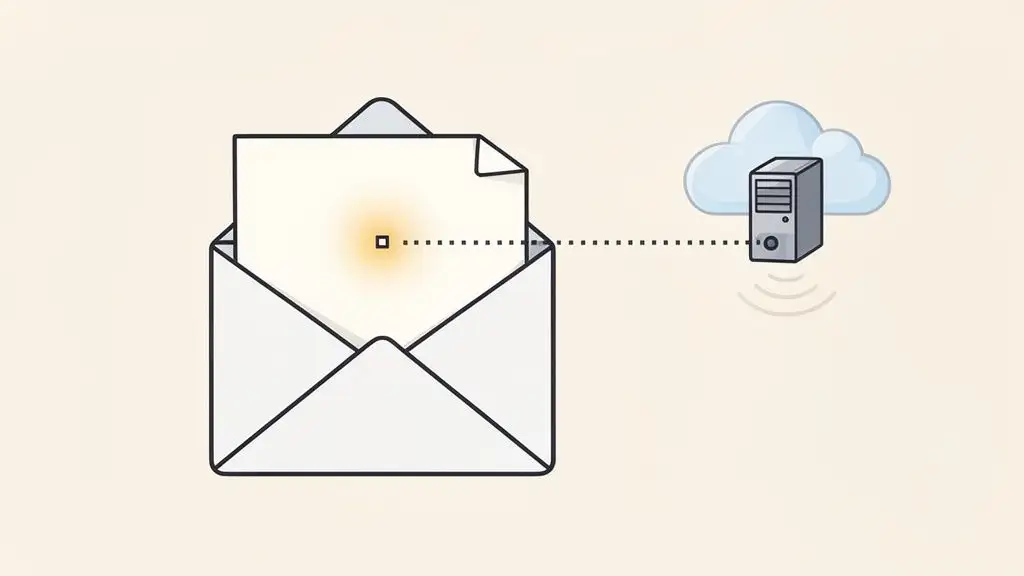
When your prospect opens your email, their email client (whether it's Gmail, Outlook, or Apple Mail) has to render everything inside. To do that, it needs to download all the email's components, and that includes your tiny, hidden pixel. The moment it does, that download sends a request to a server controlled by your email tracking software.
That single request is the signal. It’s the digital equivalent of a host at a party telling you your guest has just walked through the door. Your software logs the event, and boom, you get a notification that your email has been opened.
It's not about reading their private thoughts; it’s just a simple confirmation that the message was viewed.
The Tracking Pixel in Action
Let's break this down with a real-world scenario. Imagine you're a sales rep who just sent a killer proposal to a hot lead at "Innovate Corp." Here’s what’s happening behind the curtain:
-
The Pixel Gets Planted: Your sales platform, like HubSpot or Outreach, automatically slips a unique tracking pixel into your email before it leaves your outbox. This pixel has a special URL tied directly to your account and that specific message.
-
The "Open" Event: Your contact at Innovate Corp clicks on your email. Their Outlook client immediately starts loading the content and sends a request to the server address in the pixel's URL to fetch the image.
-
The Notification Hits: The server gets the ping and instantly records the "open." It can even grab extra tidbits like the time, the recipient's general location (from their IP address), and sometimes the device they used. Your sales tool then shoots you a notification: "Your email to Innovate Corp was just opened."
To truly accurately track email opened, you have to understand this basic mechanic. This simple server request is the foundation for almost all email open tracking.
Why This Is a Total Game-Changer
Knowing when an email is opened gives you an incredible strategic edge. It’s the difference between flying blind and having a cockpit full of live data. You can finally stop guessing and start making smart, informed decisions.
Think about it. If you see a prospect opened your follow-up email five times in one morning, that’s a massive buying signal. It’s the perfect cue to pick up the phone. On the flip side, if a week goes by with zero opens, you know your subject line probably bombed. Time to switch up your approach.
The Great Open Rate Heist And Apple's Privacy Plot Twist
Remember when your email open rate was a solid, reliable metric? Ah, the good old days. You'd send an email, see that "opened" notification, and know exactly when to pounce with a follow-up call. It was the sales equivalent of a text message read receipt.
Then, in a plot twist worthy of a 90s thriller, Apple decided to flip the whole game on its head.
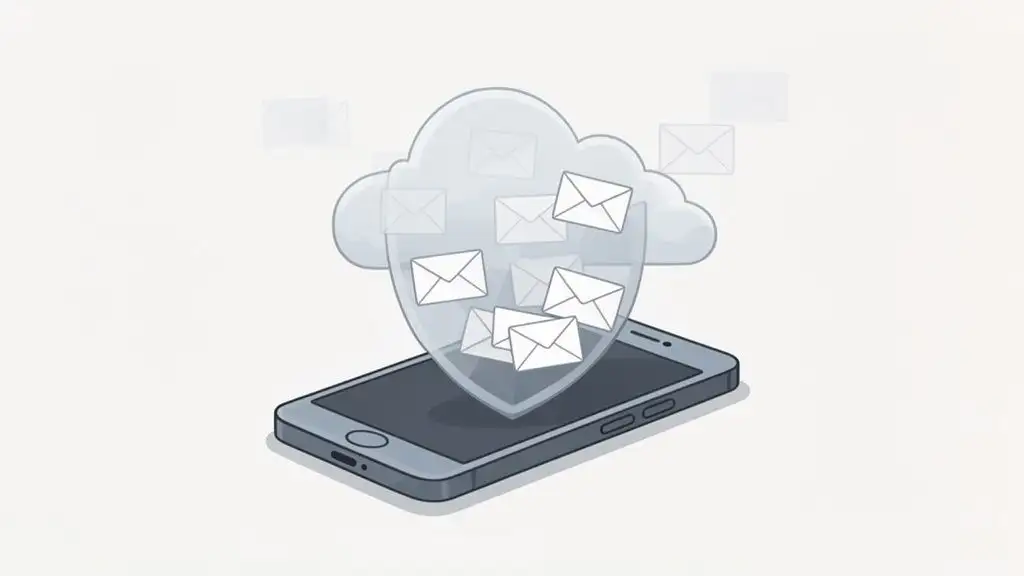
Back in 2021, Apple dropped its iOS 15 update, and with it came a little feature called Mail Privacy Protection (MPP). This sneaky setting pre-downloads all email content, including those invisible tracking pixels, through Apple's own servers before it even lands in someone's inbox.
The result? Every single email sent to an Apple Mail user with MPP turned on gets marked as "opened," whether your prospect read it, glanced at it, or completely ignored it. It’s like getting a standing ovation just for showing up to the theater, not for actually putting on a good show.
Why Your Open Rate Is Now A Vanity Metric
Suddenly, that one trusty metric was flooded with false positives, making it utterly misleading. Your open rate is no longer a true measure of engagement. It’s mostly just a number that tells you how many people on your list own an iPhone.
Picture this: you send a killer follow-up to a dream prospect. A few minutes later, "ping!" You get an open notification. Your heart races. You grab the phone, dial their number, and you're met with complete confusion. "Sorry, who is this? I haven't even checked my email." That's MPP in action, serving you a ghost signal that can derail your entire outreach strategy.
Your open rate went from being a helpful guide to a digital ghost. It looks real, it feels real, but chasing it will lead you nowhere. It’s time to stop trusting these phantom reads and focus on what truly matters.
This isn't some tiny statistical blip, either. Before MPP, a decent open rate was somewhere in the 20-25% range. By 2022, the average had jumped to 26.80%, and now some reports claim it's as high as 37.93%. But here's the kicker: experts warn that 50% or more of those "opens" could be complete phantoms, especially as providers like Gmail and Yahoo roll out similar privacy guards.
The New Normal And Your New Playbook
Apple fired the first shot, but they weren't the last. Other email giants are following their lead, making user privacy the new standard. This means the problem of inflated open rates is only going to get worse. Relying on this metric is like trying to navigate a new city with a map from 1985. You’re going to get seriously lost.
It's also worth remembering that users are getting smarter and can actively disable email tracking on their own. The old playbook of "they opened, so they're interested" is officially dead and buried. It's time to find a new game plan, one that focuses on genuine actions and real engagement, not digital whispers in the dark.
Setting Up Your Tracking Tools The Right Way
Alright, so we've established that relying solely on open rates is like trying to navigate a new city using a hand-drawn map from a friend-of-a-friend. It’s a nice thought, but you’re probably going to get lost. So, how do you actually track what matters?
Getting the right tools in place isn't rocket science. It’s about picking the right weapon for your sales battles, whether you're a one-person show slinging emails from a coffee shop or part of a massive sales army coordinating a full-scale assault.
Let's walk through the three main ways you can start tracking email engagement, from dead-simple setups to the powerhouse platforms the pros use. Each has its place, and the best one for you really boils down to your goals, your budget, and frankly, how much you enjoy tinkering with settings.
Starting Simple With Email Client Extensions
The absolute easiest way to dip your toes into email tracking is with a simple browser extension for Gmail or Outlook. These are lightweight little add-ons that plug right into your inbox and give you tracking superpowers with almost zero effort.
Think of them as the training wheels for sales engagement.
A sales rep who's just starting out could install a tool like Mailtrack or Yesware. The setup is a breeze:
-
Find the extension on the Chrome Web Store and click Install.
-
Give it the necessary permissions to work with your email account.
-
Pop open a new email, and, voila! You'll see a new little checkbox or toggle near the send button, usually asking if you want to "Track this email."
Just like that, you’re in the game. When you hit send, the tool sneaks a tiny tracking pixel into your email. You’ll get slick, real-time desktop notifications the second someone opens your message. It's a fantastic, low-commitment way to get a feel for tracking.
The real win here is simplicity. You get instant feedback without ever leaving your inbox. The catch? These tools are often light on the deeper analytics you need to run a serious sales operation.
Leveling Up With Sales Engagement Platforms
Once you're tired of basic open alerts and ready for the big leagues, it’s time to graduate to a dedicated sales engagement platform.
These platforms are the Swiss Army knives of modern sales. They don't just track emails; they let you orchestrate entire multi-step, multi-channel campaigns. This is where the magic really happens.
Imagine you’re a sales development representative (SDR) tasked with building a full outreach campaign. Inside one of these platforms, you’d:
-
Build out a sequence: This isn't just one email. It’s a strategic series of touchpoints: an initial email, a follow-up three days later if there's no reply, a LinkedIn connection request, and maybe a final, highly personalized email to break through the noise.
-
Turn on tracking globally: As you write your email templates, you can just flip a switch to enable link and open tracking for the entire sequence. No more worrying about checking a box on every single send. It's just on.
-
Watch the engagement roll in: The platform’s dashboard gives you a bird's-eye view of every single interaction. You can see precisely who clicked the link to your case study, who replied to your second email, and who has completely ghosted you.
This kind of visibility is a game-changer. If a particular subject line is bombing, you can A/B test a new one and let the data show you what actually gets people to click. These platforms are the command center for modern sales teams, and our guide on the best cold email software breaks down the top players to help you choose.
Pro Tip: Use Munch to enrich your lead list with verified work emails and our AI researches each lead's LinkedIn posts and company and writes personalized outreach messages.
The Pro Move: Custom Tracking Pixels
For the truly adventurous (and the seriously tech-savvy), there's one more path: building your own custom tracking solution. This gives you absolute, granular control over everything, but it requires some real technical chops.
Honestly, it's like building your own lightsaber instead of buying one. It's insanely powerful, but you'd better know what you're doing or you might lose a hand.

This method involves hosting your own 1x1 tracking pixel on a server you control. You embed this pixel into your emails, and your server logs every single request. This gives you raw, unfiltered data that you can then pipe into your own custom analytics dashboards.
This approach is usually reserved for massive-scale operations or companies with very specific security or data-sovereignty needs. For 99% of sales teams, a dedicated platform offers a much better balance of power and usability.
Choosing Your Email Tracking Method
So, which path is right for you? It really depends on your team's size, budget, and technical comfort level. Here's a quick breakdown to help you decide.
| Tracking Method | Best For | Pros | Cons |
|---|---|---|---|
| Email Client Extensions | Individual reps, small teams, or anyone just starting out. | Incredibly easy to set up and use. Sits right inside your inbox. Real-time notifications. | Limited analytics. Can get clunky at scale. Often lacks team features. |
| Sales Engagement Platforms | Most modern sales teams (SDRs, AEs, and managers). | All-in-one solution. Deep analytics and reporting. Automates multi-step sequences. | Can be expensive. Requires setup and training. Might be overkill for a lone user. |
| Custom Tracking Pixels | Large enterprises with dedicated dev teams and unique needs. | Maximum control and customization. Raw, unfiltered data. Full data ownership. | Extremely complex to build and maintain. Requires significant technical expertise. |
Ultimately, the goal is to find a tool that fits your workflow, not the other way around. Start simple, see what you learn, and don't be afraid to upgrade when you're ready to get more sophisticated with your outreach.
What to Track Instead of Email Opens
Look, if your email open rate is the Tamagotchi of your sales metrics, it was cute for a while, but it’s time to grow up. Since Apple’s privacy updates turned "opens" into a swamp of phantom reads, obsessing over it is like insisting your Beanie Babies are a solid retirement plan. You need signals that actually point to revenue.
So, if we can't trust the "email opened" event anymore, what should you be tracking? It’s time to stop worrying about who might have glanced at your subject line and start focusing on who’s actively raising their hand to say, "Hey, I'm interested."
Click-Through Rate: The Undisputed Champion
In a world of maybe-opens, the Click-Through Rate (CTR) is your rock. A click is deliberate. It’s undeniable. No privacy setting or quirky email client can fake a prospect intentionally clicking a link to your website, a case study, or your Calendly. It’s the difference between someone walking past your store window and someone actually walking inside to look around.
Think about it. You send an email linking to a new whitepaper. Someone clicks it. That’s a real, tangible signal. They didn't just open the email; they took the next step. This is the data you can confidently build a follow-up strategy around.
The numbers don't lie. Even though B2B email open rates are all over the place, hovering between 15-22%, a mind-boggling 42.7% of marketers still call it their top metric. Meanwhile, the far more reliable CTR is right behind at 42.1%. As privacy features keep muddying the open-rate waters, smart sales pros are jumping ship and focusing on clicks. For more on this, ipost.com has some great data on the state of email engagement.
Meet CTOR: Your New Best Friend
While CTR is fantastic, let me introduce you to its more insightful cousin: the Click-to-Open Rate (CTOR). This metric gives you a much sharper picture of how good your actual email content is. CTOR measures the percentage of people who clicked a link out of those who opened your email. It helps you slice through the noise of inflated open rates and answer one crucial question: "Once someone actually sees my email, is my message compelling enough to make them act?"
CTOR is your true north for content effectiveness. It tells you if your call-to-action is a powerful magnet or just a polite suggestion people scroll right past. Nail this, and you’re writing emails that genuinely drive action.
Here's a real-world example: A sky-high open rate paired with a dismal CTOR means your subject line is a killer, but the body of your email is a dud. It's the movie trailer that’s way better than the actual film. On the flip side, a strong CTOR, even with a so-so open rate, proves that the people you do reach are hanging on your every word.
Beyond the Click: Other Key Engagement Signals
While clicks are king, they aren't the only game in town. Your CRM and sales tools are sitting on a goldmine of other data points that scream "genuine interest." To really get a handle on your pipeline, you need to be looking at a whole dashboard of key lead generation KPIs.
Here are a few other signals to keep a close eye on:
-
Reply Rate: This is the absolute gold standard. A reply, even a "not right now, check back next quarter," is a conversation. It’s a direct response you can build a relationship from, and it’s a metric that’s completely immune to any privacy update.
-
Meetings Booked Rate: Let's be honest, this is the one that pays the bills. How many of your emails are directly landing a call on the calendar? Tracking which templates, sequences, or value props lead to more booked meetings is the fastest path to refining your entire outreach strategy.
-
Unsubscribe Rate: This one might sting a bit, but it’s brutally honest feedback. A spike in unsubscribes is a massive red flag that your targeting is off, your message isn't landing, or you're just plain annoying. It's the truth-teller you need, even if you don't always want to hear it.
Navigating Deliverability And Privacy Laws
Let’s be honest, using tracking pixels can feel a bit like lurking in the digital bushes. If you’re not careful, that creepy feeling can turn into a real problem, landing you in the spam folder or, even worse, earning a sternly worded letter from someone’s legal team.
You’ve got two big monsters to worry about here: deliverability and privacy compliance. Mess up either one, and your outreach campaigns will sink faster than a lead balloon. The goal is to earn a spot in their inbox, not sneak in like a digital ghost.
This dashboard shows what truly matters beyond a simple "open."
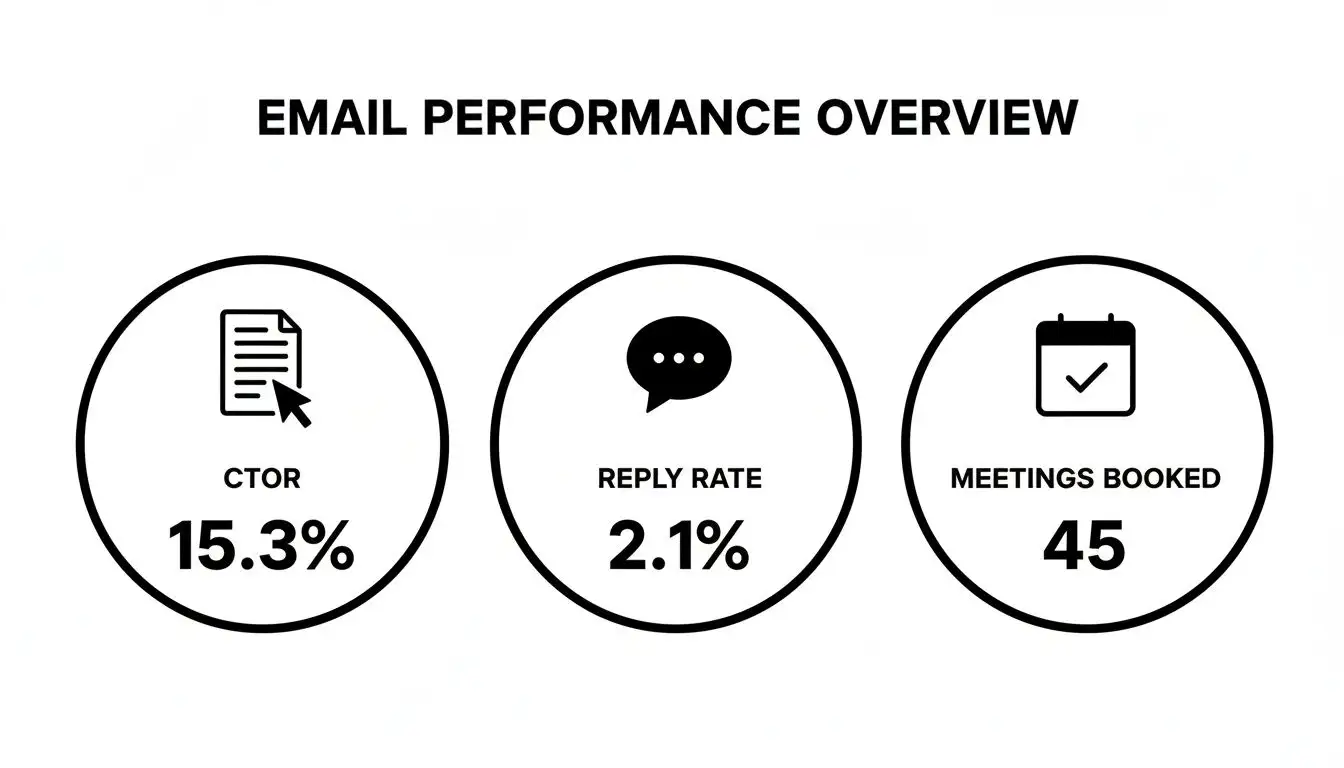
While an open is a decent starting signal, the real gold is in the metrics that show genuine interest: CTOR, replies, and meetings booked. That's where the money is.
Keeping Your Emails Out Of The Spam Folder
Spam filters are wickedly smart these days. Think of them as the inbox's overprotective bouncer, and they've got a serious side-eye for anything that looks even a little bit shady. One of the biggest things that sets them off? An email loaded with tracking pixels or links from sketchy domains.
Emails with tracking pixels are a staggering 15% more likely to get flagged as spam. When you mix that pixel with a bunch of links and a pushy sales pitch, you're practically waving a giant red flag at the spam filter.
So, how do you stay on the bouncer’s good side?
-
Use Reputable Tools: Don't cheap out. Stick with well-known sales engagement platforms. Their tracking pixels are hosted on trusted domains that spam filters have learned to recognize. Those free, janky browser extensions? They're almost always the culprit when deliverability tanks.
-
Don't Go Overboard: One tracking pixel is plenty. Stuffing your email with multiple trackers to feed different analytics tools is a surefire way to get flagged. Keep it clean.
-
Write Emails People Actually Want: The absolute best way to dodge the spam folder is to create content that provides real value. When your message is genuinely helpful, you look less like an intruder and more like a welcome guest. For a deep dive, check out our guide on improving email deliverability.
Staying On The Right Side Of The Law
Wading through privacy laws like GDPR in Europe or CCPA in California feels like trying to decipher a ridiculously long terms-and-conditions agreement. It’s dense, confusing, and the temptation to just scroll and click "I Agree" is real. But ignoring this stuff can bring down fines big enough to make your eyes water.
The golden rule behind all these regulations is transparency. People deserve to know what data you’re collecting and why. While B2B sales often gets a little more leeway than mass B2C marketing, being upfront is always the winning move.
The goal isn't just to be legally compliant; it's to build trust. When prospects see you're being transparent, they're more likely to engage with you. Hiding your tracking practices does the opposite.
Here are a few ways to stay compliant without killing your outreach:
-
Add a Subtle Disclaimer: A simple line in your signature can do the trick. Something like, "We use standard analytics to improve our communication. Learn more in our Privacy Policy." It's low-key but transparent.
-
Make Your Outreach Irresistible: The real secret is to provide so much value that the tracking becomes a non-issue. If you’re sending killer insights that help them do their job better, they’re not going to sweat a tiny pixel.
-
Don’t Be a Creep: This one’s critical. Use tracking data to time your follow-ups and improve your messaging. That’s it. Never, ever use it to comment on a prospect's location or their late-night reading habits. That’s a one-way ticket to getting blocked, reported, and blasted on social media.
Using Tracking Data To Drive Real Engagement
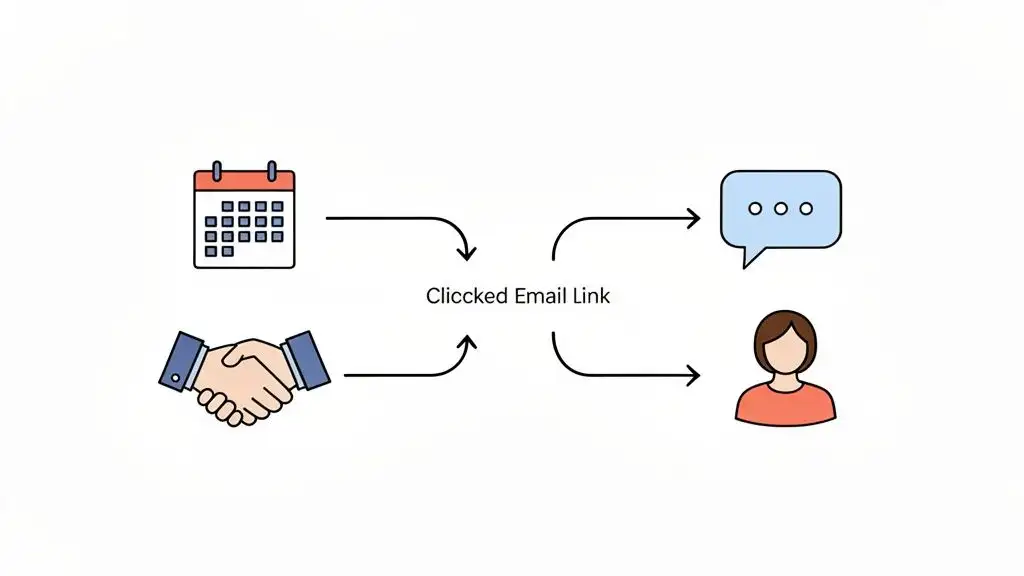
So, the data is in. You know a prospect just clicked the case study link in your last email. Now what? This is where the magic really happens. This is the moment that separates the salespeople who just send emails from those who actually start conversations.
It’s all about moving beyond the lazy, generic “just circling back” follow-ups. Instead, you'll start sending intelligent, context-aware messages that actually make sense to the person receiving them. Think of it like a video game: every action your prospect takes unlocks a different path for you to follow. Your job is to build the sequences that respond to these genuine signals of interest.
Building Intelligent Follow-Up Sequences
One-size-fits-all campaigns are dead. Your follow-up strategy needs to be a direct reaction to what your prospect is actually doing. It's less of a rigid script and more of a "choose your own adventure" book, guided by their behavior.
Here’s a practical breakdown of how you can segment your follow-ups based on real engagement:
-
The Case Study Clicker: They clicked your case study. This is a massive buying signal. Your next email has to reference it directly. Something like, "Hey, saw you checked out our work with Acme Corp. That was a fun project because we solved a scaling issue that sounds a lot like the one you mentioned. Got 15 minutes to chat about how we pulled it off?"
-
The Pricing Page Viewer: They clicked the link to your pricing page. Whoa. This person is moving down the funnel, and fast. Don't sit on this. A timely email offering a walkthrough of the different tiers is perfect. Try: "Noticed you were looking at our pricing. I'd be happy to jump on a quick call to help figure out which plan would be the best fit for your team's size and goals."
-
The Ghoster (No Clicks): They opened the email (or so you think) but didn't click a thing. Don't immediately write them off. They could just be swamped. This is your cue to switch things up, not to send the same offer again.
When email engagement flatlines, the smartest move is often to change the channel. A lack of clicks doesn't mean "no, never." It usually just means "not right now" or "not on this platform."
When To Switch The Channel
If a prospect shows zero engagement after a couple of emails, hammering their inbox with more of the same is a losing game. It's time for a pivot.
Instead of sending another email into the void, try a personalized LinkedIn connection request. You could say, "Hi [Name], I sent an email your way a bit ago about [topic], but I know how wild inboxes can get. Thought it might be easier to connect here." This simple change of scenery can be all it takes to reignite a stalled conversation. You can learn more about writing effective cold emails that get these kinds of responses.
While some B2B marketers still obsess over inflated open rates, which can be as high as 42.35%, the real money is in the clicks and replies. It's wild to think that while 59% of B2B marketers still gauge success by opens, only 21.3% track the far more valuable click-to-open rate (CTOR). This gap shows a massive opportunity for anyone willing to focus on what truly signals intent.
By letting data guide your every move, you'll shift from just trying to track email opened to creating a personalized, responsive sales experience that actually closes deals.
Got Questions? We've Got Answers
If you've still got a few things rattling around in your head about email tracking, you're in good company. Let's tackle some of the most common questions that pop up when you first dive in.
So, Can People Tell I’m Tracking My Emails?
The short answer? A super-technical person could. If they really wanted to, they could dig into the email's code, spot the tiny tracking pixel, and know what's up. Some browser plugins are also designed to sniff these out and block them.
But let's be realistic. Your average prospect isn't doing a deep-dive code review of their inbox. The pixel is, for all intents and purposes, invisible. The best move is to focus on sending such a valuable email that whether it's tracked or not becomes completely irrelevant.
Am I Going to Get in Trouble for This? Is It Even Legal?
For most B2B sales outreach, you're in the clear. However, the legal landscape, especially with regulations like GDPR in Europe, is all about being upfront and transparent.
While these laws are usually aimed at giant marketing email lists, it’s always smart to play it safe. A simple, no-fuss link to your company's privacy policy in your email signature is a great way to cover your bases and build a bit of trust without making a big production of it.
Look at it this way: this isn't just about dodging fines. It's about showing respect. A little transparency goes a long way in building the kind of trust that actually leads to a sale.
Will This Wreck My Email Deliverability?
It’s a valid concern, but the answer is: it depends on your tools. If you're using a cheap, sketchy browser extension, then yes, you might have a problem. Spam filters are smart, and they’ve already blacklisted the domains used by many of those questionable tools.
On the other hand, professional sales engagement platforms host their tracking pixels on reputable, trusted domains. Spam filters see these all the time and know they aren't a threat. As long as you stick with established software and practice good sending hygiene, the impact of a tracking pixel is basically zero.
Ready to stop guessing and start talking to prospects who are actually listening? Munch gives you the tools to find high-intent leads and personalize your outreach at scale. You can finally focus on the conversations that matter. See how Munch can change your sales game!