How To Use LinkedIn For Prospecting To Boost Leads And Pipeline

By Mriganka Bhuyan
•Founder at Munch
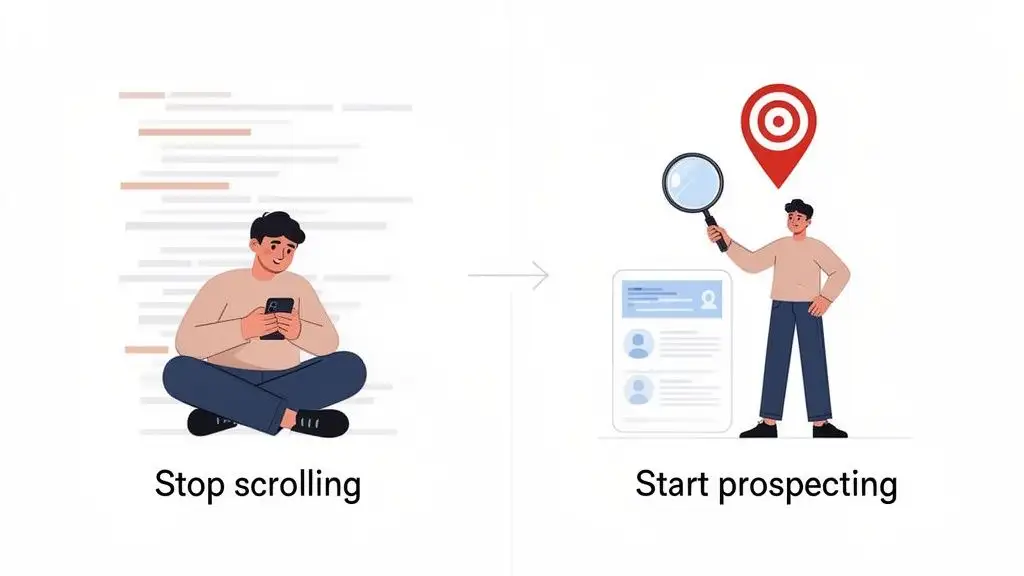
Most people get LinkedIn completely wrong. They treat it like a digital resume holder or a place to mindlessly scroll through corporate updates. But if you’re in B2B sales, that’s like owning a Ferrari and only driving it to the grocery store once a week. It’s time to stop scrolling and start hunting.
This isn’t just another "how to" guide. This is your playbook for turning LinkedIn into the lead generating machine it was always meant to be.
Stop Scrolling and Start Prospecting
Having a LinkedIn profile isn't enough. You have to shift your entire mindset from being a passive observer to an active, opportunity seeking prospector. It's the difference between waiting for the phone to ring and picking it up to make something happen.
Think of this as your Matrix moment. You can take the blue pill, go back to your newsfeed, and pretend none of this exists. Or, you can take the red pill with me and see just how deep this B2B rabbit hole really goes.
Why Your Old Approach Is Broken
Still sending that generic, default "I'd like to connect" message? You might as well be sending a carrier pigeon. It’s the digital version of a weak handshake: instantly forgettable and completely lacking in confidence or context. It screams, "I have nothing interesting to say."
A passive profile is a digital business card that nobody asked for. Active prospecting, on the other hand, turns your LinkedIn into a revenue engine by zeroing in on people who are practically waving a flag that says, "I have a problem you can solve."
Modern LinkedIn prospecting is all about precision targeting. It’s not about finding a good fit; it's about finding the people who are actively signaling they’re in the market and ready to buy. We call these high-intent prospects, and they’re pure gold.
Building a Modern Prospecting Playbook
Forget the fluff. This guide is all about building a practical playbook based on real world buying signals, intelligent personalization, and the right tech to handle the dirty work. We'll show you exactly how to find connections on LinkedIn who are genuinely looking for a solution just like yours.
We’re going to build our strategy around a few killer principles:
-
Spotting High-Intent Signals: This is about learning to recognize triggers that signal a window of opportunity. For example, a key person changing jobs, a company announcing a big funding round, or a team adopting new technology.
-
Crafting Outreach That Actually Works: We're ditching the cringey templates. I’ll show you how to write personalized messages that connect directly to your prospect’s current situation and make them want to reply.
-
Automating the Boring Stuff: Let’s use smart tools to find and enrich leads. This frees you up from soul crushing data entry so you can focus on what you do best: having meaningful conversations and closing deals.
This isn't about blasting your network with spam. It's about being smarter, more strategic, and, frankly, more human in how you approach people.
Alright, let's get to it.
Finding Your Ideal Prospects Before They Find You
Prospecting on LinkedIn without a solid game plan is a special kind of nightmare. It feels like trying to find Waldo in a stadium where everyone is wearing red and white stripes. It’s chaotic, overwhelming, and usually ends with a mild existential crisis and an empty pipeline.
This section is your pair of high powered binoculars. We're going to cut through that noise.
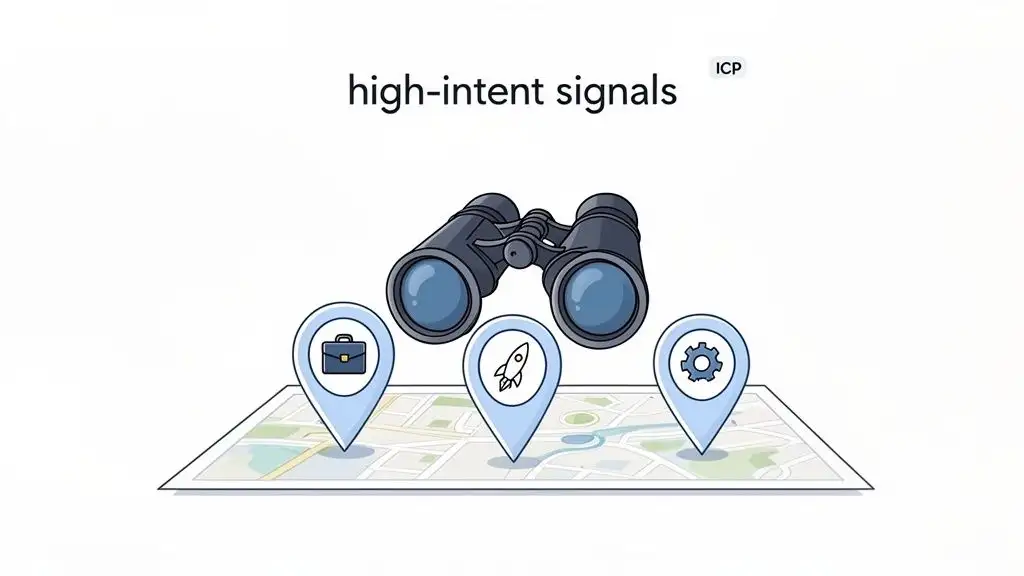
Forget basic search filters. We're diving into the world of high-intent buying signals. These are the digital breadcrumbs that basically scream, "We have a problem, and we just got the budget to fix it." Spotting these is how you find people who are already halfway to buying what you're selling.
Pro Tip: Munch helps you build targetted prospect lists by using intent signals and enriching their data using waterfall motion, saving you hours of manual prospecting.
Decoding High-Intent Signals
So, what are these magical signals? They’re specific events or changes that tell you a company is likely looking to buy right now. This is what separates the window shoppers from the serious buyers, and your job is to become an expert at spotting them.
It's a shift in mindset. Think less about who your prospects are and more about what they are doing.
Are they suddenly hiring for a brand new department? That’s a clear signal of growth and new needs. Did they just pop up on TechCrunch with a huge funding announcement? That means fresh cash is burning a hole in their pocket, and they’re looking for new tools.
The best prospectors I know don't just find leads; they find opportunities. Their entire workflow is built around timing and hitting someone’s inbox at the exact moment their problem becomes urgent.
Here are a few of the golden signals you should be hunting for:
-
Recent Job Changes: A new VP of Sales or a freshly hired CMO is a goldmine. They often come in with a new budget and a mandate to shake things up. In fact, they are 74% more likely to make a major purchase decision in their first year.
-
Company Funding Rounds: A Series B or C announcement isn't just news; it's a giant neon sign flashing "WE'RE SCALING & SPENDING."
-
New Tech Adoption: See a company just rolled out Salesforce? Perfect. They're probably in the market for tools that integrate seamlessly with it.
-
Hiring Sprees for Specific Roles: A company suddenly posts jobs for ten new account executives? You can bet they need sales enablement or training software, and they need it yesterday.
To help you sort the hot leads from the lukewarm lookers, here’s a quick reference table.
High-Intent Buying Signals vs. Low-Intent Indicators
| Buying Signal (High-Intent) | Real-World Example | Low-Intent Indicator |
|---|---|---|
| Hiring for key leadership roles | "Now hiring: VP of Demand Generation" | "Intern wanted for social media" |
| Announced a new funding round | Company raises a $50M Series B round. | Company posts a blog about profitability. |
| New office or market expansion | "We're excited to open our new EU HQ in Dublin!" | An employee works remotely from a new city. |
| Job posts mentioning a competitor | "Experience with [Competitor Tool] is a plus." | A generic job description with no tech stack info. |
Think of this table as your cheat sheet. The signals on the left are your cue to pounce; the indicators on the right mean you should probably keep scrolling.
Building Your Target List with Surgical Precision
Once you know which signals to track, you can stop spraying and praying. It’s time to build hyper targeted lead lists.
Let's say your Ideal Customer Profile (ICP) is VPs of Marketing. A rookie mistake is to just search for that title and start blasting messages. Instead, you get specific. You build a query like this:
Example Target List: VPs of Marketing at North American SaaS companies (100-500 employees) that announced a Series B in the last 90 days and are currently hiring for their marketing team.
Now that's a list. Every single person on it has multiple, compelling reasons to hear from you. You're no longer just another random salesperson; you're a relevant advisor showing up at the perfect time.
If you haven't nailed down your ICP yet, that's your first priority. Check out this guide on creating an Ideal Customer Profile template to get that sorted.
This focused, data driven approach isn't just a nice to have anymore. According to LinkedIn's 2023 B2B Marketing Benchmark, a whopping 80% of marketers now use data analytics for decision making. Another 70% are using automation to pinpoint the right channels and personalize outreach. The message is clear: the top performers are all in on customer centric strategies that solve real, timely pain points.
Crafting Outreach That Actually Gets a Reply
Think of your connection request as the movie trailer for your entire sales conversation. Is it generic and instantly skippable? Or is it compelling enough to make someone actually want to see the whole film? This is your one shot to avoid the dreaded "ignore" button and cut through the digital noise.
If you’re still using the opener, "I saw your profile and was impressed," please stop. Immediately. It’s the sales equivalent of a cheesy pickup line from a bad 90s movie. It’s lazy, screams “I’ve done zero homework,” and is an instant turn off.
It's time to stop trying to impress and start actually engaging.
The Anatomy of a Perfect Message
A great LinkedIn message is not a tiny sales pitch. It's a conversation starter, pure and simple. And a good one is always built on three pillars: context, personalization, and a clear (but subtle) value proposition. Your goal isn't to close the deal right then and there; it’s just to earn the right to have a real conversation.
This means you have to lead with a hook that proves you’re a real human, not some bot blasting out a template to a thousand people. The best hooks are tied directly to something you've uncovered about them or their company, like a buying signal you spotted earlier.
Here are a few hooks that actually work in the wild:
-
For a company trigger: "Saw on TechCrunch your company just locked in Series B funding to scale your sales tech. Huge congrats! A lot of fast growing teams I talk to hit [Problem X] right around this stage."
-
For recent activity: "Your post last week about the headaches of scaling outbound teams really resonated. That point you made about data accuracy is something we obsess over."
-
For a mutual connection: "Hey [Name], I noticed we're both connected with [Mutual Connection's Name]. I’ve always been a big fan of her work in the demand gen space."
An approach like this immediately shows you did your homework. It’s human, it’s relevant, and it’s pretty darn hard to ignore. For a deeper dive, our guide on crafting the perfect LinkedIn connection message has a ton more actionable ideas.
Pro Tip: Munch researches your leads and craft super personalized outreach messages in minutes!
Why Personalization Is Your Superpower
Sending a blank or generic connection request might feel faster, but it’s a one way ticket to being ignored. The numbers don't lie. Recent B2B prospecting research shows that personalized connection requests can jack up acceptance rates to as high as 35%, and some super targeted campaigns have even cleared 47%.
When you tie your request to something specific, like a recent promotion or a company funding round, you slice right through the generic clutter. That same study found that while average reply rates hang out between 10-15%, a heavy dose of personalization can rocket that number up to 30-50%. You can discover more insights from this 2024 LinkedIn B2B prospecting research to see for yourself.
The difference between a generic and a personalized message is the difference between junk mail and a handwritten letter. One gets tossed without a thought; the other gets opened every time.
The good news is, modern sales intelligence tools can now help generate these unique, context aware messages for every single prospect on your list. They can scan a profile for recent posts, company news, and shared interests, then suggest an opener that feels like you wrote it just for them.
This isn’t about faking it. It’s about using smart tech to spot genuine connection points at scale. It’s your secret weapon for making every prospect feel like they’re your only prospect.
Building a Multi-Channel Sales Sequence That Actually Works
If you think sending one LinkedIn message and then praying for a reply is a strategy, you might as well launch a paper airplane out your window and hope it lands on your dream client's desk. It's a nice thought, but let's be real, the odds are not in your favor.
Modern sales is a multi channel game. It’s all about creating a series of smart, thoughtful touchpoints that keep you on your prospect's radar without driving them crazy.
This isn't about carpet bombing their inbox until they surrender. It’s about showing up in different places, at different times, with something genuinely valuable to say. Think of it less as a sales attack and more as a well choreographed dance, mixing LinkedIn profile views, a bit of content engagement, a sharp email, and maybe even a good old fashioned phone call.
Designing Your Outreach Playbook
A killer multi channel sequence is a blend of passive and active touchpoints. A passive touchpoint is a subtle nudge, like viewing someone's profile. It’s a quiet way of saying, "Hey, I'm here." An active touchpoint, like sending an InMail or a personalized email, is a direct invitation to chat.
The magic happens when you mix them up.
Leading with a few passive "hellos" before you go in for the direct message warms up the whole interaction. It’s the difference between a total stranger knocking on your door versus a familiar face from the neighborhood stopping by to say hi.
This simple flow captures the essence of every single touchpoint that gets a response.
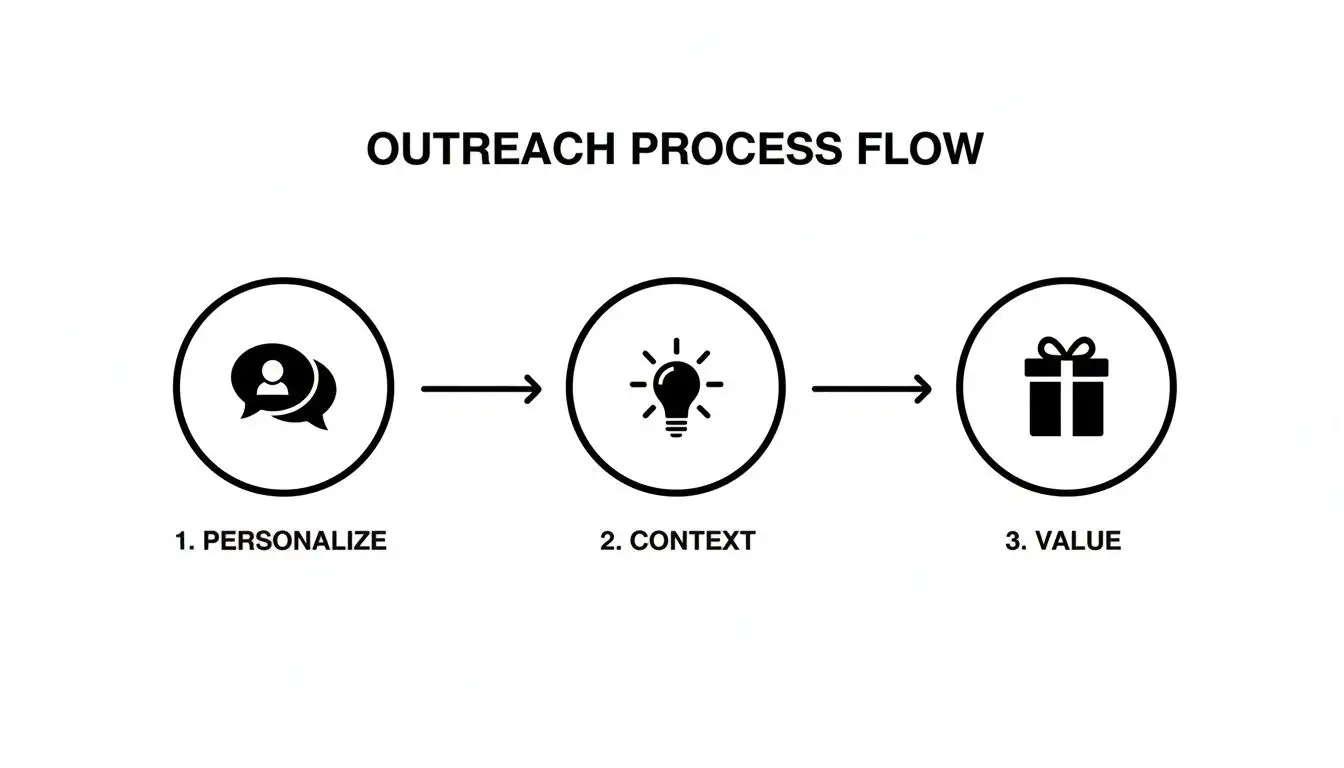
See how each step builds on the last? You're not just another random message. You're a welcome and relevant conversation starter.
A Sample 14-Day Multi-Channel Sequence
Every good sequence needs a beginning, a middle, and an end. The goal is simple: be persistent without being a pest. If you're looking for a solid starting point, I'd recommend digging into different sales cadence best practices to get a feel for what rhythm works in your industry.
But to get you started, here’s a 7-step, 14-day sequence I've seen work wonders. Feel free to steal it and make it your own.
-
Day 1: Pop over and view their LinkedIn profile. A few hours later, send a highly personalized connection request. For example, reference a recent post, a job change, or some company news you saw. No generic lines allowed!
-
Day 3: They accepted! Fantastic. Send a brief follow-up message. Do not pitch. I repeat, do not pitch. Instead, offer a valuable piece of content, like a case study or an insightful article related to that trigger you mentioned.
-
Day 5: Time to slide into their email inbox. Your subject line needs to pop, and the email body should tie back to your LinkedIn chat while adding a new piece of value. Keep it connected.
-
Day 8: Head back to LinkedIn and engage with their latest post. Leave a thoughtful comment that actually adds to the conversation. "Great post!" is a waste of everyone's time.
-
Day 10: Send another email, but come at it from a different angle. For instance, try something like, "Saw you shared that article on [Topic X], which reminded me of this resource..."
-
Day 12: Send one last, concise message on LinkedIn. This can be a friendly "breakup" message that gently closes the loop but leaves the door open for the future.
-
Day 14: The last ditch email. Keep it short, sweet, and focused on a single, powerful customer story or result. Make it count.
The point of a multi-touch strategy isn't to corner your prospect with a sales pitch. It's to surround them with value. You want to be the helpful resource they remember, not just another notification they ignore.
This is exactly what modern sales intelligence platforms are built for. They let you manage these sequences without tearing your hair out, enriching your LinkedIn leads with verified emails and automating the outreach across channels. It’s how you A/B test your messaging, figure out what really works, and build a predictable pipeline without all the manual chaos.
Measuring What Matters to Optimize Your Workflow
If you're not tracking your prospecting efforts, you're not really prospecting. You're just making friends, and probably not very effectively. It's time to stop flying blind. Ditch the vanity metrics like follower counts and start obsessing over the numbers that actually build a predictable pipeline.
Think of it like a video game. You wouldn’t play without a scoreboard, so why on earth would you try to sell without one? This is the point where your prospecting goes from a gut feel art form to a data driven science. By keeping a close eye on a few key performance indicators, you can pinpoint exactly what’s broken in your process and systematically fix it.
The Metrics That Move the Needle
Forget about how many connections you have. Your goal isn't to become a LinkedIn influencer; it's to book meetings that turn into revenue. Let’s dial in on the data points that directly impact your bottom line.
Here are the four essential metrics every serious prospector should live and die by:
-
Connection Acceptance Rate: This is basically your first impression score. A high rate, say 30% or more, tells you that your profile is polished and your personalized requests are hitting the mark. If it dips below 20%, you’ve got a problem.
-
Reply Rate: This one measures how compelling your initial message is once someone accepts your request. Are you actually starting a conversation, or are you just shouting into the void?
-
Positive Reply Rate: Let's be real, not all replies are good replies. This metric is crucial because it filters out all the "no thanks" and "not interested" responses, showing you who's genuinely engaging with your outreach.
-
Meetings Booked: This is the big one. The ultimate success metric. This is the number that proves your LinkedIn for prospecting efforts are translating directly into real sales opportunities and pipeline.
These numbers tell a story. For a complete breakdown of what to track, check out our guide on essential lead gen KPIs.
From Data to Decisions
Once you start tracking these numbers, you can begin making smart, calculated adjustments. Is your acceptance rate in the gutter? It's probably time to rewrite that profile headline or get a headshot that doesn't look like a still from The Blair Witch Project.
Tracking your metrics isn't about creating more work; it's about making your work more effective. It turns your intuition into evidence, allowing you to double down on what works and cut what doesn't.
If your reply rate is low, your messaging is almost certainly the culprit. Maybe your value prop is muddy, or your call to action is weak and uninspired. A/B test different openers and closing questions to see what truly resonates with your audience.
This data backed approach takes the guesswork out of the equation and helps you build a workflow that consistently delivers results. LinkedIn is a beast of an engine for B2B growth, driving a staggering 80% of all B2B leads from social media. With 85% of marketers calling it their top source for leads, mastering these metrics isn't just a good idea, it's non negotiable.
Got Questions About LinkedIn Prospecting? Let's Talk.
You're not the only one. When you start digging into LinkedIn for prospecting, a few questions always seem to surface. It’s like a rite of passage. Let's tackle them head on so you can get back to what matters: filling your pipeline.
How Many Connection Requests Should I Send a Day?
Slow down, tiger. The goal isn't to blast out requests like a confetti cannon at a parade. LinkedIn has a weekly invitation limit, usually around 100-200 invites, to stop spammers in their tracks. But honestly, you shouldn't even get close to that number.
The real magic happens when you focus on quality over quantity. Aim for 15-20 hyper personalized, well researched requests a day. Think about it: a sky high acceptance rate on a small, handpicked list of prospects is way more powerful (and better for your account's reputation) than a "spray and pray" approach that gets you ignored.
Is LinkedIn Sales Navigator Really Worth the Money?
If you're in B2B sales, the answer is an emphatic yes. Trying to prospect on the free version of LinkedIn is like trying to navigate a new city with a map drawn on a napkin. Sales Navigator is the Waze of prospecting because it gives you the most direct route to the right people.
Sales Navigator is the cheat code. Its advanced filters, smart lead recommendations, and ability to create dynamic prospect lists are game changers for finding high-intent buyers efficiently. It turns hours of mind numbing manual work into a few minutes of sharp, strategic action.
It's an investment, for sure, but the return you get in saved time and high quality leads pays for itself almost immediately.
What's the Best Way to Follow Up Without Being Annoying?
The golden rule here is simple: always add value. Never, ever just "check in." A great follow-up should feel like a helpful nudge, not a desperate plea.
Instead of the dreaded "just bumping this to the top of your inbox," try a different angle:
-
Share something useful: "I saw this report on the future of logistics and immediately thought about your team's Q4 goals."
-
Engage with their content: "Loved your post on company culture. It reminded me of a case study I think you'll find interesting..."
-
Celebrate their wins: "Just saw the news about your company's funding round. Huge congrats! That's a massive achievement."
The key is to mix it up across a few channels and give them some breathing room. Space your touchpoints out every few days, keep the tone light and helpful, and if you don't hear back after three or four genuine attempts, it's probably time to gracefully move on.
Can I Actually Use Automation Safely on LinkedIn?
Yes, but you have to be smart about it. LinkedIn’s rules are pretty clear: they don't want bots sending messages and requests directly from your profile without your involvement.
But here's the good news. Modern sales intelligence platforms don't work that way. They operate alongside LinkedIn to make you faster and more effective. They handle the soul crushing parts of the job, like the research, the data gathering, and the enrichment, before you ever click "send." This lets you fire off incredibly personalized outreach at speed, while keeping that final, crucial human touch firmly in your hands.
Ready to stop guessing and start building a pipeline you can count on? Munch brings lead discovery, data enrichment, and AI-powered personalization together in one place. Find people who are ready to buy, get their verified contact info, and write outreach that actually gets a reply. Start finding your next customers today.