How To Find Business Email Addresses And Actually Get A Reply

By Mriganka Bhuyan
•Founder at Munch
When you need to track down a business email, you really have four paths to choose from. You can roll up your sleeves and do some manual research on company websites, make an educated guess based on common email patterns, play detective on social media platforms like LinkedIn, or just let a specialized email finder tool do the heavy lifting.
Honestly, the best approach is a cocktail of all four. It's how you get both speed and accuracy.
Stop Guessing and Start Connecting
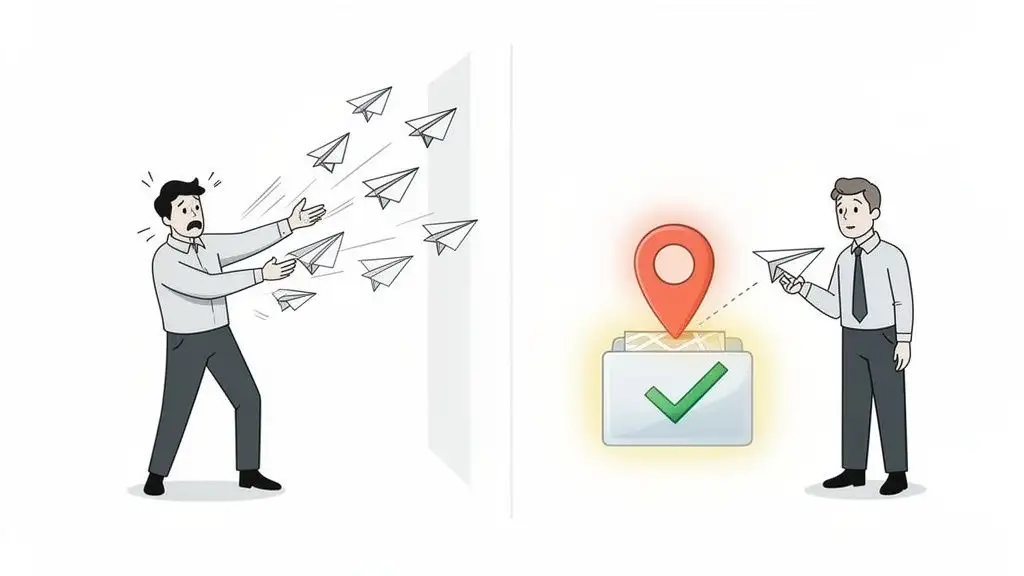
Welcome to the B2B sales grind, where a bounced email feels like a personal rejection from the internet itself. We've all been there, haven't we? Firing off a message to first.last@company.com and just hoping. It's the business equivalent of sliding into someone's DMs with "u up?" It almost never works.
This guessing game is more than just a headache; it's a massive time suck. Every minute you spend digging for an address is a minute you're not building a relationship or closing a deal. Worse, every bounce hurts your sender reputation, making it tougher for your real emails to land in anyone's inbox.
The Real Cost of Bad Data
Let's be blunt: bad email data is a direct hit to your bottom line. It’s a silent killer of productivity and campaign ROI. Your sales team wastes hours on dead ends, and marketing efforts get torpedoed before they even launch.
Think about the domino effect:
-
Damaged Sender Reputation: High bounce rates scream "spammer!" to email providers like Google and Microsoft. Before you know it, all your messages are taking a one-way trip to the junk folder.
-
Wasted Time and Effort: I've seen teams spend all day prospecting only to end up with a list that's maybe 20-30% accurate. That’s a whole lot of effort for very little reward.
-
Missed Opportunities: While you’re out there chasing digital ghosts, your competitors are having real conversations with your ideal customers.
The bottom line is this: finding the right inbox is the most critical first step of any outreach. Without a verified address, your perfectly crafted message is just shouting into the void.
Why Email Still Reigns Supreme
Even with all the new channels popping up, email is still the king of professional communication. The numbers are staggering. In 2022, we sent and received over 333 billion emails every single day. That figure is projected to blow past 392 billion by 2026.
And for B2B pros? A whopping 59% point to email as their number one channel for driving revenue. If you want to dive deeper, you can check out the full email statistics report for yourself.
Consider this guide your upgrade from a prospecting Ouija board to a high-powered GPS. We'll show you exactly how to find the right inbox, every single time. And while you're at it, supercharge your networking game by learning how to find connections on LinkedIn.
Mastering the Art of Digital Sleuthing
Before we unleash the high-tech cavalry of automated tools, let's get our hands dirty with the manual tricks of the trade. This is for the resourceful SDR who loves the thrill of a good old-fashioned hunt. It's time to channel your inner detective and crack the code.
The first move in your detective playbook is to reverse-engineer a company's email pattern. You'd be surprised how often it's hiding in plain sight.
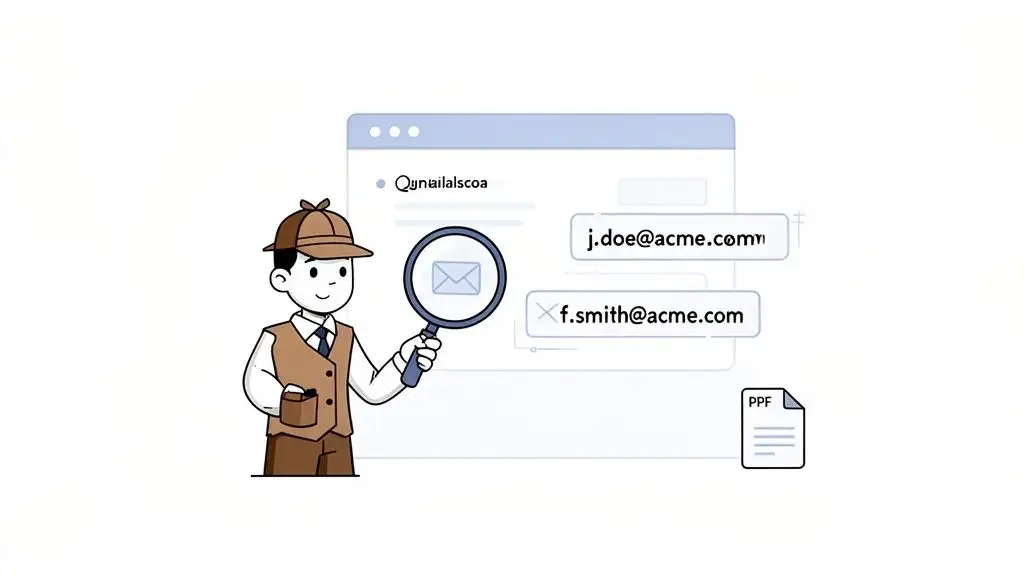
Start by digging around on their "About Us," "Team," or "Press" pages. Companies frequently list contact info for media inquiries or key executives. For example, if you spot j.doe@acme.com for Jane Doe and f.smith@acme.com for Frank Smith, you've just cracked the company's formula.
With that little nugget of intel, you have a highly probable format for your target. So if you're looking for Michael Scott at Dunder Mifflin, you can take a solid guess with m.scott@dundermifflin.com. This simple pattern recognition is a surprisingly effective way to figure out the email format for the whole organization.
Unlocking Google's Secret Moves
Your next stop? The most powerful search tool on the planet: Google. But we’re not just typing in names and hoping for the best. We’re using Google Search Operators, which are basically cheat codes that turn a generic search into a precision strike.
Think of it this way: a regular search is like asking a librarian for "a book." Using operators is like asking for "all first-edition sci-fi novels published in 1997." Big difference.
Here are a few of my favorites to get you started:
-
site:This little gem limits your search to a single website. It's perfect for scanning a target company's domain for clues. -
filetype:Want to find documents? Use this to search for specific file types like PDFs, Word docs, or spreadsheets where contact info loves to hide. -
" "(Quotation Marks): This puts your search term in a headlock, forcing Google to find that exact phrase. No more random, unrelated results.
Now, let's combine them for some real magic. Imagine you're looking for John Doe at Acme Corp. You could search for:
site:acmecorp.com filetype:pdf "john doe"
This command tells Google to search only on Acme Corp's website for any PDF documents that contain the exact phrase "john doe." You'd be amazed how often you'll find email addresses tucked away in old press releases, annual reports, or event speaker lists.
Mining Your Own Inbox for Gold
Sometimes, the answer is right under your nose, or more accurately, inside your email client. Email signatures are an often-overlooked goldmine for contact information. You might already be in a thread with someone from your target company, or maybe a colleague is.
A quick search of your inbox for @targetcompany.com can reveal signatures containing not just emails, but phone numbers, titles, and even LinkedIn profiles. It’s like finding a treasure map you didn't know you had.
This method is seriously powerful. Office workers send an average of 30-40 business emails daily. At a 100-person company, that can generate up to 80,000 signature impressions every single month. As detailed in the latest email signature statistics, this turns everyday communication into a lead generation engine.
Don't underestimate the clues hidden in plain sight. An email pattern, a forgotten PDF, or a simple email signature can often be the key that unlocks a major opportunity. Your inbox is a living database if you know how to search it.
Of course, once you have a name, another powerful tool is social media. LinkedIn, in particular, is the holy grail for B2B prospecting. If you need a refresher, check out our guide on how to search for employees on LinkedIn.
Manual Detective Work vs Automated Tools
So, when should you put on your detective hat, and when should you let the robots take over? It really depends on your goals, budget, and scale. Here’s a quick head-to-head comparison.
| Factor | Manual Search | Automated Tools |
|---|---|---|
| Speed | Slow and steady. Great for a few key targets. | Lightning fast. Can process thousands of contacts in minutes. |
| Accuracy | Can be very high if you find a direct source, but requires verification. | Varies by tool; the best ones have high accuracy rates (95%+). |
| Cost | Free! Your only investment is your time. | Subscription-based. Can range from affordable to very pricey. |
| Scalability | Not scalable. You can only do so much in a day. | Highly scalable. The only limit is your plan's credit allowance. |
| Skill Required | Requires patience, creativity, and research skills. | Minimal. Just need to know how to use the software. |
Ultimately, there's a place for both. Manual techniques are fantastic for building your research muscles and digging deep into your top-tier accounts. But when you need to build a large list quickly, automation is your best friend. Mastering both turns you from a simple salesperson into a true digital sleuth.
Using Smart Tools to Find Emails at Scale
Alright, let's be real. Hunting down emails one by one is satisfying when you land a big fish, but it’s a terrible way to fill the boat. If you're building a real sales pipeline, you can’t spend all day playing digital detective. It's time to call in the machines.
This is where you stop being a gumshoe and start being a strategist, letting smart tech do the heavy lifting. Think of it this way: manual searching is like fishing with a spear. It takes skill, and you might catch a prize-winning tuna. But if you need to feed a village, you bring a net. Email finder tools are your net.
Browser Extensions: The Perfect Entry Point
The easiest way to dip your toes in the water is with a browser extension. These are little tools that hang out in your Chrome or Firefox toolbar, ready to spring into action. You’ll be on a LinkedIn profile or a company’s “About Us” page, and with a single click, the extension scours its databases to pull up the contact info you need.
They’re brilliant because they slide right into your existing workflow. You’re already prospecting on LinkedIn, right? The extension just adds a magic "Find Email" button. It’s like having a helpful sidekick from a 90s sitcom pop up just when you need them.
Be warned, though, not all extensions are created equal. Some are just glorified guessers, running through common patterns (first.last, f.last, firstinitial_last) and hoping for a hit. The good ones, however, are tied into massive, verified databases that give you much more reliable results.
Unpacking Sales Intelligence Platforms
When you're ready to move beyond simple extensions, you'll discover the world of sales intelligence platforms. These are the heavy hitters. We're talking less about a helpful sidekick and more about commanding your own S.H.I.E.L.D. Helicarrier for sales.
These platforms don’t just give you an email; they provide a rich tapestry of data that gives your outreach context. They answer the critical questions that turn a cold shoulder into a real conversation.
-
Firmographics: How big is the company? What's their annual revenue?
-
Technographics: What software are they already using? (Are they a HubSpot shop? Do they run on Salesforce?)
-
Buying Signals: Did they just get a round of funding? Are they hiring a ton of engineers? Did a key executive just join?
This is the kind of intel that lets you graduate from "Hi, I sell X" to "Congrats on the new funding! As you scale your team, I noticed you use Marketo, and our tool integrates directly to solve [specific, relevant problem]." See the difference?
The goal isn't just to find an email. It's to find a reason to send one. Modern tools give you that reason on a silver platter, transforming your outreach from a shot in the dark to a targeted, informed approach.
The Magic of Waterfall Enrichment
You’ll hear sales tech folks throw around fancy terms like "waterfall enrichment." It sounds complicated, but the idea is actually quite simple. It’s just a smart way for platforms to cross-check multiple data sources to get the most accurate information possible.
Think of it like trying to find a friend’s new phone number. You’d probably start by asking your mutual best friend, your most reliable source. If they don’t know, you’d ask a wider circle of friends. Still no luck? Maybe you check a shared social media group.
That’s exactly how waterfall enrichment works. The tool pings its best, most accurate data source first. No match? It moves on to the next one, and then the next, cascading down the list until it finds a verified email. This sequential process is how the top-tier platforms can boast 95%+ email accuracy. It’s a huge upgrade from a single-source tool that just throws its hands up and quits after the first try.
Pro Tip: Use Munch to find and validate email addresses in a waterfall motion to reduce your bounce rate.
It’s About More Than Just the Email Address
The real power of these platforms is how they bring the entire top-of-funnel process under one roof. They combine prospect discovery, data enrichment, and outreach into one seamless flow. You can build a list of companies based on buying signals, enrich all their contacts with a click, and launch a personalized campaign without ever leaving the dashboard. For a closer look at this, check out this excellent guide on the best data enrichment tools.
This integration is what creates true efficiency. Instead of juggling a spreadsheet, a LinkedIn tab, an email finder, and your email client, you have a single command center. This shift doesn’t just save you time; it fundamentally changes how you approach prospecting, freeing you up to focus on the human side of selling while the machines handle the data.
Trust But Verify: Why Your Sender Reputation is Everything
You did it. You’ve hunted, gathered, and assembled a killer list of email addresses. Time to load them up and hit send, right?
Not so fast.
Sending cold emails to an unverified list is like showing up to a party you weren't invited to and immediately breaking the host's favorite lamp. It's a bad look, and you won't get invited back.
Every email you send to a dead address is a red flag to email providers like Google and Microsoft. Too many flags, and they start treating you like a spammer. This crucial step, verification, is all about protecting your sender reputation, which is basically your credit score in the email world. A good score gets you into the inbox; a bad one earns you a one-way ticket to the junk folder.
Skipping verification is like building a beautiful race car and forgetting to put gas in it. Your brilliant message will go absolutely nowhere.
The Magic Trick: The SMTP Handshake
So, how do you check if an email is real without actually sending a message and risking a bounce? You use a little piece of tech magic called an SMTP handshake.
Think of it this way: you call a company's main phone line and ask the receptionist, "Hey, does a Tony Stark work here?" The mail server (the receptionist) will either say, "Yep, that account exists," or, "Nope, never heard of him."
Crucially, you hang up before the call actually connects to Tony, so no message is ever sent.
This simple ping tells you if the inbox is live, which lets you slash your bounce rate before your campaign even launches. Keeping your bounce rate under 2% is the golden rule for a healthy sender reputation.
The whole process of finding and preparing emails is a lot more than just grabbing a name and a domain.
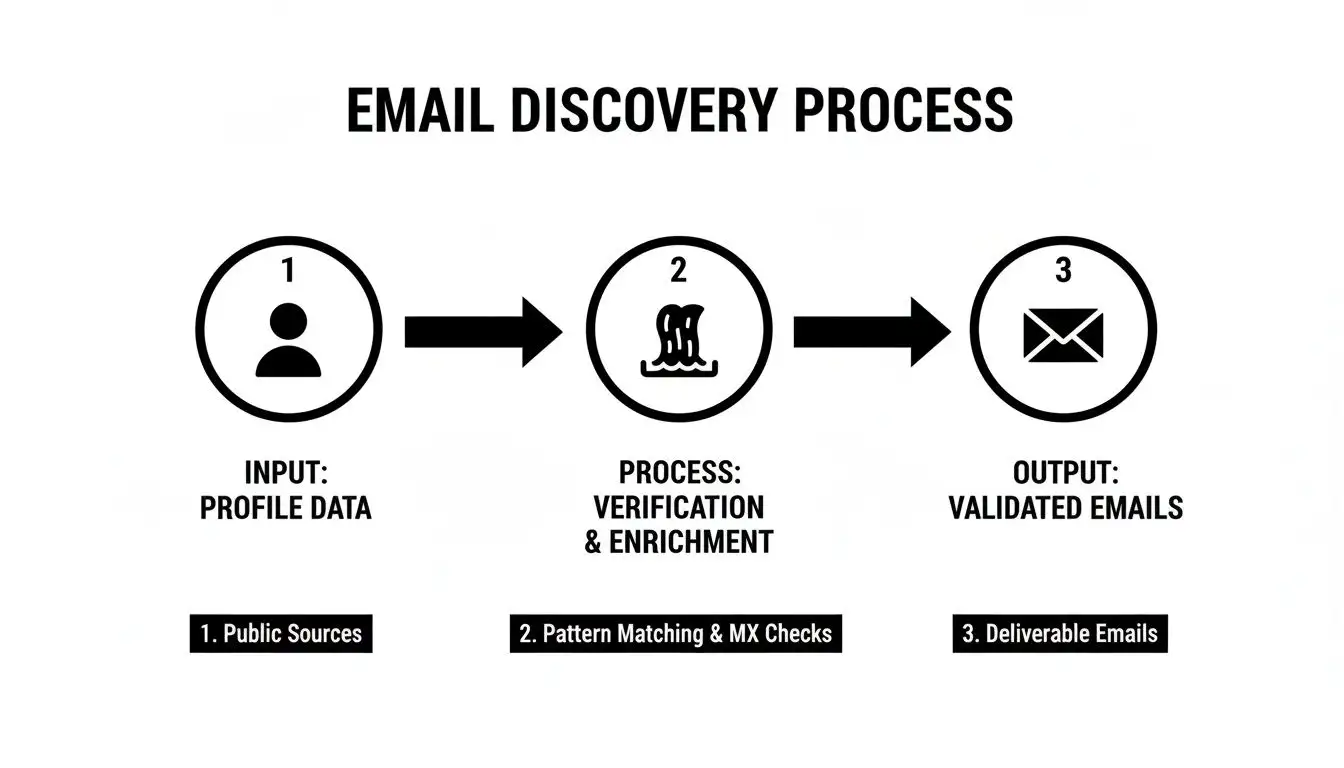
As you can see, finding the email is just the middle step. It's the final validation that turns a guess into a genuine, deliverable contact.
Choosing Your Verification Weapon
You’ve got two main ways to go about this: quick, single checkers for one-off lookups, or heavy-duty bulk services for cleaning your entire list.
For Quick Spot-Checks: Free, Single-Use Tools
These are perfect for those moments when you've just unearthed the email for a whale of a prospect and need to know right now if it's good. Just pop it into a free online verifier for an instant thumbs-up or thumbs-down.
-
Pros: They’re free and lightning-fast for individual emails.
-
Cons: Trying to clean a list of 1,000 contacts this way is a one-way ticket to carpal tunnel and madness.
For Serious Outreach: Bulk Verification Services
When you're dealing with hundreds or thousands of contacts, a bulk service is your only real option. You upload your CSV, and the platform runs that SMTP handshake on every single address. It then spits back a clean list, flagging all the duds for you to remove.
The real value of verification isn't just removing bad emails. It's about protecting the deliverability of all your future campaigns. A single bad send can do long-term damage that takes months to repair.
These services are an absolute must-have for anyone doing outreach at scale. Many sales intelligence platforms even build verification right into their workflow, cleaning emails on the fly as you build your lists. To see how this fits into a larger strategy, you can find a lot more information about how to verify email addresses and keep your campaigns in the green.
Ultimately, whether you use a free tool or a paid service, the principle is the same. Verifying every single email before you hit send is non-negotiable. It’s the difference between being a welcomed guest in the inbox and being the spammer everyone blocks.
Crafting Outreach That Actually Gets Replies
So, you found a verified email. High-five. You’ve got the keys to the car, but that doesn’t mean you know how to drive. The real trick isn't finding the email; it's turning that contact info into an actual conversation. This is where all that digital sleuthing you did pays off, transforming a bit of data into an opening line that makes someone stop dead in their tracks (or at least, their inbox scrolling).
An inbox is a warzone for attention. Generic, copy-paste messages are the first to get shot down. Your mission, should you choose to accept it, is to write an email that feels like it was crafted for an audience of one.
Turning Data Into a Killer Opening Line
The intel you gathered isn't just for making sure the email doesn't bounce, it's your secret weapon for personalization. You already know what tech they use, or that they just landed a fresh round of funding. This is the ammo you need to cut through the noise.
Think of it this way: a generic opener is like walking up to someone and saying, "Hello, fellow human." A personalized opener is like saying, "Hey, I saw you were at the Nirvana concert in '93. That version of 'Smells Like Teen Spirit' was epic, right?" One gets you a blank stare; the other gets you a nod of recognition.
Let's play this out. Your research tells you a prospect’s company just started using HubSpot.
Don't send this snooze-fest:
"Hi Jane, I help companies like yours improve their marketing..."
Instead, try this:
"Hi Jane, noticed your team recently brought HubSpot on board. We actually specialize in building custom analytics dashboards that plug right into it, saving marketing leaders like you about 10 hours a week on reporting."
See the difference? It's not just personalized; it's relevant. You’ve connected a specific data point (their tech stack) to a specific, painful problem you can solve (wasting time on reports). That’s how you get replies.
Two Email Templates That Don't Suck
Templates are a solid starting point, but they need some life breathed into them. Never just copy and paste. Treat these as frameworks, and inject your own research and personality.
Template 1: The "Sharp ICP" Cold Outreach
This is your go-to when you know your Ideal Customer Profile (ICP) so well you can practically finish their sentences. You know their pain points better than they do.
Subject: Question about [Company Name]'s content strategy
Hi [First Name],
Your recent post on [Topic] was fantastic, especially your point about [Specific Insight].
I'm reaching out because I work with B2B SaaS leaders in the [Their Industry] space, and I've noticed a pattern. Many are brilliant at creating content but struggle to tie it directly to new business.
Is that something on your radar at [Company Name]?
Cheers,
[Your Name]
Template 2: The "Buying Signal" Trigger
Use this one when your research uncovers a specific event: a new hire, a funding round, or a company expansion. It's timely, relevant, and proves you’re actually paying attention.
Subject: Congrats on the [Funding Round / New Role]
Hi [First Name],
Just saw the news about your [Series A funding / promotion to VP of Sales], huge congratulations!
From what I've seen, when companies hit this growth stage, scaling the sales team without burning through cash becomes a top priority. Our platform helps leaders like you automate lead enrichment so your new reps can spend their time selling, not digging for data.
Might this be worth a quick chat next week?
Best,
[Your Name]
These templates will get you started, but for a deeper dive, check out our full breakdown of cold email best practices.
Staying on the Right Side of the Law
Alright, let's talk about the legal stuff, but without the boring lawyer-speak. When you’re sending cold emails, you’re playing in a sandbox with rules like CAN-SPAM in the U.S. and GDPR in Europe.
Honestly, just think of them as the basic rules of internet etiquette.
-
Be Honest: Don't use a sneaky subject line. No "Re: Our Meeting" if you've never met. It's just slimy.
-
Provide an Exit: You must include a clear and easy way for them to unsubscribe. Don’t hide it in a tiny, light-grey font.
-
Identify Yourself: Include your physical mailing address in your signature. Yes, really.
The core idea is simple: don’t be a spammer. Be transparent, provide value, and make it easy for people to say "no, thanks." Annoying your prospects into submission is not a growth strategy, no matter what the law says.
Getting this right really matters. Email is the top revenue-generating channel for 59% of B2B marketers, so every send counts. A little personalization can boost open rates by a whopping 26%, a massive advantage when the average click-through rate is a measly 2.5%. To see more data behind what makes campaigns tick, you can discover more insights about email marketing statistics on Wix.com.
Remember, finding an email is just step one. Crafting a thoughtful, relevant, and compliant message is how you turn that data into dollars.
Got Questions? We've Got Answers
Alright, let's get into the nitty-gritty. When you're deep in the trenches of finding business emails, a few common questions always seem to surface. Let's tackle them right now so you can get back to building your pipeline with total confidence.
So, Is It Actually Legal to Email Someone Without Their Permission?
This is the million-dollar question, isn't it? The short answer is yes, but it comes with some massive caveats. Think of it as the difference between a thoughtful introduction at a networking event and crashing a wedding. One is welcome, the other gets you shown the door.
In the U.S., the CAN-SPAM Act gives you the green light for cold B2B outreach, as long as you're not being sneaky. You absolutely must include a clear way to opt-out, your real physical address, and a subject line that isn't pulling a fast one. Please, don't be the person who uses "Re: Our Meeting" when you've never spoken. It’s just bad form.
Europe’s GDPR is a different beast and generally requires a "legitimate interest" to contact someone.
The golden rule here is simple: don't be a spammer. Be transparent, provide real value, and make unsubscribing as easy as clicking a button. Annoying people into buying from you isn't a growth strategy, no matter what the law says.
What's a Good Email Bounce Rate for a Cold Campaign?
If you're seeing bounce rates creep over 5%, that’s a huge red flag. A high bounce rate is the digital equivalent of getting a stack of mail returned with "Address Unknown" stamped all over it. It’s a direct hit to your sender reputation, and email providers are watching.
A "hard bounce," which means the email address is completely invalid, is especially bad news. If you’re using the right verification tools and have a solid process, you should be aiming for a bounce rate well under 2%. Treat it like a health score for your prospect list. If that number is high, it's time for a data check-up before you do any more damage.
How Often Should I Be Updating My Prospect Lists?
B2B data goes stale at a shocking speed. Some studies say it decays by 20-30% every single year. People switch jobs, companies get acquired, and email addresses die off faster than you can say "restructuring." Your contact list is a living, breathing thing, not something you can carve in stone.
So, treat your data like a garden, not a statue. A good rule of thumb is to re-verify your entire list at least once a quarter. For those high-value accounts you're actively trying to close, you should be verifying their contact info in real-time, right before you hit send. Ongoing data hygiene isn't just a nice-to-have; it's a non-negotiable part of the game.
Should I Just Give in and Buy an Email List?
In a word: no. Please, for the love of sales, just don't do it. Buying a list is the junk food of lead generation. It seems like a quick, easy win, but the long-term consequences are a complete disaster for your brand and deliverability. It's like buying fake followers; the number looks impressive, but nothing real ever comes from it.
Purchased lists are almost always a toxic cocktail of:
-
Outdated Contacts: People who left that company ages ago.
-
Spam Traps: These are email addresses set up for one purpose: to catch and blacklist spammers.
-
Uninterested Leads: You're emailing folks who have zero interest and will smash that spam button without a second thought.
Buying a list is the fastest way to get your domain blacklisted and torch the sender reputation you worked so hard to build. Building your own targeted, verified list takes more work up front, but it’s the only way to get real, sustainable results.
Ready to stop guessing and start connecting with prospects who actually want to hear from you? Munch is the all-in-one platform that combines lead discovery, data enrichment, and AI-powered personalization. Find high-intent leads, get 95%+ accurate contact info, and craft outreach that gets replies. Start your journey with Munch today!