Explore The Best AI Tools For Sales To Boost Pipeline And Close More Deals

By Mriganka Bhuyan
•Founder at Munch
Remember when 'sales tech' meant a sturdy Rolodex and a really solid pager? Those days are gone. The modern sales floor is less Glengarry Glen Ross and more Minority Report. We're predicting customer needs, personalizing outreach at a massive scale, and identifying high-intent buyers before they even know they're looking. This isn't about replacing your top SDRs with a HAL 9000; it's about giving them superpowers.
We’re talking about transforming hours of manual grunt work into minutes of strategic action. Forget spending half your day digging through LinkedIn for a decent lead or A/B testing email subject lines that get ignored. The goal is to automate the mundane so you can focus on the human side of selling: building relationships and closing deals. The best AI tools for sales help you do just that.
This guide cuts through the noise. We've compiled a definitive roundup of the platforms and marketplaces where you can find game-changing AI sales tools tailored to your specific needs. Whether you're a founder wearing the sales hat, an SDR grinding for quota, or a RevOps leader building a predictable pipeline, the right tool is in here.
Each entry includes a clear breakdown of what it is, who it's for, and why it matters. We'll show you exactly how to find the perfect solution with direct links and screenshots. Let's power up your pipeline and stop selling like it’s a Y2K afterthought.
1. Munch
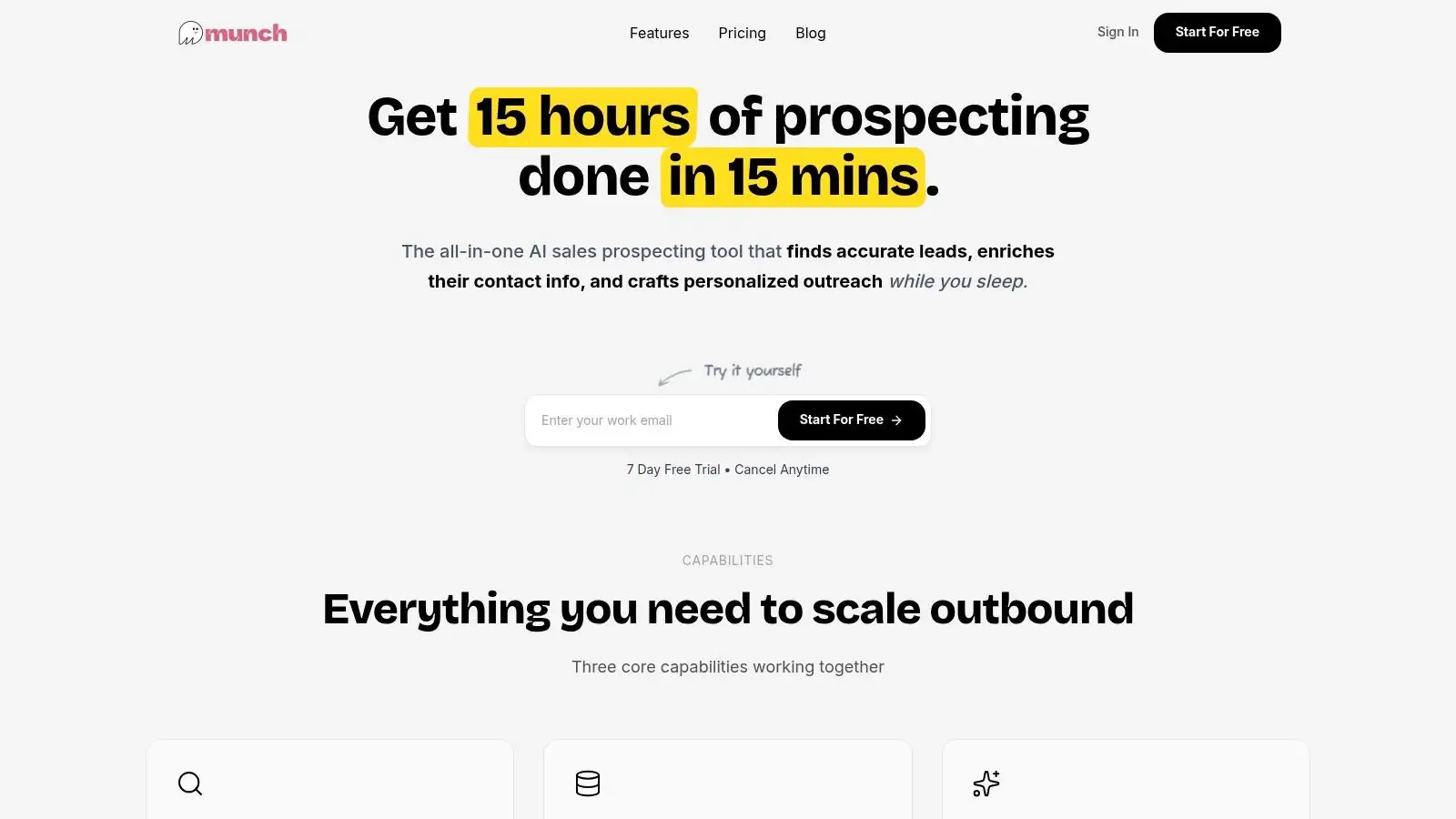
If you’ve ever felt like your sales process involves more duct tape and manual data entry than actual selling, meet Munch. It’s an all-in-one AI sales intelligence platform that unifies the most tedious parts of prospecting into a single, sleek workflow. Instead of juggling a lead database, an enrichment tool, and your own brain to write personalized emails, Munch brings lead discovery, data enrichment, and AI-powered outreach together. It’s the sales equivalent of finding a cheat code for a video game you’ve been stuck on for weeks.
Munch is engineered to help B2B teams move from prospect hunting to pipeline building in minutes, not days. The platform scans a massive network of verified data sources for critical buying signals like recent job changes, new funding rounds, and technology adoption. This ensures you’re not just finding contacts; you’re finding contacts with a high probability of needing what you sell right now.
Why It’s a Top Choice for Sales Teams
Munch stands out by solving the three biggest headaches in outbound sales: finding the right people, getting accurate contact info, and writing messages that don’t sound like a robot wrote them (even though, technically, one did). It combines these into one fluid motion, dramatically cutting down the time spent on manual research and tool switching.
The platform’s secret weapon is its waterfall enrichment process. Instead of relying on a single data source, it cross-references multiple providers to find and verify contact information, boasting an impressive 95%+ email accuracy rate. This means fewer bounced emails and more conversations started. The AI then steps in to write highly personalized, context-aware messages for each prospect, leveraging data points to create unique outreach at scale. You can even launch multi-channel sequences across email and LinkedIn directly from the platform. For a deeper dive into how platforms like Munch are reshaping the industry, you can learn more about artificial intelligence in sales and its impact.
Who is Munch For?
Munch is a versatile tool that fits a wide range of users, from solo founders to established sales teams.
-
SDRs & BDRs: Automate the grind of list building and personalization to hit quotas faster.
-
Sales Leaders: Equip your team with a tool that demonstrably boosts pipeline and provides a clear ROI.
-
Founders & Indie Hackers: Build a predictable sales engine without hiring a full team right away.
-
Agencies (Lead Gen, Marketing, etc.): Discover new clients based on real-time buying signals and streamline outreach.
Key Features, Pricing & More
| Feature | Description |
|---|---|
| Intent-Driven Discovery | Finds prospects based on buying signals (funding, job changes, tech stack). |
| Waterfall Enrichment | Cross-references multiple data sources to deliver contact and company data with 95%+ email accuracy. |
| AI Personalization | Generates unique, context-aware outreach copy for each individual prospect. |
| Multi-Channel Sequencing | Allows users to build and launch automated outreach campaigns that include both email and LinkedIn steps. |
| Real-Time ICP Scoring | Automatically scores potential leads against your Ideal Customer Profile so you can prioritize the best-fit opportunities. |
Pricing:
Munch offers a transparent, credit-based model with a 7-day free trial.
-
Basic: $49/month for 1,000 credits
-
Pro: $99/month for 2,200 credits
-
Advanced: $249/month for 5,500 credits
Pros & Cons:
Pros:
-
Unified Workflow: The all-in-one approach saves significant time and reduces subscription costs for multiple tools.
-
High-Quality Data: Waterfall enrichment leads to fewer bounces and more effective outreach.
-
Powerful AI Personalization: Generates genuinely unique messaging that boosts reply rates.
-
Accessible Pricing: The entry-level plan makes it affordable for small teams and startups.
Cons:
-
Maturing Integrations: Key features like CRM integration and A/B testing are on the roadmap but not yet available, which might be a dealbreaker for teams needing deep system connectivity today.
-
Credit-Based System: High-volume teams may find the credit limits on lower-tier plans restrictive.
Website: https://usemunch.com
2. G2: AI Sales Assistant category
Think of G2's AI Sales Assistant category as the Mos Eisley Cantina of sales software: a bustling, slightly chaotic hub where you can find exactly what you’re looking for, as long as you know how to navigate the crowd. Instead of being a single tool, G2 is a meta-resource, a massive peer-review platform that aggregates hundreds of the best AI tools for sales and lets you sort through them using real-world feedback.
Let’s be honest, choosing a sales tool can feel like a high-stakes guessing game. G2 takes the blindfold off by providing a library of verified user reviews from folks who are actually in the trenches: SDRs, RevOps leaders, and startup founders. It’s like having a hundred of your most knowledgeable sales friends on speed dial.
Key Features and Why It's a Go-To Resource
What makes G2 essential is its ridiculously granular filtering. You're not just searching for "AI sales tools"; you're diving deep.
-
Verified User Reviews: Get brutally honest feedback from users categorized by company size, role, and industry. For example, you can see what a sales leader at a 500-person tech company loves (and hates) about a specific platform.
-
Side-by-Side Comparisons: Pit your top three contenders against each other in a head-to-head showdown. The platform generates comparison grids that highlight differences in features, pricing models, and user satisfaction ratings.
-
Deep Filtering: Need a tool with conversation intelligence that integrates with both Salesforce and HubSpot? And it has to have a free trial? G2’s filters let you slice and dice the options until you find your perfect match.
-
Direct-to-Vendor Links: Once you’ve narrowed down your choices, G2 provides direct links to vendor websites for demos, trials, and purchasing. No need to open a dozen new tabs.
Actionable Tips for Using G2 Effectively
To avoid getting lost in the noise, approach G2 with a plan.
-
Start Broad, Then Narrow: Begin with the main "AI Sales Assistant" category. From there, use the filters on the left sidebar to specify your company size, required integrations, and must-have features.
-
Read the 1-Star and 3-Star Reviews: The 5-star reviews are great for a confidence boost, but the 1-star and 3-star reviews tell you where the tool's limitations truly lie. This is where you uncover the deal-breakers, like finding out the "seamless integration" requires three hours of custom coding.
-
Check the "Alternatives" Tab: Found a tool you like but the price makes your wallet cry? Every G2 product page has an "Alternatives" section that suggests similar tools, often at different price points.
Pro Tip: Pay close attention to review recency. A glowing review from 2021 might not reflect the product’s current state. Filter for reviews from the last six months to get the most accurate picture.
Pricing, Pros, and Cons
| Aspect | Details |
|---|---|
| Pricing | Free for users. G2 is a free resource for software buyers. Vendors pay for enhanced profiles and sponsored placements. |
| Best For | Sales leaders, RevOps professionals, and founders who are in the research and evaluation phase of their buying journey. |
| Pros | Unmatched Social Proof: The sheer volume of verified reviews provides powerful insights. Granular Filtering: Helps you quickly separate signal from noise. |
| Cons | Sponsored Bias: Top-of-the-list results are often sponsored. Feature Jargon: Vendor-specific feature names can make direct comparisons tricky. |
G2 is your strategic starting point. It helps you build a well-vetted shortlist of the best AI tools for sales before you commit to a single demo. Many of these tools also rely on robust contact information, which highlights the importance of keeping your data fresh. To get a better handle on this, you can explore the top data enrichment tools to ensure your new AI assistant has quality fuel to work with.
3. Capterra: AI Sales Assistant software directory
If G2 is the Mos Eisley Cantina, Capterra is its slightly more organized, brightly lit cousin in the galactic software mall. It’s another powerhouse meta-resource, but with a streamlined interface that feels less like a chaotic bazaar and more like a well-curated department store. Capterra (a Gartner company) provides a massive directory of the best AI tools for sales, allowing you to quickly scan, filter, and compare options without getting lost in the weeds.
For sales leaders who just want to get to the point, Capterra’s layout is a blessing. It excels at giving you a high-level overview of the landscape, complete with pricing hints and feature checklists, so you can build a solid shortlist in the time it takes to finish your morning coffee. It’s the perfect wingman to G2 for cross-referencing reviews and making sure you’re not missing a hidden gem.
Key Features and Why It's a Go-To Resource
Capterra’s strength lies in its simplicity and directness. It cuts through the marketing fluff to show you what you really need to know when comparing tools.
-
Feature Checklists & Compare View: Quickly see which tools have the features you need (like lead scoring or email automation) in an easy-to-scan checklist format. Its compare view lets you place up to four products side-by-side.
-
At-a-Glance Pricing: While not always available, Capterra often displays pricing ranges or starting-from costs directly on the listing page, saving you a click and a headache.
-
Verified Reviews: Similar to G2, Capterra hosts a library of reviews from real users, giving you another source of truth to validate a vendor’s claims.
-
Direct-to-Vendor Links: Once you’ve found a promising candidate, you can click straight through to the vendor’s website to request a demo or sign up for a trial.
Actionable Tips for Using Capterra Effectively
To leverage Capterra’s clean interface, a methodical approach works best.
-
Use the Feature Filters First: Start on the main "AI Sales Assistant" directory and immediately use the feature filters to select your non-negotiables. This is the fastest way to cull the list.
-
Cross-Reference with G2: Found a tool that looks promising on Capterra? Open a new tab and look it up on G2 (and vice versa). Triangulating reviews gives you a much fuller picture.
-
Check for Regional Pages: Capterra sometimes has regional mirror sites. If a tool looks interesting, double-check on the vendor’s official site to confirm its availability and features in your region.
Pro Tip: Look for the "Gartner Digital Markets" badge on reviews. This indicates reviewers may have received a small incentive, which is good to keep in mind for context, though the reviews are still verified.
Pricing, Pros, and Cons
| Aspect | Details |
|---|---|
| Pricing | Free for users. Capterra is a free directory for software buyers. Vendors pay for listings and lead generation services. |
| Best For | Sales teams and RevOps pros who want a quick, high-level comparison of features and potential costs before diving into deeper research. |
| Pros | User-Friendly Interface: Clean layout makes it easy to scan and compare. Helpful Pricing Signals: Often provides pricing context that other platforms hide. |
| Cons | Sparse Details on Some Listings: Some product pages rely heavily on vendor-submitted info and lack deep user reviews. Regional Variations: Can sometimes display non-US versions. |
Capterra is an indispensable second opinion in your hunt for the best AI tools for sales. It provides a clean, feature-focused view that helps you quickly validate your shortlist and ensure you're making a choice based on functionality, not just popularity.
4. Salesforce AppExchange: AI and Sales Intelligence apps
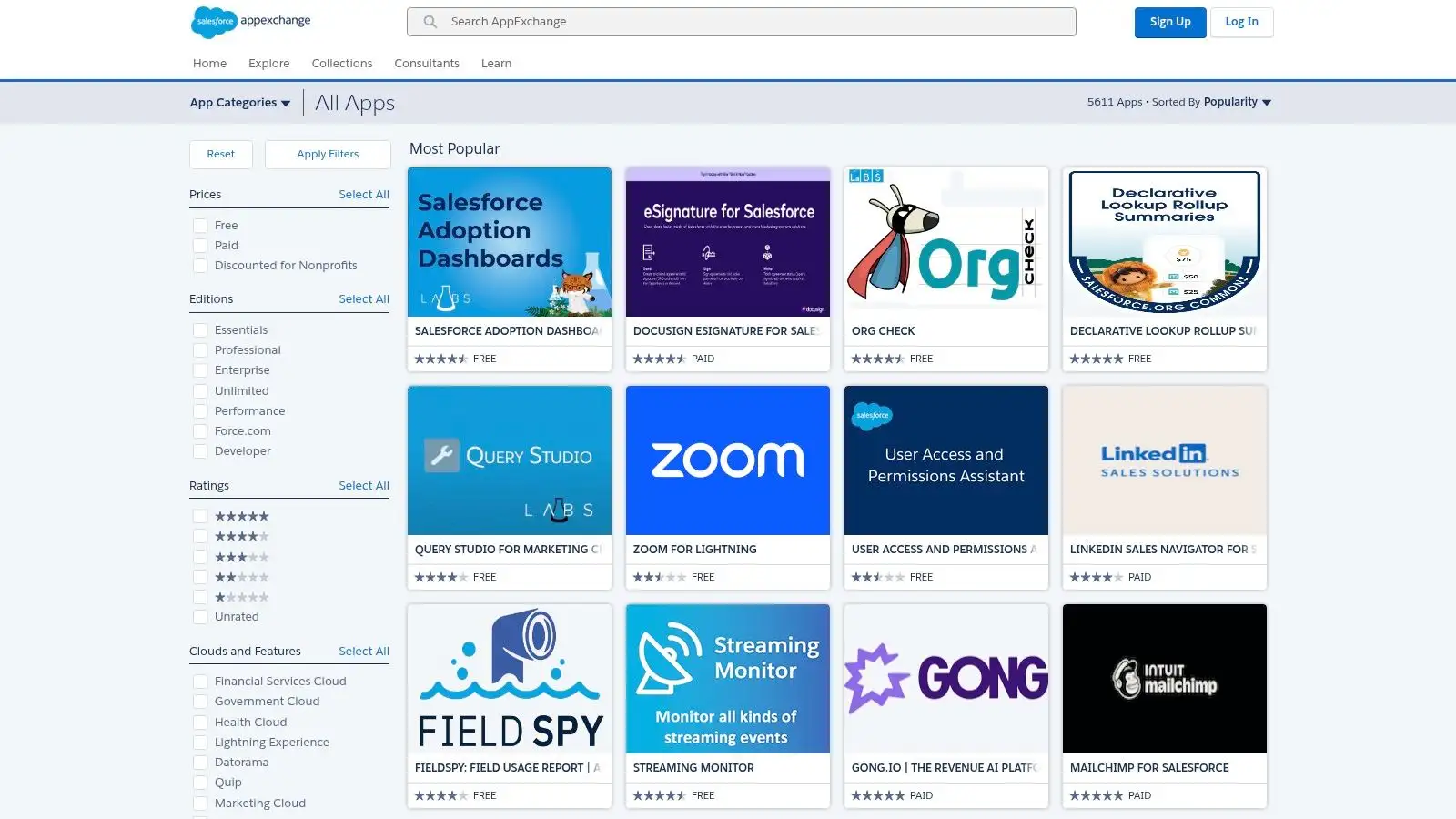
If your sales team lives and breathes Salesforce, then the AppExchange is less of a marketplace and more of a sacred temple. It’s where you go to find add-ons that have been blessed by the Salesforce gods, ensuring they plug directly into your CRM with the ease of a LEGO brick snapping into place. This isn't just a list of apps; it's a curated ecosystem of the best AI tools for sales designed to enhance the platform you already use daily.
Think of it as the official App Store for your Salesforce-powered Batmobile. Instead of browsing the open internet, you're getting pre-vetted gadgets guaranteed to work with your existing setup. For teams deeply embedded in the Salesforce universe, this is the safest and most efficient way to upgrade your sales stack without causing a technical meltdown.
Key Features and Why It's a Go-To Resource
The AppExchange’s real power isn’t just the number of apps; it’s the seamless, enterprise-grade integration. You get tools that speak Salesforce's language from day one.
-
Native Salesforce Integration: Apps install directly into your Salesforce org, inheriting your security protocols, single sign-on (SSO), and user permissions. No more duct-taping systems together.
-
Verified Reviews from Salesforce Users: Get insights from admins and users who have deployed these exact tools within a Salesforce environment. You’ll see reviews specific to your world.
-
Clear Compatibility Information: Each listing details which Salesforce editions (e.g., Professional, Enterprise) are supported and provides release notes and version history, so you know exactly what you're getting.
-
Governed Security and Deployment: Admins can install and manage apps for the entire organization, ensuring data governance and security are never compromised. It's built for serious business.
Actionable Tips for Using AppExchange Effectively
Navigating the AppExchange requires a bit of strategy to find the true gems.
-
Filter by “Sales Intelligence” or “AI”: Start with broad categories relevant to your needs. Use the filters on the left to narrow down by pricing, user ratings, and last release date.
-
Scrutinize the "Details & Support" Tab: This is where the gold is. Look at the version history to see how frequently the developer updates the app. An app last updated in 2022 is a major red flag.
-
Look for Free Trials or Test Drives: Many apps offer a free trial or a "Test Drive" feature, which lets you play around in a pre-configured developer environment without installing anything in your own Salesforce org.
Pro Tip: Don’t just look at the star rating; look at the number of reviews. An app with a 4.9-star rating from 1,500 users is a much safer bet than one with a perfect 5-star rating from three reviews (probably the founder, their mom, and their dog).
Pricing, Pros, and Cons
| Aspect | Details |
|---|---|
| Pricing | Varies Widely. Some vendors list prices per user/month, but many high-end enterprise apps use a "Contact for Pricing" model, requiring a sales call. |
| Best For | Sales and RevOps leaders at companies that have fully committed to using Salesforce Sales Cloud as their central source of truth. |
| Pros | Seamless Integration: Unmatched security and ease of use for Salesforce users. Governed & Secure: Admins can control deployment across the entire organization with confidence. |
| Cons | Salesforce-Centric: Useless if you're not a Salesforce customer. Opaque Pricing: The "Contact Us" button is a common hurdle, making quick budget comparisons difficult. |
The AppExchange is the ultimate destination for leveling up a Salesforce-native sales team. By integrating powerful AI directly into your CRM, you enrich your data and streamline workflows, which is a cornerstone of modern sales. To make the most of these new tools, it is crucial to master the fundamentals of finding and engaging leads, as detailed in these sales prospecting best practices.
5. HubSpot Marketplace (Apps and Breeze Agents)
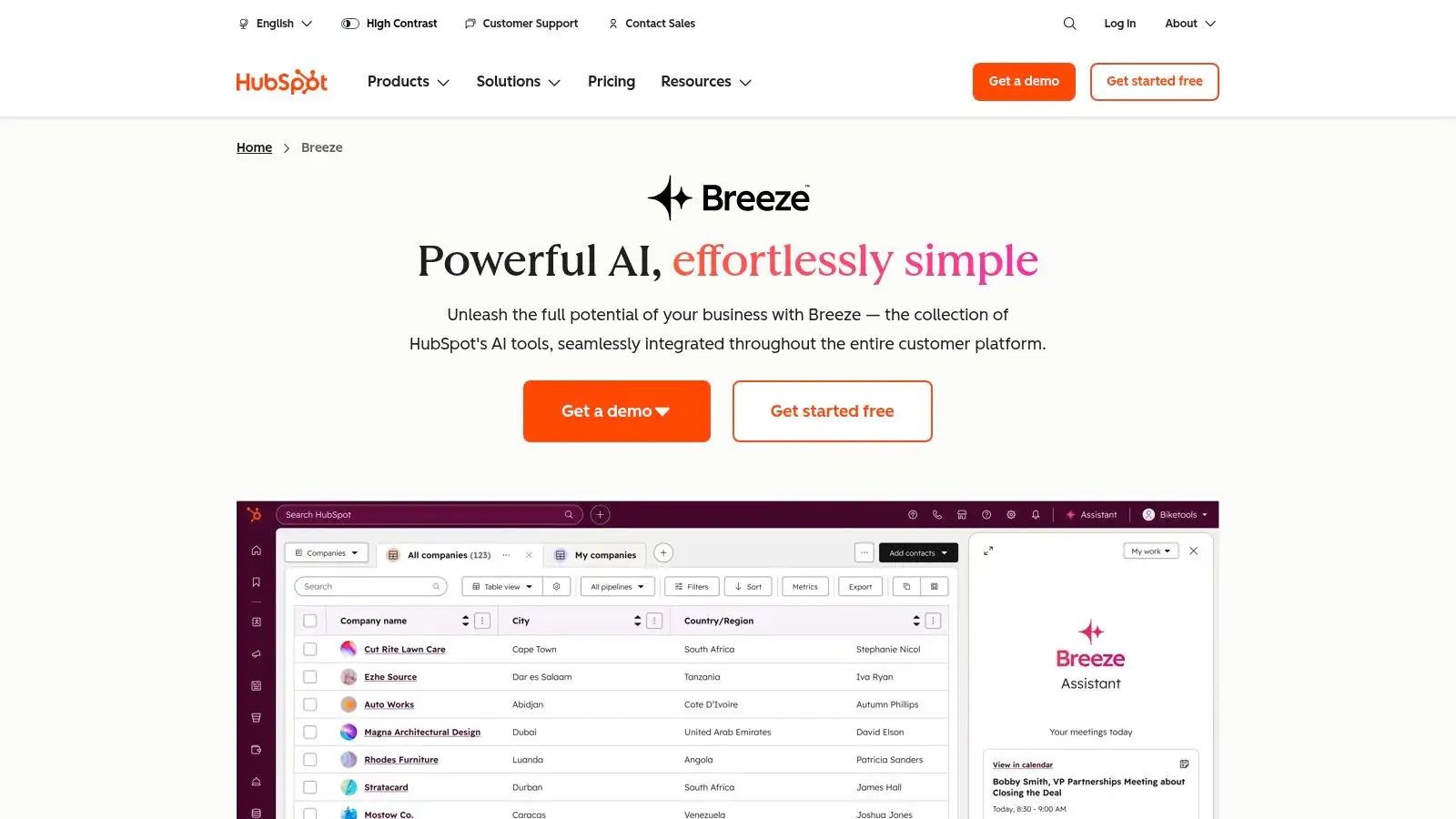
If your sales stack is already built on the HubSpot mountain, its Marketplace is less of a trip to the store and more of a fully-stocked armory in your basement. It’s where HubSpot’s own AI creations, like the new Breeze Agents, live side-by-side with a whole ecosystem of third-party apps. Think of it as the App Store for your CRM, where every download is designed to make your Sales Hub more powerful.
This isn’t just a random collection of integrations; it's a curated experience designed to plug directly into your existing workflows. Instead of duct-taping a new tool to your CRM and hoping for the best, HubSpot offers a unified world where native AI and partner solutions hold hands and work together, saving you from integration nightmares.
Key Features and Why It's a Go-To Resource
What makes the HubSpot Marketplace a must-visit is its native-first approach. It’s all about enhancing the platform you already use daily.
-
Breeze AI Agents: These are HubSpot's in-house AI assistants designed for specific tasks. The Prospecting Agent, for example, can research leads, identify buying signals from your data, and help draft personalized outreach without you ever leaving the CRM.
-
Unified Marketplace Experience: No need to hunt across different websites. You can browse for certified third-party Apps, native HubSpot Agents, and partner integrations all in one place.
-
Use-Case-Driven Categories: The marketplace is organized around what you actually need to do, like "Lead Enrichment" or "Conversation Intelligence," making it easier to discover the right tool for the job.
-
Certified Third-Party Apps: Find AI-powered tools from other vendors that come with a "HubSpot-approved" stamp, ensuring a smooth, one-click installation and reliable integration.
Actionable Tips for Using HubSpot Marketplace Effectively
To get the most out of this ecosystem, you need to think like an architect, not just a shopper.
-
Start with Breeze Agents: Before looking at third-party apps, explore what HubSpot's native AI can do. You might find that the Prospecting or Call Summary agents solve your core problem without adding another subscription.
-
Filter by "Certified": When browsing for third-party solutions, use the "Certified" filter. This ensures the app meets HubSpot's highest standards for quality and integration, reducing the risk of technical headaches.
-
Check User Reviews within HubSpot: Pay attention to reviews from other HubSpot users. Their feedback is hyper-relevant because they’re operating in the exact same environment as you.
Pro Tip: Look at the "Required Subscriptions" section on any app listing. This tells you exactly which HubSpot Hub (Sales, Marketing, etc.) and which tier (Starter, Pro, Enterprise) you need, preventing any surprise upgrade requirements.
Pricing, Pros, and Cons
| Aspect | Details |
|---|---|
| Pricing | Varies. Native HubSpot AI features are tied to your Sales Hub subscription tier. Partner app pricing is set by the vendor and can range from free to enterprise-level custom quotes. |
| Best For | Sales teams and RevOps professionals who are deeply embedded in the HubSpot ecosystem and want to enhance their CRM with integrated AI capabilities. |
| Pros | Seamless Integration: Native and partner tools live in the same ecosystem, minimizing setup friction. Actively Developed: HubSpot is constantly releasing and documenting new AI features. |
| Cons | Still Evolving: Some Breeze Agent features are new or in beta, so functionality can change. Opaque Pricing: Pricing for certain agents or premium apps may require contacting sales. |
The HubSpot Marketplace is your one-stop shop for turning your CRM from a simple database into an intelligent sales engine. Integrating these tools is a masterclass in what is sales automation and can dramatically reduce the manual workload on your team, letting them focus on closing deals.
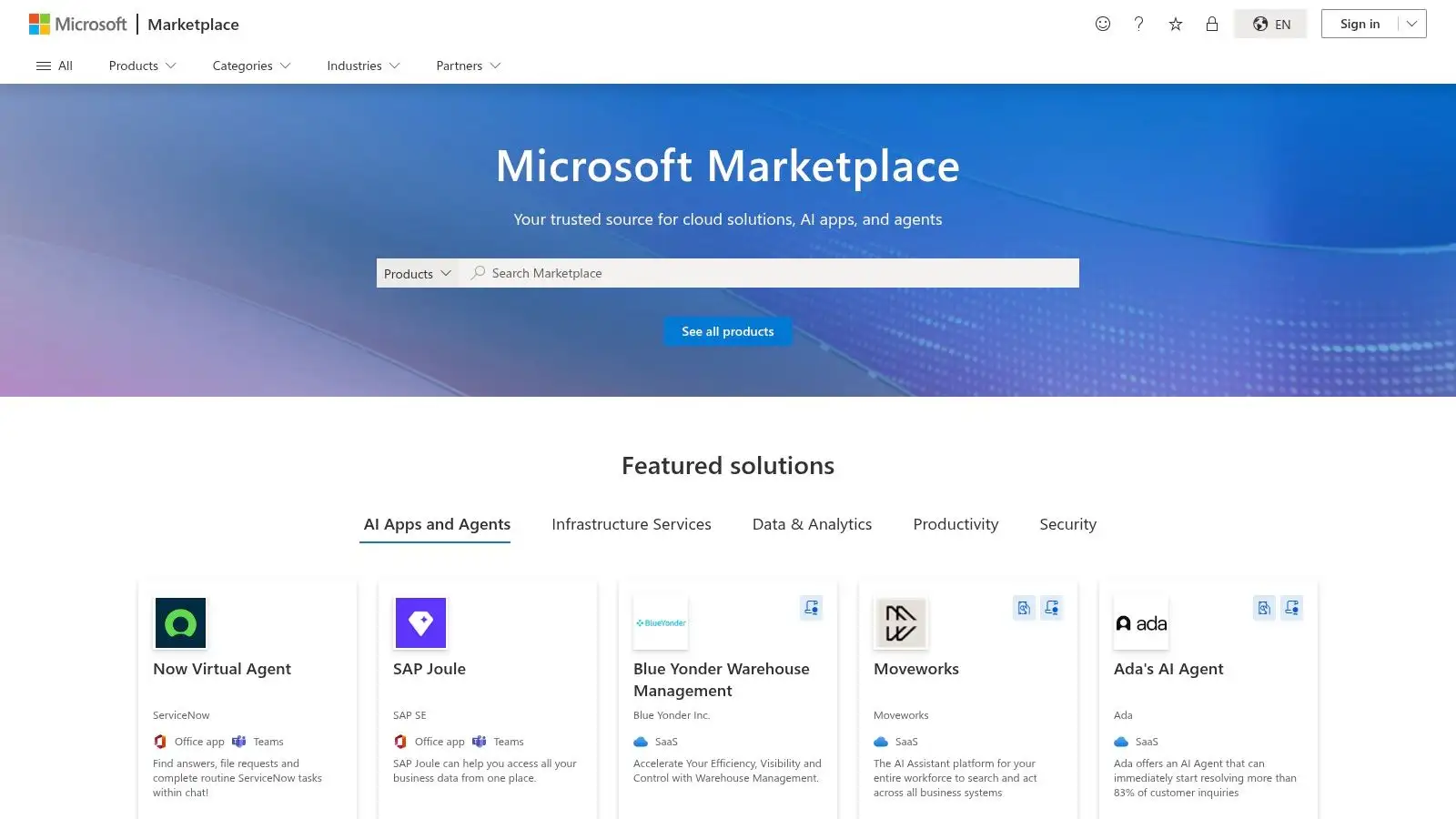
6. Microsoft AppSource: AI sales apps for Dynamics 365 and Microsoft 365
If your sales team lives and breathes in the Microsoft ecosystem, then AppSource is less of a marketplace and more of your own personal Q Branch from James Bond. It’s where you go to find AI gadgets and add-ons specifically designed to supercharge your existing Dynamics 365 and Microsoft 365 setup. Instead of being a standalone platform, it’s a catalog of integrated weapons for your sales arsenal.
This isn't about ripping out your current tech stack. It's about enhancing it. AppSource provides a curated collection of AI boosters, assistants, and content generators that plug directly into the tools your team already uses every day: Outlook, Teams, and Excel. The star of this show is often Microsoft's own Copilot for Sales, which acts as the intelligent layer connecting everything.
Key Features and Why It's a Go-To Resource
The biggest advantage of AppSource is the native integration. These aren't clunky third-party tools; they're built to feel like a natural extension of your Microsoft environment.
-
Deep Microsoft 365 Integration: The main draw, particularly with Microsoft Sales Copilot, is the seamless "in-the-flow-of-work" experience. You can get CRM insights, draft emails, and summarize meetings without ever leaving your Outlook inbox or Teams chat.
-
Curated AI Add-Ons: Find a variety of AI tools that boost Dynamics 365 Sales. These range from AI-powered assistants that streamline data entry to intelligent content generators for personalized outreach.
-
Enterprise-Grade Security: Everything on the platform is built with Microsoft’s robust compliance, identity, and admin controls in mind. This is a huge plus for larger organizations with strict security protocols.
-
Microsoft Learn Resources: The platform is supported by extensive documentation and learning paths, helping your team get up to speed and master the new tools quickly.
Actionable Tips for Using AppSource Effectively
To get the most out of AppSource, think like a system architect, not just a software shopper.
-
Start with Copilot for Sales: Before exploring third-party apps, evaluate Microsoft’s own Sales Copilot. It's the centerpiece of their AI sales strategy and often provides the core functionality you need.
-
Filter by Product: Use the filters to show apps specifically compatible with the products you use most, like "Dynamics 365 Sales" or "Microsoft Teams".
-
Read the Documentation: Unlike G2, AppSource is less about user reviews and more about technical fit. Dive into the documentation and "Learn" links to understand exactly how an app integrates and what its capabilities are.
Pro Tip: Look for apps that are "Microsoft Preferred Solutions". This badge indicates that the app has been validated by Microsoft experts, which is a strong signal of quality and reliability.
Pricing, Pros, and Cons
| Aspect | Details |
|---|---|
| Pricing | Varies. Microsoft Sales Copilot has transparent published pricing. Third-party app pricing varies, with many requiring you to contact the vendor for a quote. Some offer free trials directly through the marketplace. |
| Best For | Sales teams and RevOps professionals who are heavily invested in the Microsoft ecosystem (Dynamics 365, Microsoft 365) and want seamlessly integrated AI tools. |
| Pros | Unbeatable Native Integration: Experience AI within the flow of work in Outlook, Teams, and Office apps. Enterprise-Ready: Built with top-tier security and compliance. Transparent Copilot Pricing: No mysteries around the cost of Microsoft's flagship tool. |
| Cons | Ecosystem Lock-In: The value diminishes significantly if you're not using Dynamics 365 or Microsoft 365. Varying Listing Quality: Some third-party listings are detailed, while others are vague and require follow-up. |
AppSource is the clear choice for teams committed to the Microsoft stack. It ensures that the best AI tools for sales you adopt will feel like a native part of your workflow, not another tab to manage. Using these tools to identify key buying signals can vastly improve your outreach, a core principle you can explore further by understanding what is lead scoring and how to apply it.
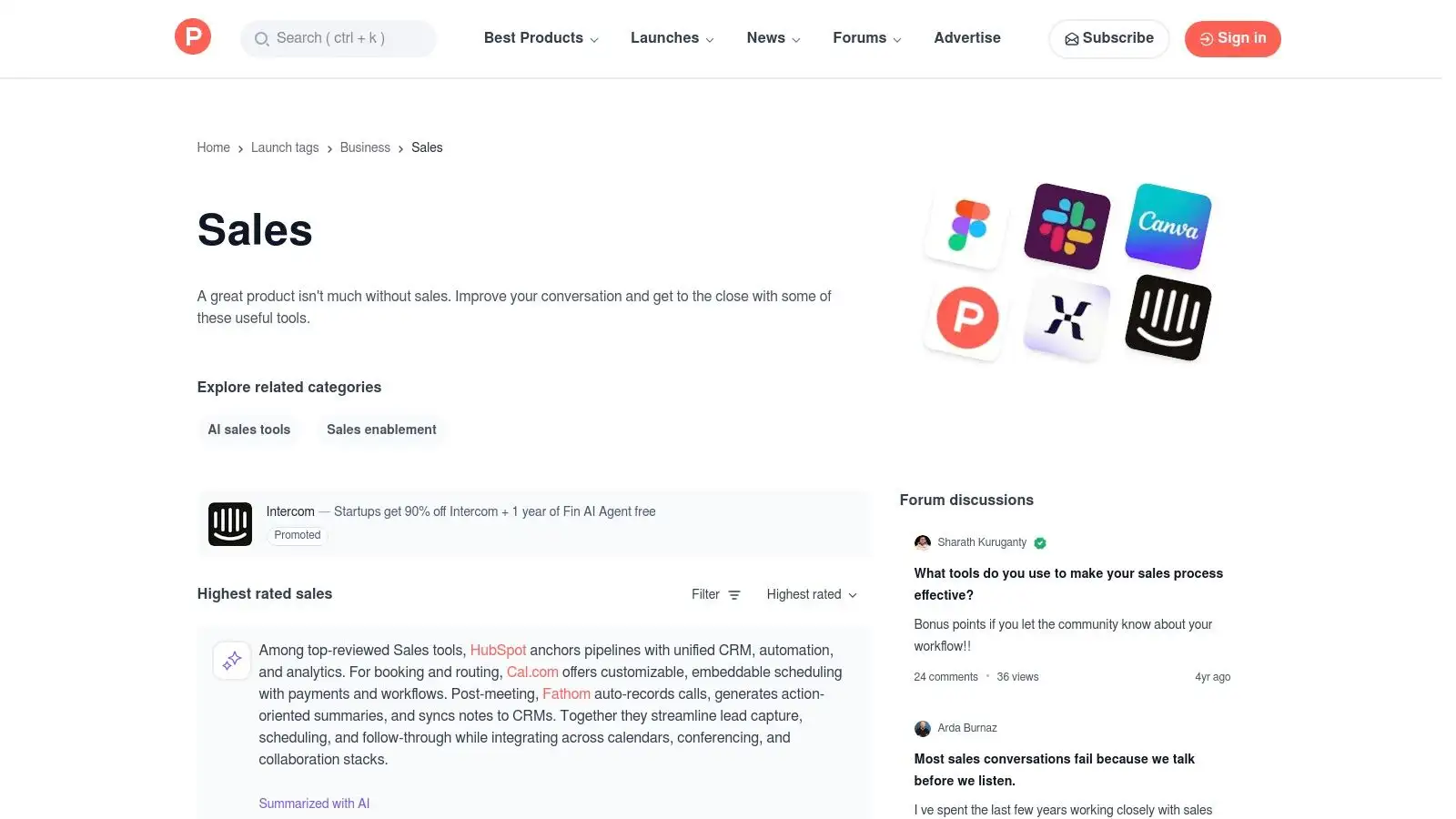
7. Product Hunt: Sales topic (emerging AI sales tools)
If G2 is the established cantina, Product Hunt is the scrappy, underground tech fair where the next big thing might just be demoed from a folding table. It's a live feed of what's new and trending, making it a fantastic hunting ground for the best AI tools for sales before they hit the mainstream. Think of it as window shopping for a competitive edge.
Instead of relying on years of reviews, Product Hunt is all about the launch day buzz. Here you’ll find brand new prospecting agents, slick little inbox copilots, and quirky Chrome extensions designed to solve very specific sales pains. It’s where you can discover tools so fresh, your competition won't even know they exist yet.
Key Features and Why It's a Go-To Resource
Product Hunt’s value is its immediacy. It’s a real-time pulse on what’s bubbling up in the sales tech world, driven by a community of early adopters.
-
Live Feed of New Products: See a daily stream of newly launched sales and AI tools. The "Sales" topic page curates these, so you don't have to sift through productivity apps or games.
-
Community Signals: Upvotes and comment threads act as a first-pass filter. A product with hundreds of upvotes and an active discussion with the maker is a good sign it’s worth a look.
-
Direct-to-Vendor Links: Each product page links directly to the tool's website. You can jump straight to a free trial or sign-up page without any middlemen.
-
Discover Niche Solutions: This is the perfect place to find highly specific utilities, like an AI that only writes follow-up emails for no-shows or a tool that generates personalized video scripts.
Actionable Tips for Using Product Hunt Effectively
To find the gems and avoid the duds, you need a strategy.
-
Check Daily, or at Least Weekly: The feed moves fast. Make it a habit to scan the Sales topic page regularly to stay ahead of emerging trends.
-
Read the Maker's First Comment: The founder or maker usually posts the first comment explaining the "why" behind their product. This gives you invaluable context that the marketing copy might miss.
-
Use the Search Function: Don't just browse. If you have a specific need like "AI cold email writer" or "meeting summarizer," use the search bar to find relevant past launches you might have missed.
Pro Tip: Look for products that offer a "Product Hunt" deal. Many makers provide a special discount or lifetime deal for the community on their launch day as an incentive to get early users.
Pricing, Pros, and Cons
| Aspect | Details |
|---|---|
| Pricing | Free to browse. Product Hunt is a free discovery platform. Pricing for the tools listed is set by the individual vendors. |
| Best For | Tech-savvy SDRs, startup founders, and sales leaders who want to be early adopters of innovative tools and gain a first-mover advantage. |
| Pros | Early Discovery: Find groundbreaking AI tools before they become widely known. Niche Utilities: Excellent for finding specific, targeted solutions for unique sales workflows. |
| Cons | Varies in Quality: Popularity can be driven by marketing hype, not product value. Limited Vetting: Requires more due diligence on your part for security and compliance. |
Product Hunt is your go-to for innovation and finding that secret weapon to add to your sales stack. It’s a bit of a wild west, but for those willing to explore, the rewards can be significant.
Top 7 AI Sales Tools Comparison
| Item | Implementation Complexity 🔄 | Resource Requirements ⚡ | Expected Outcomes ⭐📊 | Ideal Use Cases 💡 | Key Advantages ⭐ |
|---|---|---|---|---|---|
| Munch | Low: quick start; CRM/A‑B automation still maturing | Moderate: subscription + credits; plans from $49/mo | High ⭐⭐⭐: 95%+ email accuracy; reported ~3x pipeline growth | SDRs, founders, agencies needing rapid prospecting + personalized outreach | Unified discovery→enrich→personalize workflow; waterfall enrichment; AI‑written unique outreach |
| G2: AI Sales Assistant category | Minimal: research platform (no install) | Low: free access; time to read reviews | Moderate ⭐⭐: improved shortlist quality via practitioner feedback | Shortlisting, validation, role‑specific review insights | Crowdsourced verified reviews; strong filters; side‑by‑side comparisons |
| Capterra: AI Sales Assistant directory | Minimal: directory browsing | Low: free; quick feature/price scans | Moderate ⭐⭐: fast shortlisting and pricing signals | Initial vendor research and feature/price shortlists | Feature checklists; compare views; pricing callouts when disclosed |
| Salesforce AppExchange: AI & sales apps | High: in‑CRM install; admin/configuration required | High: Salesforce licenses, admin resources, possible vendor fees | High ⭐⭐⭐: seamless CRM integration, governed security | Enterprise Salesforce orgs needing certified, in‑CRM apps | Native Salesforce SSO/permissions, admin install flows, enterprise governance |
| HubSpot Marketplace (Apps & Breeze Agents) | Medium: native installs; some features in beta | Medium: HubSpot subscription; some partner pricing via sales | High ⭐⭐⭐: native agents reduce integration overhead | HubSpot Sales Hub users wanting built‑in AI assistants | Breeze Agents, certified partner integrations, unified marketplace |
| Microsoft AppSource: Dynamics/MS 365 apps | High: deploy into Dynamics/Office ecosystem | High: Dynamics/ Microsoft 365 licenses; compliance/admin needs | High ⭐⭐⭐: in‑flow Outlook/Teams/CRM experiences (Copilot available) | Organizations standardized on Dynamics 365 or Microsoft 365 | Strong Office/Teams integration; Microsoft Copilot; enterprise controls |
| Product Hunt: Sales topic (emerging tools) | Minimal: browse launches and discussions | Low: free; time to evaluate new products | Variable ⭐: early discovery potential; higher uncertainty | Early adopters seeking niche or first‑mover tools | Early visibility to new/innovative tools; community signals (upvotes/comments) |
Choose Your Player: The Right AI Tool for Your Quest
And there you have it, our grand tour of the AI sales tool universe. We've explored everything from comprehensive, all-in-one prospecting platforms to sprawling marketplaces where you can find a niche app for literally any sales task imaginable. It’s like assembling your own Avengers team, but instead of superheroes, you're picking software to obliterate your quota. The key takeaway? The "best AI tools for sales" aren't a one-size-fits-all solution; they're a personal choice, like picking your starter Pokémon.
The right tool for a scrappy startup founder trying to build a pipeline from scratch is vastly different from what a RevOps leader at a Fortune 500 company needs. Your mission, should you choose to accept it, is to honestly assess your current tech stack, your team's biggest bottlenecks, and your ultimate sales goals. Don't get distracted by shiny new features or AI hype. The most powerful tool is the one your team actually uses consistently.
The Art of Selection: A Practical Checklist
Before you pull out the company card, let’s get tactical. Choosing your AI sidekick isn't a decision to be made lightly. It’s a commitment, a new relationship that could define your revenue growth for the next year.
Here’s a quick-fire checklist to guide your decision-making process:
-
What's the Core Problem? Are you struggling with lead discovery? Is your outreach personalization falling flat? Or is your team drowning in administrative tasks? Pinpoint the one primary pain point you need to solve first. For example, if your SDRs spend 50% of their day manually finding contact info, a tool that automates lead enrichment is your top priority.
-
Integration or Isolation? Does this tool need to play nice with your existing CRM, like Salesforce or HubSpot? Or are you looking for a standalone system that handles a specific function from start to finish? A sales leader managing a large team will likely prioritize deep CRM integration via a marketplace like the AppExchange, ensuring data hygiene and a single source of truth. A solo founder, however, might prefer a self-contained platform like Munch to avoid integration headaches.
-
Adoption & Usability: How steep is the learning curve? A tool with a user interface more complicated than the plot of Inception will gather digital dust. The best AI tools for sales are intuitive and integrate seamlessly into a rep's daily workflow, not add another layer of complexity. Look for free trials and demos to let your team test-drive the software.
-
Scalability & Cost: Will this tool grow with you, or will you outgrow it in six months? Consider the pricing model. Is it per seat, usage-based, or a flat fee? Model out the total cost of ownership as your team expands. What seems cheap for a team of two can become prohibitively expensive for a team of twenty.
From Choice to Champion: Making AI Work for You
Once you've chosen your player, the real game begins. Implementation is everything. Simply subscribing to a new tool won't magically increase your pipeline. You need a champion on your team to lead the charge, set up proper training, and define clear success metrics.
Start small. Pick a specific, measurable goal for the first 30 days. For instance, "We will use our new AI tool to increase the number of personalized first-touch emails by 25% while reducing the time spent on prospecting by 10%." This creates immediate buy-in and demonstrates tangible value, turning skeptics into believers.
The AI revolution in sales is not about replacing humans; it's about augmenting them. It’s about automating the repetitive, soul-crushing tasks so your reps can focus on what they do best: building relationships, understanding customer needs, and closing deals. So, analyze your needs, choose your tool wisely, and get ready to level up your sales game.
Ready to skip the endless marketplace scrolling and get straight to building pipeline? Munch is your all-in-one AI platform designed to find your ideal customers and craft the perfect outreach, turning your entire prospecting-to-outreach playbook into a streamlined, automated engine. Stop juggling a dozen different tools and see how a unified AI sales solution can transform your growth by booking a demo at Munch.