Improve Email Deliverability And Escape The Spam Folder Forever

By Mriganka Bhuyan
•Founder at Munch
Ever feel like your perfectly crafted emails are performing a vanishing act worthy of Houdini? You hit send, cross your fingers, and get… crickets. That’s not a mystery; that’s a deliverability problem.
Getting your emails to land squarely in the primary inbox isn't magic. It's a science built on trust between you, the sender, and the big inbox gatekeepers like Gmail and Outlook.
When you send an email, it doesn't just teleport to the recipient. It has to pass a series of bouncers, each one asking, "Is this person legit, or are they the email equivalent of a telemarketer calling about my car's extended warranty?" Your sender reputation is your all-access pass, and every single email you send either polishes it or scuffs it up.
The Numbers Don't Lie
The stakes are higher than you probably think. A stellar deliverability rate should hover between 95-99%, but the global average sits at a frankly dismal 83.1%. Think about that for a second. That means nearly 17% of legitimate B2B emails just... disappear.
Even when they do make it, only 57.8% hit the primary inbox in Gmail, with a huge chunk getting banished to the Promotions tab. Getting this right is the difference between a closed deal and a prospect who never knew you existed.
Your email deliverability is the foundation of your entire outreach strategy. Without it, the best copy, the most compelling offer, and the most perfectly timed follow-up are completely worthless because no one will ever see them.
Before diving deep, let's do a quick health check. Use this table to see where you stand.
Quick Email Deliverability Health Check
Use this quick reference to diagnose the health of your email outreach based on key performance metrics.
| Metric | Excellent (>95%) | Needs Improvement (85-94%) | Critical (<85%) |
|---|---|---|---|
| Delivery Rate | Your emails are successfully reaching servers. Rock on! | Servers are starting to reject your mail. Time to investigate. | Houston, we have a problem. Major issues are blocking you. |
| Open Rate | Great engagement! Your subject lines are hitting the mark. | Your content might not be compelling enough or is hitting spam. | Your emails are likely landing in spam or are completely irrelevant. |
| Bounce Rate | Your list is clean and up-to-date. | Your list needs a good scrub. You're hitting dead ends. | Your list quality is severely damaging your sender reputation. |
| Spam Complaint Rate | You're sending relevant content to the right people. | You're annoying some recipients. Re-evaluate your targeting. | You're on the fast track to getting blacklisted. Stop immediately. |
This table should give you a gut check on where you need to focus. Now, let’s get into the fixes.
What This Playbook Will Do for You
This guide is your step-by-step plan for figuring out why your emails are getting ignored and gives you the exact mission parameters to fix it. We’re skipping the fluff and diving straight into the nitty-gritty actions that get replies.
You’ll learn how to:
-
Build your technical fortress: Set up the essential authentication that proves you are who you say you are.
-
Keep your contact list sparkling clean: Stop wasting time on dead ends and focus your energy on high-quality, verified leads.
-
Craft inbox-friendly content: Write messages that engage real people and satisfy the algorithms. Our guide on cold email examples is a great place to find inspiration for what works.
-
Warm up your domain like a pro: Build a positive reputation from day one by avoiding the classic rookie mistakes.
Consider this your escape plan from the spam folder. It’s time to give your next campaign the red-carpet treatment it deserves. Let's get started.
Building Your Technical Fortress Against Spam Filters
Let's get the nerdy stuff out of the way first. I know, I know, DNS records aren't sexy. But getting this technical foundation right is completely non-negotiable.
Think of it like this: your technical setup is your email’s passport, visa, and a notarized letter from your mom vouching for you. Without these authentication protocols, you look suspicious to every inbox provider on the block, and your chances of landing in the inbox plummet.
These aren't just polite suggestions anymore; they're the new rules of the road. Big players like Gmail and Yahoo now require these authentications for anyone sending in bulk. Skipping this step is like showing up to an exclusive club in flip-flops and a stained t-shirt. You’re not getting past the bouncer.
SPF: The Bouncer on Your VIP List
First up is SPF (Sender Policy Framework). In plain English, SPF is a public list you create that tells the world which mail servers are actually allowed to send emails from your domain.
Imagine your domain is a popular nightclub. Your SPF record is the VIP list you hand to the bouncer. When an email shows up, the receiving server (the bouncer) checks the sender's ID. If they're on your list, they're in. If not, they get a suspicious side-eye and are often turned away at the door.
For instance, if you're using Google Workspace for your daily emails and a specialized platform like Munch for outreach, your SPF record needs to shout, "Hey world, both Google and Munch are cool with me. Let their emails through." It's a simple check that stops scammers from spoofing your domain, which is a massive win for your reputation.
DKIM: The Unbroken Wax Seal
Next on the list is DKIM (DomainKeys Identified Mail). If SPF is the guest list, think of DKIM as the secret handshake or the unbroken wax seal on a letter from Hogwarts. It's a digital signature that proves two critical things: the email actually came from you, and it wasn’t tampered with in transit.
It works by adding a unique, encrypted signature to your email's header. The receiving server then uses a public key, which you publish in your DNS records, to verify that signature. Keys match? You're legit. They don't? It's a huge red flag that the email is a forgery or has been altered.
Think of it like this: an email without DKIM is like getting an important package with the tape already cut. You’re immediately going to question its contents. A properly signed email, however, arrives looking pristine and trustworthy.
This cryptographic check is a powerful signal to inbox providers that your message is the real deal. When you're weighing your options, look for the best cold email software that makes setting up these technical records as painless as possible.
DMARC: The Final Boss of Email Security
Finally, we arrive at DMARC (Domain-based Message Authentication, Reporting & Conformance). DMARC is the final boss. It sits on top of SPF and DKIM and gives receiving servers explicit instructions on what to do if an email fails either of those checks.
Without DMARC, every server just guesses what to do with a suspicious email. With DMARC, you call the shots. You can tell them to:
-
None: Just watch and report. This is "monitor mode," perfect for when you're just getting started and want to see what's happening without breaking anything.
-
Quarantine: Send the sketchy emails to the spam folder. This is like telling the bouncer to send unwanted guests to a timeout corner.
-
Reject: Block the emails entirely. This is the velvet rope policy, where unauthorized senders aren't even allowed to step foot in the building.
But the real magic of DMARC is in the reporting. It sends you detailed summaries of who is sending email from your domain, both the good and the bad. This visibility is incredible for spotting unauthorized use of your brand and locking down your security. Putting DMARC in place is the ultimate power move for protecting your reputation.
Stop Treating Your Email List Like a Hoarder's Garage
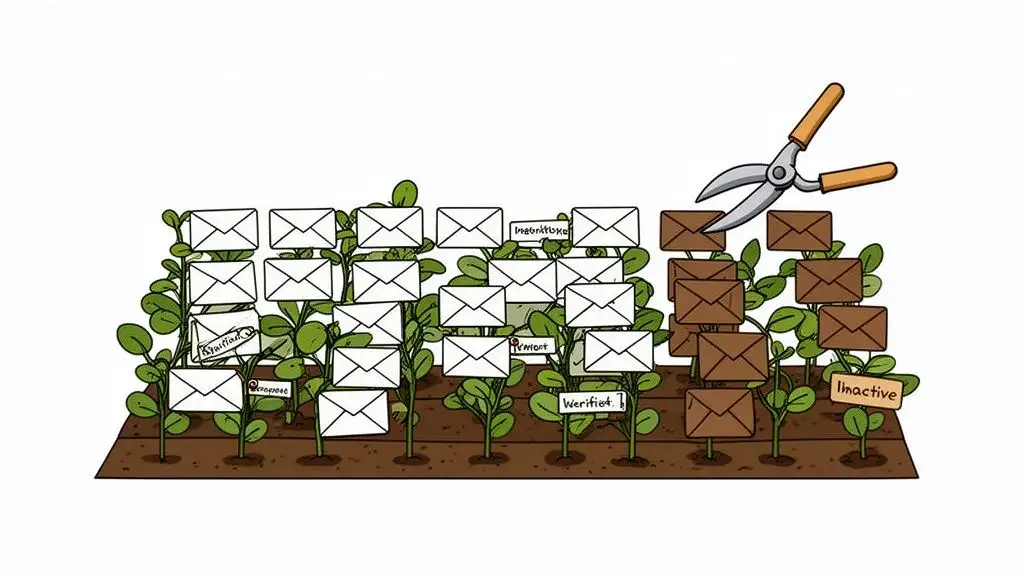
Let's be honest. Your email list is a garden, not a storage unit you forgot you were renting. If you don't pull the weeds, they'll eventually choke out everything you're trying to grow. Firing off campaigns to a messy, neglected list is the fastest way to get a sky-high bounce rate, which basically screams "SPAMMER!" to inbox providers.
We're talking about unverified emails, generic role-based addresses (info@, sales@), and contacts who haven't opened a thing since the first season of Stranger Things dropped. Every single one of them is a tiny anchor dragging your sender reputation straight to the bottom. A clean list is the absolute foundation if you want to improve email deliverability.
The Hefty Price of a Cluttered List
Think of every bad email on your list as a demerit point. When you send to an address that flat-out doesn't exist, you get a hard bounce. This is a permanent failure, and it’s one of the loudest, most obnoxious negative signals you can send to an Internet Service Provider (ISP).
It’s like trying to mail a package to a house that was torn down last year. The post office is going to get real annoyed, real fast, and start side-eying everything else you try to send. A bounce rate over 2% is a huge red flag that tells ISPs you’re playing fast and loose with your data.
This is exactly why starting with hyper-accurate, verified contact data is the ultimate cheat code. When you use a platform like Munch that delivers over 95% email accuracy, you’re sidestepping the entire bounce rate minefield from day one. You start clean and stay clean.
Your List Hygiene Action Plan
Cleaning your list isn't some one-and-done spring cleaning project; it’s an ongoing discipline. You wouldn't clean your house once and expect it to stay that way forever, right? Same deal. Here's where to start.
-
Verify Before You Even Think About Sending: Before a single email goes out to a new list, run it through a verification tool. These services ping the email server to confirm a mailbox is real without actually sending anything. It’s a non-negotiable first step. For a deeper dive, check out our guide on how to verify email addresses.
-
Segment the Ghosts: Pull a segment of subscribers who haven't opened or clicked an email in the last 90-120 days. These are your "ghosts." They haunt your list, dragging down engagement rates and hurting your reputation.
-
Run a "Breakup" Campaign: Before you kick them out for good, give those ghosts one last chance. Send a targeted campaign with a subject line like, "Is this goodbye?" or "Do you still want to hear from us?" The goal isn't just to get a pity-open; it's to see if there's any life left.
-
Prune with No Remorse: Anyone who ignores your re-engagement campaign? It's time to say goodbye. It feels wrong to shrink your list, I know. But you’re not losing contacts; you’re dropping dead weight. A smaller, highly engaged list will crush a massive, indifferent one every single time.
A clean email list isn't about having the most contacts; it’s about having the right contacts. Sending to 1,000 prospects who actually care is infinitely better than blasting 10,000 who send you straight to spam.
Why Clean Data is a Global Power Move
Getting obsessed with list hygiene isn't just a best practice. It’s a strategy proven to work on a global scale. Just look at Europe, which boasts the highest global email inbox placement at around 91%. That blows past Asia-Pacific's 78% by a whopping 13 points.
A big reason for this is GDPR. Its strict consent rules naturally lead to cleaner lists and, therefore, stronger sender reputations. In the UK, deliverability even hits an eye-watering 98.8%. You can dig into more of the numbers in these global email deliverability trends.
For B2B sales teams, the message is crystal clear: there's a direct line between consent, data quality, and hitting the inbox. Nailing your list hygiene from the start doesn't just cut your bounce rate; it aligns you with the practices of the most successful senders in the world. Your sender score will thank you.
Pro Tip: Use Munch to find work email ids and validate before sending to keep bounce rates low
The Art of the Domain Warm-Up
Hitting "send" on thousands of emails from a brand-new domain is the digital equivalent of showing up to a party uninvited and immediately doing a keg stand. It’s loud, a little desperate, and a guaranteed way to get kicked out.
Before you can even think about launching a major campaign, you have to earn the trust of the big inbox providers like Gmail and Outlook. This process, known as a domain warm-up, is the non-negotiable first step to actually landing in the inbox.
The entire goal is to build a positive sending reputation by gradually, and I mean gradually, increasing your email volume. This slow-and-steady approach proves to the email gatekeepers that you're a legitimate sender, not a spambot on a mission. Think of it like making friends one by one before you try to address the whole room.
Pace Yourself, The Tortoise Wins This Race
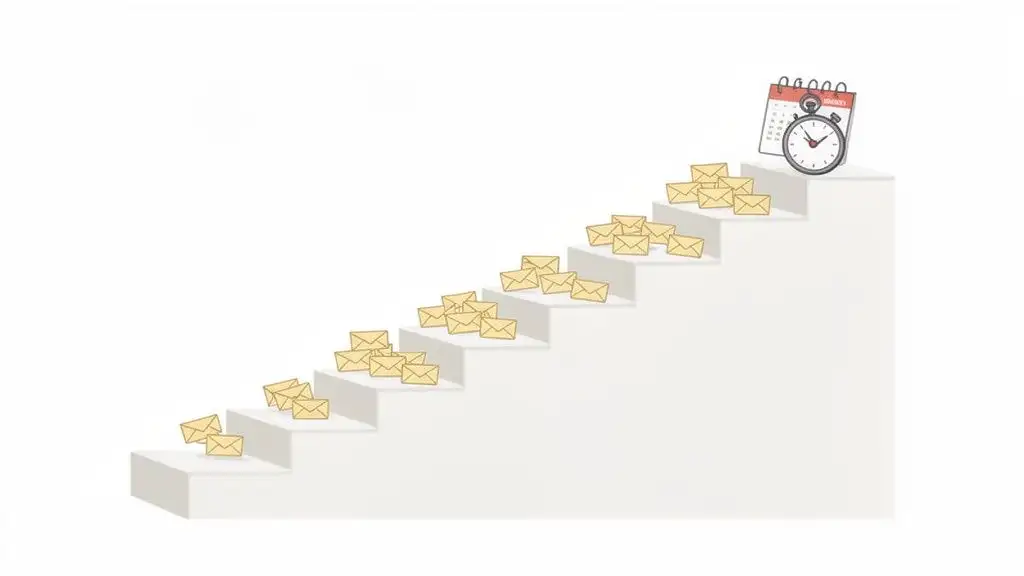
A proper warm-up isn't a sprint; it’s a marathon that can take anywhere from four to twelve weeks. Seriously. Rushing this is probably the single biggest mistake I see teams make. Mailbox providers are always watching for sudden spikes in volume because that's a classic spammer move.
Your very first emails should go to your most engaged, "friendly" audience: your own team. Sending messages to colleagues, friends, or even trusted customers who you know will open and reply is the perfect way to generate positive engagement signals right from the start.
This early activity essentially tells the spam filters, "Hey, people actually want to hear from this domain. They're legit."
A Sample Warm-Up Schedule
Every warm-up plan is going to look a bit different depending on your list size and sending goals, but the core principle is always the same: start small, and ramp up slowly and consistently. Avoid massive jumps in volume from one day to the next.
Here’s a basic four-week schedule to give you a feel for the pacing:
| Week | Daily Sending Volume | Target Audience |
|---|---|---|
| Week 1 | 20-50 emails/day | Internal team & super-engaged contacts. Focus on getting replies. |
| Week 2 | 50-100 emails/day | Expand to recent, active subscribers or warm leads. |
| Week 3 | 100-250 emails/day | Mix in a small, high-quality segment of newer leads. |
| Week 4 | 250-500 emails/day | Continue to increase, but keep a close eye on your metrics. |
After that first month, you can keep increasing your volume by about 30-50% per week, but only if your bounce rates stay below 2% and your engagement looks healthy. If you see any red flags, slam on the brakes and pull your volume back until things stabilize.
Rushing a domain warm-up is like trying to microwave a frozen turkey. You might get it done faster, but the end result is a disaster no one wants to touch. Patience is your secret weapon here.
Why Your Sending Cadence Matters
It's not just how many emails you send; how you send them matters a ton. Blasting out 500 emails at exactly 9:00:00 AM looks robotic because it is. No human works that way, and spam filters are smart enough to know it.
This is where your sending cadence comes in. A smart cadence spaces your emails out throughout the day, mimicking how a real person would send messages. It’s a subtle but powerful signal of legitimacy.
-
Introduce Delays: Set a random delay of 30-90 seconds between each email. This makes your outreach look far less suspicious than a machine-gun burst of messages.
-
Respect Daily Limits: Don't redline your sending limits every single day. Mix in some lighter sending days with your heavier ones to look more natural.
-
Spread It Out: Schedule your campaigns to run over several hours instead of cramming them all into a single 15-minute window.
Mastering your timing is a crucial part of building trust with providers. For a deeper dive into structuring your outreach, our guide to sales cadence best practices is packed with valuable insights. Taking the time to do this right is a critical investment that will pay off for years to come.
Crafting Emails That Actually Get Past the Gatekeepers
Alright, you’ve buttoned up your technical setup and your email list is sparkling clean. Now for the fun part: writing emails that people, and more importantly, the algorithms that guard their inboxes, actually want to read.
Let's get one thing straight. Spam filters aren't the simple keyword-sniffing bots they used to be. They've gotten smarter. Think of them less like a bouncer checking an ID and more like a cynical, over-caffeinated English professor scanning your term paper for plagiarism. They can spot a fake a mile away.
Things like screaming "Free!", dropping a trail of dollar signs, or using sketchy links are amateur moves that will land you straight in the spam folder. Today’s filters are all about context and engagement. They’re constantly asking, "Is this a real, one-to-one conversation, or just another piece of junk mail carpet-bombed across the internet?"
Your mission, should you choose to accept it, is to create content that charms both humans and machines. This means writing subject lines that are intriguing without being cheesy clickbait, keeping your text-to-image ratio in check, and using genuine personalization as your secret weapon.
The Subject Line Tightrope Walk
You get one shot, maybe two seconds, to make a good first impression with your subject line. It has to be compelling enough to get a click, but not so hyped-up that it sounds like a late-night infomercial. The real trick is to spark curiosity in a human while staying off the spam filter's radar.
Ditch the tired, generic lines like "Quick Question" or "Checking In." Be specific. Be personal. Show you’ve done a sliver of research.
-
Weak: "Following up"
-
Strong: "Your recent LinkedIn post on AI in sales"
-
Spammy: "URGENT - Don't Miss This Once-in-a-Lifetime Offer!"
-
Intriguing: "A question about your team's tech stack"
Hyper-personalization is your best friend. It’s a powerful signal to filters that your email is a legitimate conversation starter, not a blast to 10,000 strangers. This doesn't just bump your open rates; it fundamentally helps improve email deliverability over time.
The Content Code: Balancing Text, Images, and Links
Remember those old email newsletters that looked like a ransom note made from magazine clippings? Spam filters do, and they hold a grudge. An email that’s just one giant image is a massive red flag. Why? Because old-school spammers used to hide their shady text inside images to sneak past filters.
You need to maintain a healthy text-to-image ratio. A good rule of thumb is about 80% text and 20% images. This makes your email look like, well, a normal email, not a promotional flyer.
And be smart about your links. Using link shorteners can sometimes set off alarm bells because they hide the destination URL. It’s always better to hyperlink descriptive text directly with the full URL. Stick to one, clear call-to-action instead of peppering your email with a dozen different links that confuse both the reader and the filters.
Think of your email body like a real conversation. You wouldn't just hold up a picture in front of someone and walk away. You’d talk to them, give them some context, and point them toward what to do next. Your email needs to do the same.
The Game-Changing Power of Real Personalization
This is where you truly stand out from the noise. I’m not talking about just dropping a {{first_name}} merge tag and calling it a day. I’m talking about proving you actually did your homework.
Reference specific details you found, like:
-
A recent company announcement or a big funding round.
-
A blog post they wrote or a podcast they were featured on.
-
A shared connection or a common interest you noticed on their profile.
This kind of detail doesn't just get your email opened; it gets replies. And when people reply, it sends a massive positive signal to inbox providers, telling them your messages are wanted.
The data backs this up. In Q4 2025, high-volume senders who nailed these fundamentals saw their inbox placement jump by up to 15% for Hotmail and an impressive 14.62% for Office365. The winners were the ones keeping engagement rates above 2% and bounce rates under 2%. If you want to dive deeper, you can read the full research about these deliverability statistics.
It’s simple, really. Investing in high-quality, verified data and taking the time for thoughtful personalization is the surest way to land in the inbox. This is a cornerstone of all modern cold email best practices.
How to Monitor and Troubleshoot Like a Pro
Flying blind with your email outreach is a recipe for disaster. You wouldn't drive a car without a dashboard, so why would you send thousands of emails without knowing what’s happening under the hood? It’s time to put on your detective hat and dig into the data before you drive your sender reputation right off a cliff.
Don't worry, you don't need a PhD in data science to figure this out. The trick is knowing which numbers actually matter and what story they’re trying to tell you. Think of it like being Neo in The Matrix, once you learn to read the code, the digital rain of numbers starts to make perfect sense.
Decoding the Metrics That Matter
Your email platform is probably throwing a ton of data at you. Most of it is just noise. A few key metrics, however, are pure gold. These are the vital signs of your email deliverability health.
-
Delivery Rate: This is your first checkpoint. It's the percentage of your emails that the receiving server even accepted. It doesn't mean you hit the inbox, just that the bouncer let you in the door. If this number is low, you’ve got serious problems with your list quality or technical setup.
-
Bounce Rate: This one is public enemy number one. A hard bounce means the email address is a dud, it's a permanent failure. A soft bounce is usually temporary, like a full inbox. High hard bounces will absolutely destroy your reputation. You have to scrub those addresses from your lists immediately.
-
Complaint Rate: This is the five-alarm fire. It’s the percentage of people who actually clicked the "this is spam" button. If this creeps above 0.1%, you have a fundamental problem with your targeting, your content, or where you're getting your lists.
You have to learn to spot the patterns. A sudden spike in soft bounces from, say, Gmail might mean they're throttling you for a bit. A slow, creeping rise in your complaint rate? That could be a sign your content is getting stale and starting to tick people off. Every number tells a story.
Your Troubleshooting Playbook
When a metric goes sideways, don't hit the panic button. Just run through a quick diagnostic to figure out what went wrong.
Let’s say your open rate just tanked by 10%. What happened?
First, ask yourself what changed. Did you email a brand new list segment? Did you try out a snarky new subject line format?
Next, isolate the cause. Pull up a recent campaign that killed it and compare the two. Was the new list less engaged from the start? Did you drop in a new link that might be tripping spam filters?
Finally, apply the fix. If that new list segment was the culprit, it clearly needs better verification and warm-up. If your clever subject line bombed, go back to what worked and test smaller, more incremental changes next time.
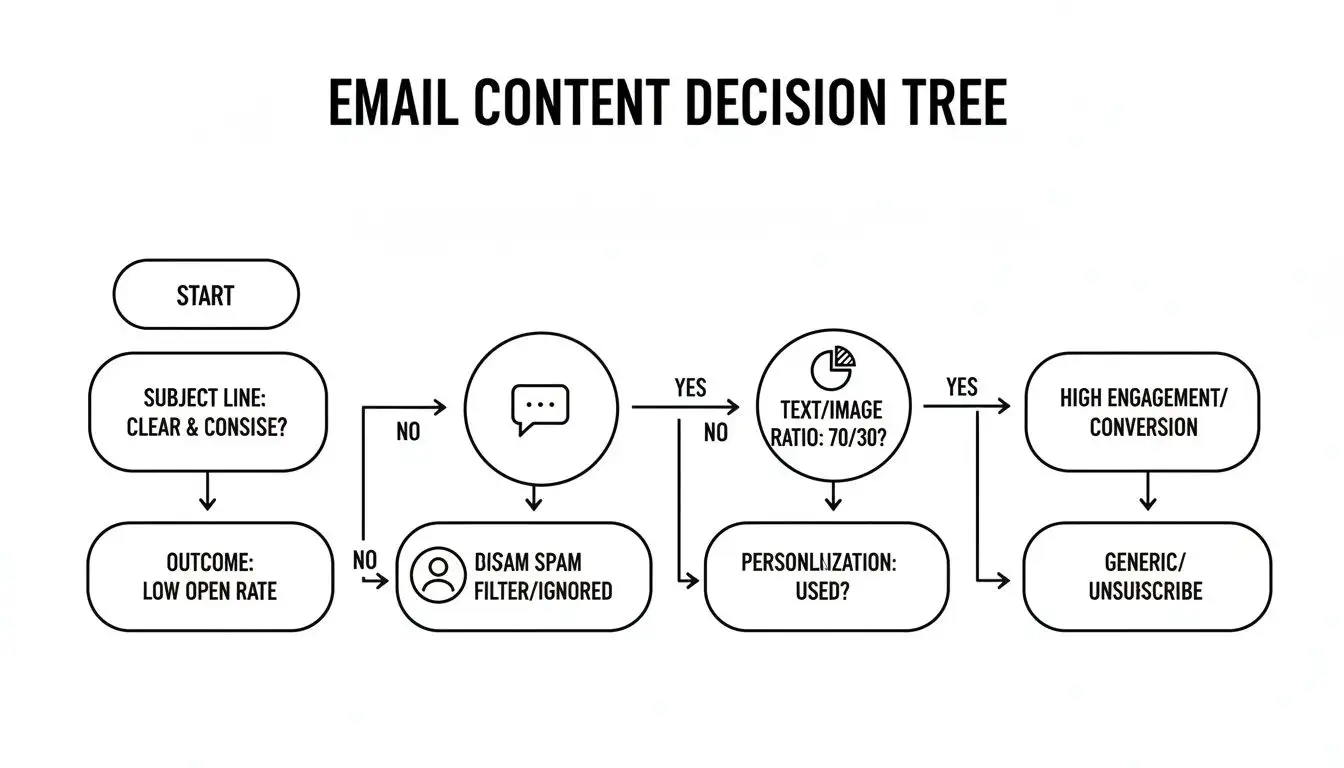
This whole decision-making process is mission-critical for keeping your emails out of the spam folder. This chart gives you a great visual breakdown of the key decision points.
As you can see, a successful email isn't just one thing. It's a combination of a killer subject line, balanced content, and real personalization all firing on all cylinders.
Monitoring isn't about staring at a dashboard all day. It’s about spending five minutes to understand what your data is telling you so you can make smarter moves tomorrow.
If you want to get an even clearer picture, start using inbox placement tools. These services are like having a spy on the inside. They show you exactly where your emails are landing across different providers. Are you hitting the primary inbox, the promotions tab, or the dreaded spam folder? That intel is priceless for fine-tuning your strategy and will directly improve email deliverability by shining a light on all your blind spots.
Still Got Questions About Email Deliverability?
Alright, let's clear up some of the common questions that pop up when you're trying to master the art of landing in the inbox.
How Long Does It Really Take to Warm Up a New Email Domain?
Look, I know you want to hit the ground running, but this is one area where you can't cut corners. A proper domain warm-up is a marathon, not a sprint, and you should budget anywhere from 4 to 12 weeks for it.
The whole point is to slowly ramp up your sending volume, day by day, to prove to the email gods (Google, Microsoft, etc.) that you're a legitimate sender and not some fly-by-night spammer. Rushing this is like showing up to a first date and immediately asking to meet their parents. It's a huge red flag.
Hard Bounce vs. Soft Bounce: What’s the Deal?
Think of it this way:
-
A hard bounce is a permanent "Return to Sender." The email address is a dead end because it's invalid, fake, or simply doesn't exist anymore. You need to purge these from your list immediately. Seriously, stop what you're doing and remove them now. They're toxic for your sender reputation.
-
A soft bounce is more of a temporary roadblock. Maybe their inbox is crammed full, or their server is just having a moment. While not an immediate five-alarm fire, if you keep getting soft bounces from the same address over and over, it starts to look suspicious and will eventually drag your score down.
A hard bounce is a brick wall. A soft bounce is a "check back later" sign. Treating them the same is a one-way ticket to the spam folder.
Should We Bother With a Dedicated IP Address?
Let me put it this way: using a shared IP is like living in a college dorm. If your neighbors are constantly throwing ragers and getting into trouble, the whole building gets a bad rap, and so do you, even if you were just quietly studying.
When you're on a shared IP, the sending habits of everyone else on that IP affect your deliverability. If they're spamming, you pay the price.
A dedicated IP is your own private address. Your reputation is entirely in your hands, built on your sending practices. For any B2B team that's serious about cold outreach, it’s not just a nice-to-have; it's a must-have for controlling your own destiny.
Ready to stop guessing and start landing in the primary inbox? Munch provides sales teams with hyper-accurate, verified contact data and AI-powered personalization to ensure your outreach always hits the mark. Start building your pipeline today!