How to Track Website Visitors Like a B2B Sales Pro

By Mriganka Bhuyan
•Founder at Munch
Ever feel like your website is a black box? People show up, click around, and then—poof—they vanish. It’s like throwing a huge party but not being allowed to talk to any of your guests. For B2B sales, that’s not just frustrating; it’s a colossal missed opportunity.
Learning how to properly track your website visitors is the cheat code for modern sales. It is all about making the invisible visible, turning your site from a passive digital brochure into a lead-gen machine that works for you 24/7.
Here's a quick look at how we'll turn those anonymous clicks into real, qualified leads.
From Anonymous Traffic to Qualified Lead
| Stage | Key Action | Primary Goal |
|---|---|---|
| Anonymous Traffic | A visitor from a target company lands on your site. | Attract relevant B2B buyers. |
| Identification | Visitor ID software matches their IP to a company profile. | De-anonymize the visiting account. |
| Enrichment | Add firmographic, technographic, and contact data. | Build a complete picture of the opportunity. |
| Qualification & Routing | Score the lead and send it to the right sales rep. | Ensure fast, relevant follow-up. |
| Sales Outreach | The rep engages with a personalized, timely message. | Convert intent into a sales conversation. |
This table maps out the journey. Now, let’s dig into why this is such a powerful strategy for your sales team.
Why Tracking Website Visitors Is Your Sales Superpower
The whole point of this exercise is to de-anonymize a chunk of your website traffic. You won't unmask every single person who clicks on your site, and you shouldn't even try. The real magic is identifying the companies they work for.
Think about it. What if you got a Slack alert the second someone from a dream-list account started browsing your pricing page? That’s not just a cool feature; it completely changes the sales game.
Turning Clicks Into Conversations
This insight flips your sales motion from reactive to proactive. No more mind-numbing cold calls based on a stale list. Instead, your team can jump on red-hot leads from accounts that are already showing you they’re interested. It's the difference between crashing a party and being on the VIP list.
The core idea is simple: stop guessing and start knowing. When you can see which companies are on your site, you get a direct look at which slice of your target market is actively shopping.
The Raw Power of Intent Data
What we're really talking about here is capturing intent data. A visit to your site is a signal, a digital hand-raise. When you capture that signal, you can:
-
Prioritize like a pro: Aim your sales efforts at accounts that are already warmed up.
-
Personalize your outreach: Ditch the generic templates and reference their specific activity for a conversation that actually lands.
-
Get more from your marketing spend: Finally see which campaigns are bringing the right kind of companies to your door.
Smart tracking gives your sales team an almost unfair advantage. Watching metrics like unique visitors is a start, but the real gold is in the details. For instance, we've seen that visitors from organic search often stick around 20-30% longer than those from social media. And with mobile driving so much traffic, companies that don't capture this first-party data risk letting a staggering 98% of potential leads slip through their fingers.
Ultimately, setting up this kind of tracking is a cornerstone of any modern sales automation process. It stocks your pipeline with high-intent leads that your team will be excited to call, giving them the intel they need to make every single interaction count.
Choosing Your Visitor Tracking Tech Stack
Picking the right tools for tracking website visitors feels a lot like assembling your dream team. Get the right players in the right positions, and you're unstoppable. The goal isn't to have the most tools, but to build a smart, cohesive stack that turns website clicks into actual conversations.
Your mission, should you choose to accept it, is to pair two types of tools: foundational analytics and visitor identification software. One tells you what's happening on your site, and the other tells you who's doing it. They're the ultimate B2B sales duo.
Foundational Analytics: The What and How Many
First, you need a solid analytics platform. For pretty much everyone, this is going to be Google Analytics 4 (GA4). Think of it as the dashboard for your entire website operation. It’s brilliant for getting the 10,000-foot view and answering those big-picture questions:
-
How many people are swinging by?
-
Which pages are they actually reading?
-
Where did they come from? (Google search, LinkedIn, that one ad you're running?)
-
Are they bouncing immediately or sticking around for a while?
GA4 gives you the aggregate data needed to see what’s working and what isn’t. It’ll tell you that 500 people hit your pricing page last week, which is cool. But it has no idea that 25 of them work for Fortune 500 companies you’ve been trying to get a meeting with for months.
And that’s where the real magic happens.
If Google Analytics is too complicated, you can also try alternate tools like PostHog, Umami, Data Fast, Plausible, etc.
Visitor Identification Software: The Who
If analytics is the crowd report, visitor identification software is your VIP backstage pass. This is the tech that truly arms your sales team. These tools work to de-anonymize a chunk of your website traffic, turning those nameless, faceless sessions into real, identifiable companies.
So, how does it work? It’s not witchcraft, just clever tech, specifically reverse IP lookup. Every office in the world connects to the internet through an IP address, and that IP address is registered to the company. Visitor ID software taps into massive databases that map these corporate IPs back to the company name.
This is where you pivot from fuzzy marketing metrics to hard sales intelligence. You stop wondering if someone is interested and start knowing which company is showing buying intent right now.
The whole process is pretty straightforward, turning anonymous browsers into qualified prospects you can actually talk to.
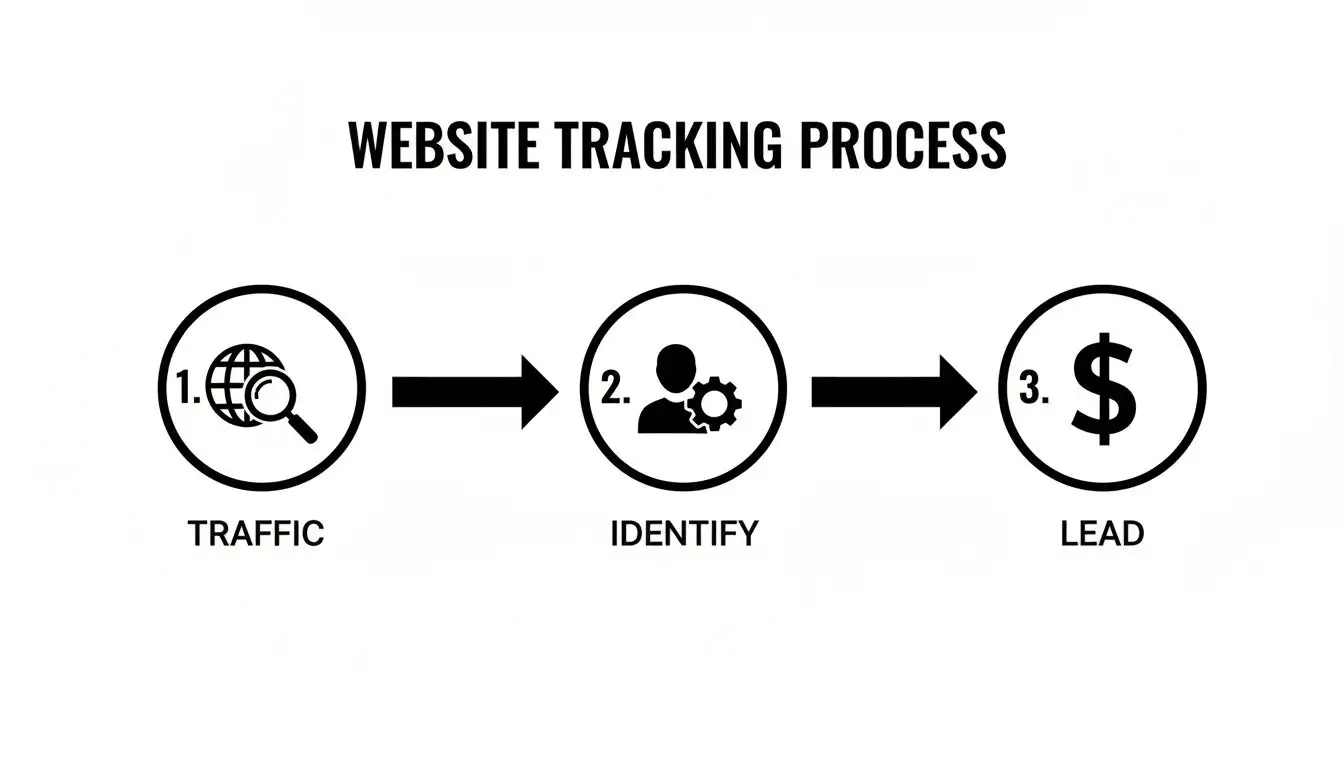
As you can see, it's a simple but powerful flow: attract traffic, identify the high-value accounts within that traffic, and then turn that insight into a real sales opportunity.
Comparing Key Players and Must-Have Features
Let's be clear: not all visitor ID tools are created equal. Some will just dump a raw list of company names on you, which is about as helpful as a fork in a soup bowl. The platforms worth their salt provide fully enriched company profiles. They take that company name and layer on all the juicy data points that make it an actionable lead.
When you're shopping around, here's the data you absolutely need your tool to provide:
-
Firmographics: The basics: company size, industry, revenue, and location.
-
Contact Data: Who works there? You need names, job titles, and verified emails for decision-makers.
-
Technographics: What tools are they already using? This is gold for figuring out fit.
-
Intent Data: What did they do on your site? Which pages did they visit, and for how long?
This is the kind of detail that separates a good sales team from a great one. It's the difference between a cold call and a warm, relevant conversation. Armed with this intel, your reps can craft killer outreach that aligns perfectly with modern sales prospecting best practices. You're not interrupting their day; you're following up on interest they've already shown.
Pro Tip: Use Munch to get fully enriched company profiles and up your outreach game!
Setting Up Your Tracking and Tagging Infrastructure
Okay, so you've picked out your tech stack. Now for the fun part: making it all work. This is where we move from theory to action, and don't worry, it's a lot less Mission: Impossible and more like following a really good recipe. We’ll get your tracking scripts installed without having a developer on speed dial and then dive into the art of UTM tagging, which is the secret sauce to actually understanding what's going on.
Think of it like this: installing tracking scripts is like putting security cameras in your store. It tells you people are showing up. But UTM tagging? That’s like giving every single person a name tag explaining which ad, email, or social post convinced them to walk through your door in the first place. One tells you someone is here; the other tells you why.
Installing Tracking Scripts the Smart Way
Not too long ago, adding a new script to your website meant filing a ticket with the dev team and crossing your fingers it would get done before the next ice age. Thankfully, we now have Google Tag Manager (GTM), and it's about to become your new best friend.
GTM is a free tool that basically acts as a central hub for all your marketing and analytics scripts. You install just one little piece of GTM code on your website, and from then on, you can add, update, or nuke any other script you want directly from the GTM dashboard. No coding, no developers, no waiting around.
Your visitor identification software and Google Analytics 4 will each give you a small snippet of JavaScript. Your only job is to pop into GTM, create a new "tag" for each one, paste the script in, and set the trigger to fire on "All Pages." You're just telling GTM, "Hey, run this code every time someone lands on any page of my site." It’s a complete game-changer for moving quickly.
Mastering the Art of the UTM Tag
UTM tags (short for Urchin Tracking Modules) are just simple little parameters you tack onto the end of a URL. They don't change the page a visitor lands on, but they pass a goldmine of information back to your analytics and visitor ID tools. This data tells you the exact source, medium, and campaign that brought them to you.
Without UTMs, your traffic report is a swamp of vague "direct" or "referral" sources. With them, you know with crystal clarity which LinkedIn ad, email newsletter, or guest post is actually sending you high-quality traffic. This is how you stop guessing and start making decisions, doubling down on what works and killing what doesn't.
Getting your UTM strategy right is one of the highest-leverage things a marketing or sales team can do. It's the difference between flying blind and having a full GPS-guided map of your customer's journey.
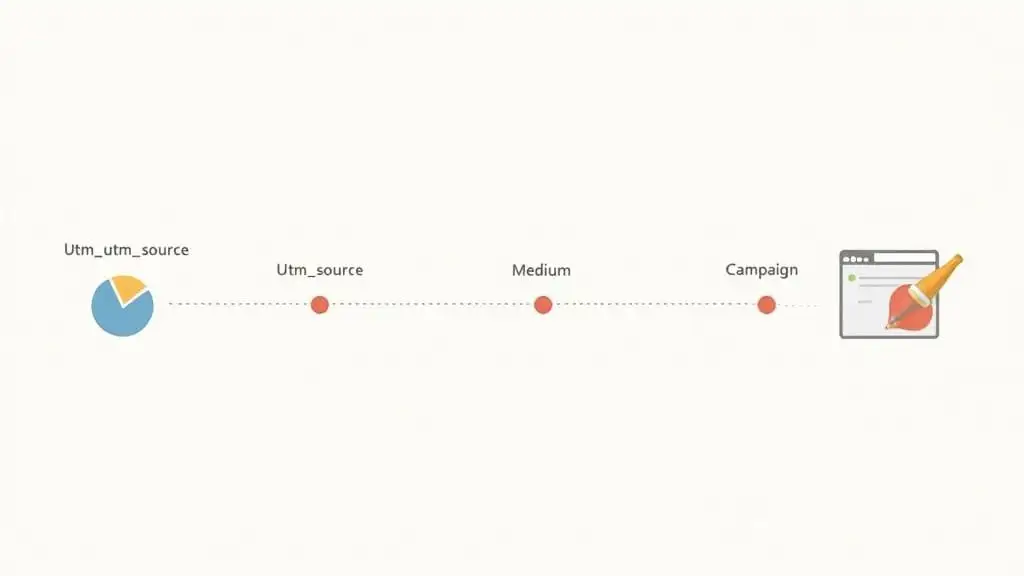
A complete UTM-tagged link can have five standard parameters, but for most B2B campaigns, you'll live and breathe by these three:
-
utm_source: This identifies the platform that sent the traffic (e.g.,
google,linkedin,newsletter). -
utm_medium: This is the marketing channel you used (e.g.,
cpc,social,email). -
utm_campaign: The name of your specific campaign (e.g.,
q4-promo,product-launch-2024).
These tags work together to tell a story. When you see a high-value account pop up in your visitor ID tool, you can instantly see they came from utm_source=linkedin, utm_medium=cpc, and utm_campaign=saas-leaders-q4. Boom. You now know that specific ad campaign is attracting exactly the right crowd.
A No-Nonsense UTM Naming Convention
The number one mistake I see people make with UTMs is inconsistency. One person uses "LinkedIn," another uses "linkedin.com," and a third uses "li." Your analytics tool sees these as three totally separate sources, and your data becomes an absolute train wreck.
To sidestep this nightmare, you need a simple, mandatory naming convention. Seriously, just steal this one, it works.
-
Always use lowercase. Your tools will track
utm_source=Googleandutm_source=googleseparately. Just make everything lowercase and the problem disappears. -
Use underscores or dashes, not spaces. Spaces in URLs can break links or get mangled into ugly characters like
%20. Always usefall-promoinstead offall promo. -
Be descriptive but concise. A campaign named
2024_q4_b2b_saas_enterprise_ebook_download_ad_v2is just noise. Something likeq4-ebook-enterpriseis clean, clear, and useful.
This kind of discipline is what separates the pros from the amateurs. It ensures your data is clean and reliable, which is the bedrock of making smart decisions. By combining clean tagging with powerful visitor identification, you can dramatically improve how to qualify sales leads by focusing your energy on accounts from your most effective channels. Your infrastructure is now set up not just to collect data, but to give you clear, actionable intelligence.
Turning Anonymous Visitors into Actionable Sales Intelligence
Alright, you've done the hard work. Your tracking scripts are live, your UTM tags are pristine, and you're starting to see which companies are poking around your digital storefront. It’s like you’ve finally gotten your hands on the Marauder's Map for your website; you can see the little footprints moving around. But seeing them is only half the battle. Now what?
This is the moment where we connect the data to the dollars. Identifying a target account on your site is great, but it’s just a blip on a screen until you turn it into something a sales rep can actually use. We're moving from "Hey, someone from Acme Corp is here" to "Here's a complete, actionable sales opportunity."
From Data Points to CRM Records
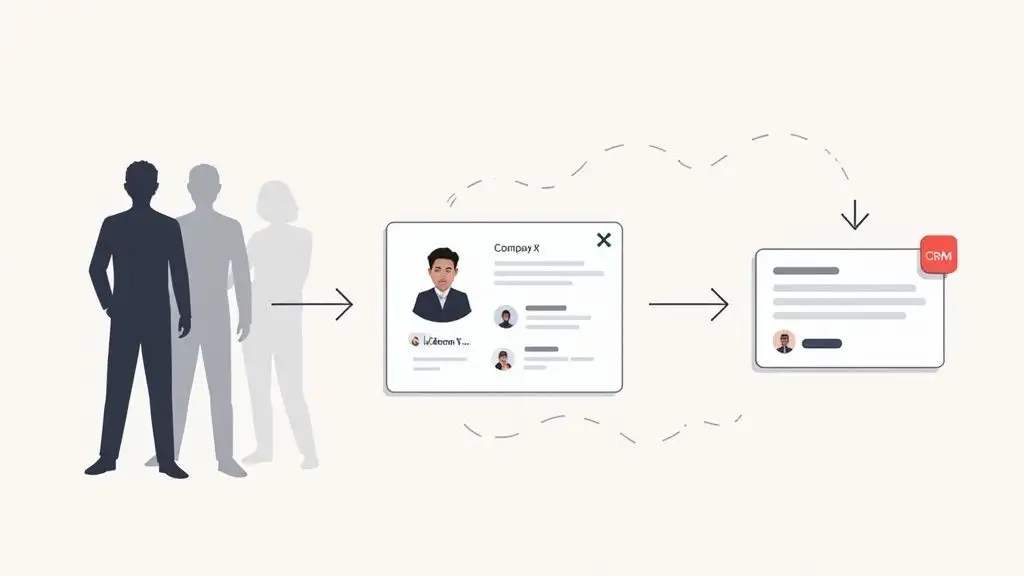
First things first: you have to get this intelligence out of your visitor ID tool and into the hands of your sales team. This means automatically piping the identified company data directly into your CRM, whether that's Salesforce, HubSpot, or something else. Manually copy-pasting this information is a one-way ticket to misery and missed opportunities.
A solid visitor identification platform will have native integrations that make this a piece of cake. You can set up rules to create a new company record in your CRM the moment a high-value visitor is identified. For instance, you could configure it to only sync companies that match your ideal customer profile, like those with over 50 employees in the software industry.
This automated workflow is your foundation. It ensures no lead gets left behind and your sales team has a single source of truth for all website-driven intent.
Layering on the Good Stuff with Data Enrichment
A company name is a good start, but let's be honest, it’s not enough to build a killer sales pitch. This is where data enrichment comes in. Think of it as upgrading your lead from a grainy, pixelated image to a crystal-clear 4K profile.
Enrichment tools like Munch take that basic company name and layer on tons of critical intelligence. They automatically append data points that turn a simple alert into a rich, strategic brief that a sales rep can use to craft a hyper-personalized outreach.
Here’s the kind of intel you should be adding:
-
Firmographics: Dig deeper than just a name. Get their industry, employee count, annual revenue, and location.
-
Technographics: What's in their tech stack? Knowing they use a competitor's product is a massive advantage.
-
Key Contacts: Who are the decision-makers? You need names, job titles, and verified contact info for the Head of Sales or VP of Engineering.
-
Buying Signals: Did they just receive a new round of funding? Are they hiring for a specific role? These signals indicate they have a problem to solve and, crucially, a budget to solve it with.
This process transforms a simple notification like 'Company X visited' into a full dossier. Your sales rep now knows who they are, what they need, and who to talk to, all before even picking up the phone.
Setting Up Automated Sales Plays
With enriched data flowing into your CRM, you can now build automated workflows that practically put your sales process on autopilot. This is all about creating triggers that alert your team to hot opportunities in real-time so they can pounce while the buying intent is at its peak. It's less "dialing for dollars" and more "precision-guided sales."
You can create rules that automatically fire off alerts or create tasks based on specific visitor behavior. This step is critical for actually using your data and making sure these insights don't just sit in a dashboard gathering digital dust. If you need a hand with this, our guide on lead scoring best practices is a great place to start.
Here are a few killer automation examples you can steal:
-
Slack Alerts for Hot Leads: When a company from your target account list visits your pricing page more than three times in a week, trigger an instant notification in a dedicated Slack channel. This alert should include the company name, pages viewed, and a direct link to the CRM record.
-
Automated CRM Task Creation: If a company that fits your ICP spends more than two minutes on a key case study page, automatically create a "High-Intent Follow-Up" task in your CRM and assign it to the account owner.
-
Dynamic Lead Routing: Automatically route leads to the right sales rep based on territory, company size, or industry. A visitor from Germany? It goes straight to your EMEA team. A startup with fewer than 50 employees? It’s assigned to your SMB specialist.
These automated plays ensure your sales team operates with maximum efficiency. They spend less time digging for information and more time engaging with prospects who are already showing you they’re ready to talk.
Navigating Privacy and Data Compliance
With great tracking power comes great responsibility. That’s less of a friendly neighborhood Spider-Man suggestion and more of a business-critical mandate. In a world of GDPR and CCPA, ignoring privacy isn't just a bad look; it's a spectacularly bad idea that can come with fines big enough to make your CFO cry.
This isn’t about scaring you with legalese. It’s about building a game plan to track visitors ethically and legally. The goal is to empower your sales team while actually building trust with your audience, not eroding it.
Consent Management That Doesn’t Annoy People
Let's talk about the cookie banner, the modern-day version of the "are you sure?" pop-up that everyone loves to hate. A poorly designed banner is the fastest way to get a visitor to hit the back button. Yet, a clear and straightforward consent process is completely non-negotiable.
The whole point is informed consent. Your visitors need to understand what they're agreeing to in simple, human terms. Ditch the dark patterns and stop burying the "reject all" button under three layers of menus. Transparency is your best friend here.
A few tips for a better banner:
-
Be Clear and Concise: Skip the jargon. "We use cookies to understand how you use our site and to improve your experience" works way better than a dense paragraph of legal text.
-
Offer Granular Control: Let people opt in to specific cookie categories, like analytics or marketing, instead of forcing an all-or-nothing choice.
-
Make It Easy to Say No: The "accept" and "reject" buttons should have equal visual weight. Making it a scavenger hunt to decline is a huge compliance risk.
Understanding the Big Regulations
You don’t need a law degree to do this right, but you do need to get the gist of the major privacy regulations. Think of them as the basic rules of the road for handling user data.
The two heavy hitters are Europe's General Data Protection Regulation (GDPR) and the California Consumer Privacy Act (CCPA). While their specifics differ, they share a common spirit: giving individuals control over their personal data.
The bottom line is this: you must have a lawful basis for processing data, be transparent about it, and respect user rights, like the right to access or delete their information. This isn't just about dodging penalties; it's about building a brand that people actually trust.
For B2B visitor identification, this often comes down to legitimate interest, which is the legal basis for processing company-level data to conduct business. But you have to balance this against the privacy rights of the individual. Documenting your processes and having a rock-solid privacy policy is crucial. You can see how we handle this by reviewing our own approach to building a transparent and compliant privacy framework.
The Shift to First-Party Data
As third-party cookies crumble like a stale granola bar, the value of first-party data has skyrocketed. This is the data you collect directly from your audience through interactions on your own website. It’s more accurate, more relevant, and, most importantly, gathered with direct consent.
Honestly, this shift is a massive win for everyone. It forces businesses to build real relationships with their audience instead of relying on creepy, third-party tracking. When you provide genuine value through great content, helpful tools, and a solid user experience, you earn the right to collect data.
Suddenly, compliance stops being a chore and starts becoming a real competitive advantage.
So, Is This Thing Actually Working? Measuring and Tuning Your Machine
You’ve done the hard work. Tracking scripts are humming along, company names are popping up where anonymous IPs used to be, and your sales team is getting fresh intel. Feels great, doesn't it? But here’s the thing: if you can't prove it's working, it's just a cool science project.
This is where we go from "I think this is helping" to "I know this drove $X in pipeline." We're going to turn your new setup into a revenue-generating machine.
Think of it like being a baseball manager. You don't care about a thousand different stats; you care about the handful that actually lead to winning games. It's the Moneyball approach to B2B sales.
The Scoreboard: What to Actually Track
Forget vanity metrics. Let's focus on the KPIs that tell you if you're winning or losing. These will give you a brutally honest look at how your visitor tracking is performing and its real impact on the bottom line.
-
Total Identified Companies: The big, top-of-funnel number. How many actual company names are you pulling out of the ether each week or month? This is your raw material.
-
Target Account Visit Rate: What percentage of your absolute dream clients are hitting your site? This is your acid test for whether marketing is attracting the right eyeballs.
-
Website-Sourced Opportunities: This is the big kahuna. How many real, live sales opportunities started because you identified a company on your website?
-
Conversion Rate to Meeting: Of all the companies you identified and reached out to, how many actually booked a meeting? This measures the quality of the signal. Are these visitors just kicking tires or are they ready to talk?
These numbers are your north star. They're what you'll show your boss to prove this whole thing was worth the effort, and they'll flag exactly where you need to make tweaks.
Let's be clear: the goal here isn't to generate a pile of data. It's to generate revenue. Slap these KPIs onto a simple dashboard. It's the fastest way to draw a straight line from your tracking efforts to a closed-won deal.
Putting Out Fires: Common Troubleshooting Scenarios
Look, even the most buttoned-up plans can go sideways. If your numbers look weird, don't sweat it. It’s almost always one of a few usual suspects, and the fix is usually pretty simple.
Got a low identification rate? First, play detective and make sure your tracking script is actually firing on every single page. I've seen it a hundred times, a new marketing landing page goes live, someone forgets the script, and suddenly you have a massive blind spot. Also, take a peek at your traffic sources. A huge spike in bot traffic or visitors from a consumer-focused ad campaign can seriously water down your B2B identification numbers.
Another classic is leads not showing up in the CRM. This is almost never a technical bug; it’s a workflow hiccup. Go back and scrutinize your sync rules and field mapping. Is there an overly aggressive filter accidentally blocking good-fit companies from ever reaching the sales team? A quick tip: build a "test" company profile in your visitor ID tool and push it to the CRM. It's the easiest way to see exactly where the breakdown is happening.
Common Questions We Hear All The Time
You've got questions, we've got answers. It’s not quite Jeopardy!, but hopefully, this clears a few things up as you dive into tracking your website visitors.
What’s the Real Difference Between Analytics and Visitor Identification Tools?
Think of it this way: Google Analytics gives you the wide shot of the stadium. It’s fantastic for seeing how many people showed up, which sections were the loudest, and where the crowd came from. It's the go-to for understanding the big picture and answering, "What happened?"
Visitor identification tools, on the other hand, are like your VIP backstage pass. They zoom right in on the front row and tell you, "Who did it?" by identifying the specific companies in attendance. This is the actionable intel your B2B sales team has been waiting for.
How Accurate Is This Website Visitor Identification Stuff, Really?
It’s surprisingly good, but it's not magic. The accuracy is highest when people are browsing from a corporate office network, since the IP address is a dead giveaway, registered directly to the company. It naturally gets a bit fuzzier when tracking remote workers using their home internet.
A solid platform will typically identify 20% to 40% of your B2B website traffic. While that's not 100%, it's a massive volume of high-intent leads that were completely invisible to you before.
Can I Actually Track Visitors Without Using Those Creepy Third-Party Cookies?
Yes, and you absolutely should. The industry is ditching third-party cookies, just like we all moved on from dial-up internet. Thankfully, modern visitor identification platforms were built for this new reality.
They mostly rely on first-party data, IP addresses, and other privacy-compliant signals. By focusing on identifying the company rather than a specific individual and being transparent with your cookie policy, you can run a powerful program that both drives sales and respects user privacy. It’s a win-win.
Ready to turn your anonymous website traffic into your best source of B2B leads? Munch gives you the tools to identify, enrich, and engage high-intent prospects before your competition even knows they exist. Start uncovering your hidden pipeline at Munch.