How to Improve Email Deliverability and Stay Out of the Spam Folder

By Mriganka Bhuyan
•Founder at Munch
Getting your emails to land in the primary inbox isn't magic. It's about building a rock-solid sender reputation, making sure your domain is authenticated correctly, and sending genuinely engaging content to a squeaky-clean email list. It’s part technical setup, part smart sending strategy, and it all comes down to proving to gatekeepers like Google and Microsoft that you're one of the good guys.
Why Your Emails Vanish into the Digital Bermuda Triangle
You ever hit "send" on an important email, see the "delivered" confirmation, and then... nothing? It feels like your message just entered a witness protection program. This is the frustrating reality when emails disappear into the digital Bermuda Triangle—that mysterious void between your outbox and your prospect's inbox.
Here’s the hard truth: "delivered" does not mean "inboxed." It just means the receiving server accepted the email, kind of like a bouncer letting you stand in the lobby. Whether you ever get past the velvet rope to the main party is a completely different ballgame.
Meet the Gatekeepers: Google and Microsoft
The internet's biggest bouncers are, without a doubt, Google and Microsoft. They control a staggering percentage of the world's email inboxes, and their spam filters decide who gets in. They aren't just checking a VIP list; they're running a full background check on every single sender.
These filters have evolved far beyond just flagging a few "spammy" words. They analyze a whole constellation of signals to create a sender reputation score for your domain. Think of it as a credit score for your email habits, and it’s something you build—or break—over time.
Your sender reputation isn't just about what's in your emails; it's about how people react to them. High open rates, clicks, and replies build trust. On the flip side, high bounce rates, spam complaints, and unsubscribes will absolutely tank it.
The Key Factors That Make or Break Your Reputation
So, what are these gatekeepers actually looking at? They’re constantly sizing you up, evaluating dozens of factors to decide if you're a trustworthy sender.
Here are the signals that matter most:
-
Sending Volume and Consistency: If a brand-new domain suddenly starts blasting 50,000 emails a day, that’s a massive red flag. It’s the email equivalent of a stranger showing up to a party and screaming through a megaphone. Not a good look.
-
Recipient Engagement: This is the big one. Are people actually opening, clicking, and replying to your messages? Positive engagement is the most powerful signal you can send that your content is valuable.
-
List Hygiene: Sending to bad or non-existent email addresses causes hard bounces, which are toxic for your reputation. It tells the inbox providers you're not being careful, and they'll treat you like a spammer.
-
Technical Authentication: Are your emails properly signed with SPF, DKIM, and DMARC? These are the technical handshakes that prove you are who you say you are, stopping others from spoofing your domain.
Nailing these fundamentals is the first step. This playbook is your field guide, designed to cut through the jargon and give you a clear, actionable game plan. We’ll walk through exactly how to build a stellar sender reputation, earn the trust of the big email providers, and make sure your messages actually get seen.
Nailing the Authentication Trifecta: SPF, DKIM, and DMARC
Think of email authentication as your domain's digital passport. Without it, you look suspicious to every inbox provider on the planet. Setting up SPF, DKIM, and DMARC is the absolute, non-negotiable first step to prove you are who you say you are—and not some spammer trying to spoof your good name.
Getting these three records right tells the internet's gatekeepers—Google, Microsoft, and others—that your emails are legitimate. This whole process just involves adding a few text records to your Domain Name System (DNS) settings, which you'll find wherever you bought your domain, like GoDaddy or Cloudflare. It sounds technical, but it’s a foundational piece for landing in the inbox.
This diagram breaks down the journey an email takes. As you can see, filtering is a critical stage where authentication gets scrutinized.
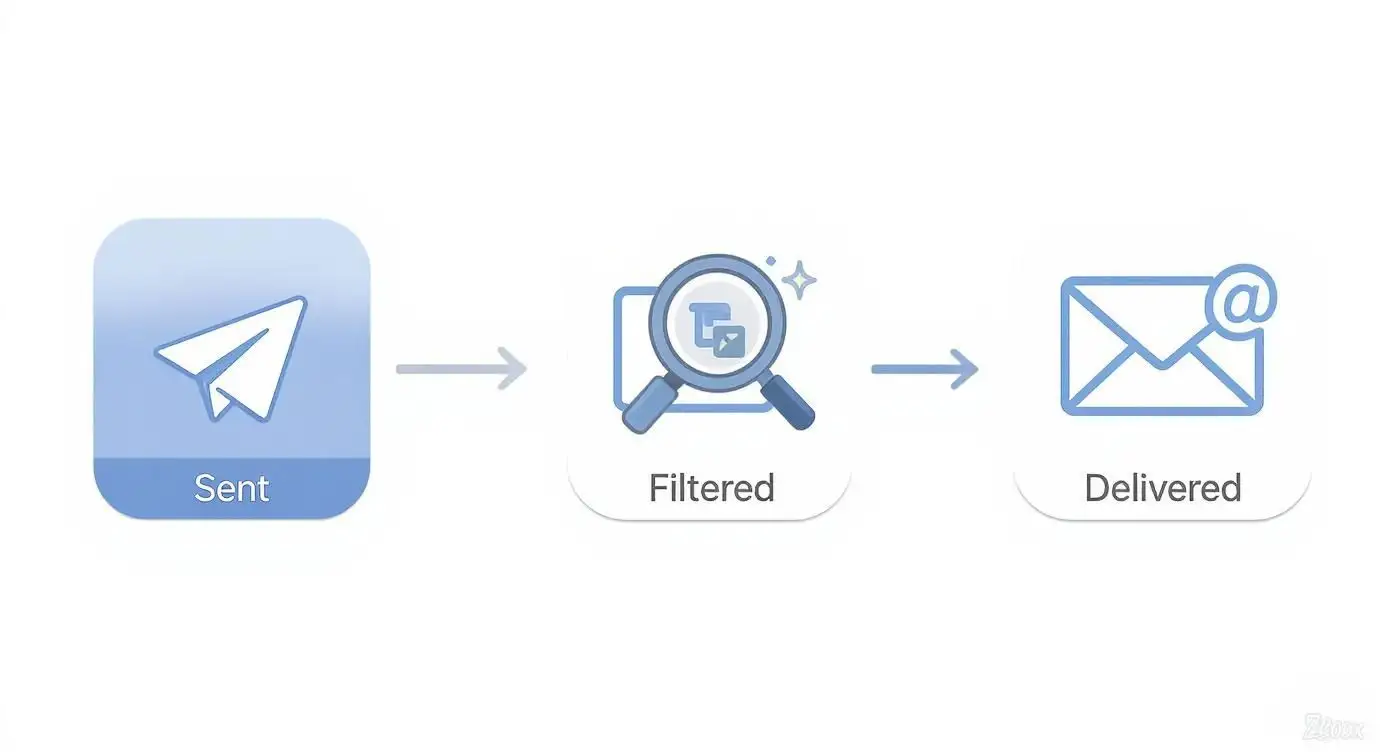
Authentication is one of the very first things a server checks. Fail here, and you don't even get a chance to be seen.
SPF: Your Domain’s Security Guard
First up is the Sender Policy Framework, or SPF. It’s basically a bouncer at a club with a very specific guest list. Your SPF record is a simple list published in your DNS that names all the approved servers and IP addresses allowed to send email on behalf of your domain.
When one of your emails hits a recipient's server, that server glances at your SPF record. If the email came from an IP on your approved list, it passes the check. If not, it gets flagged as suspicious, just like a spammer trying to sneak in the back door. It's a simple but effective way to stop phishers from impersonating you.
DKIM: The Tamper-Proof Seal
Next is DomainKeys Identified Mail, or DKIM. If SPF is the bouncer checking IDs at the door, DKIM is the tamper-proof seal on a package. It uses a pair of digital keys—one private, one public—to add a cryptographic signature to every email you send. Your private key signs it, and the public key (which lives in your DNS records) lets receiving servers verify that signature.
This digital handshake confirms two crucial things:
-
The email genuinely originated from your domain.
-
The message content hasn't been altered in transit.
If the signature doesn't match, it's a huge red flag that someone might have intercepted and messed with your email. This adds a powerful layer of trust and integrity.
DMARC: The Rulebook for Inboxes
Finally, we have Domain-based Message Authentication, Reporting, and Conformance, or DMARC. Think of DMARC as the club manager who tells the bouncer exactly what to do with uninvited guests. It ties SPF and DKIM together by creating a clear policy.
DMARC instructs receiving mail servers on how to handle emails that fail SPF or DKIM checks. Should they be quarantined in the spam folder, rejected outright, or just let through? You decide. Crucially, DMARC also sends reports back to you, showing who is sending email from your domain.
For any B2B team, these reports are gold. They give you incredible visibility into potential spoofing attempts and help you troubleshoot deliverability problems you might not have known existed.
You can start with a simple p=none policy, which just monitors activity without impacting your email flow. From there, you can gradually move to stricter policies like quarantine or reject as you get more confident. It’s the ultimate way to take control of your domain's reputation and protect your brand from being hijacked for malicious purposes.
The Art of List Hygiene and Audience Engagement
You can have perfect authentication and the world's best sending infrastructure, but if you're emailing a messy, unverified list, your deliverability is going to suffer. It's a hard truth. When your audience isn't listening, your sender reputation plummets.

Think of a clean, engaged list as your single biggest asset. It’s the clearest signal you can send to Internet Service Providers (ISPs) that people actually want to hear from you. That's the ultimate green light for reaching the inbox.
Scrub Your Lists Before You Send
Before you even dream of hitting "send" on a new campaign, you need to clean your email list. This isn't just a best practice; it's non-negotiable if you're serious about your deliverability. Sending to bad addresses leads to hard bounces, which are absolute poison for your sender score.
The data here is pretty telling. Spam filters are the top headache for roughly 60.3% of businesses, yet only 23.6% of companies bother to verify their lists before each send. Skipping this puts you on a fast track to bounces, spam traps, and a whole host of reputation killers. You can dive deeper into these benchmarks in Validity's 2025 report.
Here’s your pre-send checklist:
-
Use a Verification Service: Never import a new list without running it through a trusted email verification tool first. These services check if an address is valid without sending an email, catching typos and dead domains before they can hurt you.
Pro Tip: You can use Munch to validate your leads email ids before you hit send.
-
Identify Role-Based Addresses: Ditch the generic emails like
info@,support@, orsales@. They rarely have high engagement and are far more likely to get flagged as spam. -
Filter Out Known Complainers: If someone has marked your emails as spam, respect that. Maintain a suppression list and make absolutely sure those contacts are never mailed again.
Wake Up Your Sleepy Subscribers
Every list has them—the contacts who signed up a year ago and have been radio silent ever since. They don't open, they don't click, and they're quietly tanking your engagement metrics. It’s time for a re-engagement campaign, sometimes called a win-back campaign.
The goal here isn't just to get an open. It’s to get a clear "yes" or "no."
A re-engagement campaign is your last-ditch effort to reconnect. Offer a compelling piece of content, a special discount, or simply ask if they still want to hear from you. The contacts who engage are keepers; the ones who don't need to be removed.
Here's a simple way to approach it:
-
Segment Inactive Contacts: Pull a list of everyone who hasn't opened or clicked an email in the last 90-120 days.
-
Send a Targeted Campaign: Try a subject line like "Is this goodbye?" or "Still interested in [Your Topic]?". Keep the email short and focused on one clear call to action.
-
Analyze the Results: Anyone who engages with the campaign gets to stay on your active list.
-
Say Goodbye: For the rest? It's time to part ways. It's not you, it's them. Pruning them from your list is one of the healthiest things you can do for your deliverability.
Protect Yourself from Hidden Spam Traps
Spam traps are the landmines of the email world. They are real email addresses used by ISPs and blocklist providers specifically to catch spammers. Hitting just one can do serious, immediate damage to your sender reputation.
There are a couple of types you need to know about:
-
Pristine Spam Traps: These are brand new email addresses that have never been used by a real person. They're often hidden on websites to be scraped by bots, so finding one on your list is a huge red flag that you're not getting proper opt-ins.
-
Recycled Spam Traps: These were once valid email addresses that became inactive, like when an employee leaves a company. After a while, the provider reactivates the address, turning it into a trap.
Regular, disciplined list hygiene is your best defense. If you consistently remove unengaged contacts and use verification tools, you’ll steer clear of these traps before they can blow up your campaigns. For more on this, check out our complete guide on cold email best practices to keep your outreach effective and compliant.
Writing Emails That Land in the Inbox, Not the Spam Folder
Think of your email content as the main event. All the technical authentication work gets you past the bouncer, but what's inside the email determines if you get to stay at the party. Spam filters are incredibly sophisticated now; they're not just looking for a few trigger words like "free" or "buy now." They're analyzing the whole picture—your subject line, the balance of images to text, and how consistently you send your campaigns.
If you mess this part up, you look like a spammer from a bygone era, blasting out emails with huge images and ridiculous subject lines. But when you get it right, you signal to everyone—from Gmail to your prospect—that you’re a legitimate sender with something valuable to say.
Your Subject Line: The First Impression
Your subject line is the very first thing that both a person and a spam filter will judge. A great one piques curiosity and boosts open rates, but a subject line that feels like clickbait is a one-way ticket to the junk folder. Filters have seen it all, and they can spot manipulative tactics a mile away.
Here’s how to write subject lines that actually work:
-
Be direct and specific. Something like "Quick question about your Q4 goals" is infinitely better than a vague "Checking in."
-
Never use deceptive prefixes. Slapping "Re:" or "Fwd:" on a new email is an old spammer trick that filters catch instantly. Don't do it.
-
Keep it clean and professional. ALL CAPS, a ton of exclamation points (!!!), and spammy symbols ($$$, %%%) are immediate red flags.
Your best bet is to write a subject line that’s an honest preview of the email’s content. It should create intrigue without resorting to cheap tricks. This tells both your reader and the filters that the email is worth opening.
Finding the Right Balance of Text and Images
Do you remember those emails that were just one giant, clickable image? Spam filters definitely do. That was a classic tactic spammers used to hide sketchy text from being scanned. Because of that history, emails with too many images and not enough text look highly suspicious to inbox providers.
A solid rule of thumb is to stick to an 80/20 text-to-image ratio. Your message needs to make perfect sense and deliver value even if the images fail to load. For every picture you add, make sure you have plenty of plain text to balance it out. This simple change not only makes your emails more accessible but also makes them look far more trustworthy.
The Slow and Steady Domain Warm-Up
If you fire up a brand-new domain and immediately blast out thousands of emails, you're basically waving a giant red flag that says "I'm a spammer!" This sudden, high-volume activity is a classic mistake that gets domains blacklisted almost instantly. Internet Service Providers (ISPs) expect to see a gradual build-up of activity from legitimate senders.
This careful, deliberate process is called warming up your domain, and it's a marathon, not a sprint.
-
Start incredibly small. On day one, send just 10-20 emails to your most engaged contacts—people you know will open and hopefully reply.
-
Increase your volume gradually. Slowly ramp up the number of emails you send each day. A good rule is to never more than double your volume from the previous day.
-
Be consistent. Once you find a rhythm, stick to it. Big, unpredictable spikes in sending volume look very suspicious.
A proper warm-up can take anywhere from four to twelve weeks, but it's time well spent. You're showing ISPs that you're building a pattern of legitimate, wanted communication. To see how this plays out in a real campaign, check out this in-depth analysis of a cold email example that follows these principles. Rushing this phase is one of the fastest ways to sabotage your email deliverability for good.
Monitoring Your Sender Reputation Like a Pro
Improving your email deliverability isn't a one-and-done project. It's an ongoing process, a constant conversation with data. You have to put on your detective hat and look for clues that tell you how inbox providers and, more importantly, your recipients see your emails. Staying on top of this lets you catch problems before they snowball and wreck your hard-earned reputation.
Think of it this way: you wouldn't launch a major marketing campaign and then just hope for the best, would you? Of course not. You'd track every click, conversion, and comment. Monitoring your sender reputation is the exact same principle, just applied to the foundation of your entire email program.
Your Essential Monitoring Toolkit
The good news is you don't need a huge budget to keep an eye on things. Some of the most effective tools out there are free and give you a direct line of sight into how the big email players view your domain.
Your first port of call should always be Google Postmaster Tools. Since a massive number of B2B prospects live in Google Workspace, this is basically getting a report card straight from the headmaster. It gives you clear dashboards on:
-
IP Reputation: A simple grade (Bad, Low, Medium, High) for your sending IPs.
-
Domain Reputation: A similar grade for your sending domain, which is arguably even more important.
-
Spam Rate: This is critical. It shows the percentage of emails users are actively flagging as spam. If this number creeps above 0.1%, you've got a problem.
-
Authentication: A quick check to confirm your SPF, DKIM, and DMARC are working as they should.
For a more generalized perspective, a tool like Sender Score by Validity gives you a single number from 0-100. It's a quick way to benchmark how your reputation stacks up against the wider world of email senders.
The Metrics That Truly Matter
It’s easy to get sidetracked by vanity metrics, but they rarely tell the whole story. To really move the needle on deliverability, you have to focus on the signals that inbox providers pay the most attention to.
Don't get obsessed with your overall open rate. Instead, dig deeper. Your complaint rate, domain-specific open rates, and hard bounce percentage are the metrics that will either build up your sender reputation or tear it down.
Here’s what you should be tracking like a hawk:
-
Complaint Rate: This is your "marked as spam" percentage. Anything over 0.1% is a massive red flag for providers.
-
Hard Bounce Rate: This number needs to be as close to zero as possible. A consistent rate above 2% is a dead giveaway that your list hygiene is poor.
-
Domain-Specific Engagement: Are open rates for Outlook users suddenly in the gutter while Gmail is fine? That points to a specific issue with Microsoft's filters, not your overall strategy.
Tracking these numbers helps you diagnose problems with surgical precision instead of just guessing. A predictable sending schedule is also a huge part of building trust with mailbox providers. Optimizing your sending frequency is a crucial piece of this puzzle; you can get some great ideas by reviewing these sales cadence best practices.
A Practical Troubleshooting Guide
No matter how careful you are, you'll eventually hit a snag. The trick is to react quickly and methodically.
Scenario: Your open rates for Outlook users just tanked.
Your first move? Go straight to Microsoft's own monitoring service, SNDS (Smart Network Data Services). It provides data specifically on traffic hitting the Microsoft ecosystem from your IP, including complaint rates and spam trap hits. It's the fastest way to find out if you've been flagged internally by their systems.
Scenario: You've landed on a blocklist.
Don't panic. Use a free tool like MXToolbox to identify which blocklist you're on. Each one has its own rules and a specific process for getting removed. Most of the time, delisting means you have to fix the root cause—like scrubbing your list or securing a compromised account—and then formally request to be removed. It's a bit like getting detention; you have to show you've learned your lesson before you're allowed back in the inbox.
Now, let's look at how deliverability can vary across the globe. What works in North America might not fly in Europe due to regulations like GDPR.
Global Email Deliverability Rate Comparison
This table shows the average inbox placement rates across different regions, highlighting the impact of local regulations and infrastructure on email deliverability.
| Region | Average Inbox Placement Rate | Key Influencing Factors |
|---|---|---|
| North America | 86% | High adoption of DMARC; mature ISP infrastructure. |
| Europe | 84% | Strict data privacy laws (GDPR); high spam filtering standards. |
| Asia-Pacific | 82% | Diverse ISP landscape; increasing mobile-first engagement. |
| Latin America | 79% | Growing internet penetration; varying levels of anti-spam tech. |
| Middle East & Africa | 77% | Developing infrastructure; less stringent initial filtering. |
As you can see, deliverability is not a universal constant. A sender's success is heavily influenced by the digital environment of their target audience. Understanding these regional nuances is key to building a global email strategy that actually works.
Your Top Email Deliverability Questions, Answered
Even the most seasoned B2B teams hit snags with email deliverability. When you’re deep in the weeds of warming up domains and cleaning lists, specific questions always pop up. Let’s tackle some of the most common ones I hear, so you can solve those real-world problems and get back to landing in the inbox.
How Long Does It Take to Warm Up a New Email Domain?
Think of it like building a new friendship. You don't meet someone and immediately ask them to help you move. It takes time to build trust. Warming up a new domain is the same game, and you should plan for it to take anywhere from four to twelve weeks.
This whole process is a marathon, not a sprint. The right way to do it is to start small—I’m talking just 10-20 emails per day sent to your most engaged contacts. These are the people you know will open and maybe even reply. From there, you gradually increase your volume, maybe by 1.5x to 2x each day. This slow, steady ramp-up is what builds a positive sending history with Internet Service Providers (ISPs), showing them you're a legitimate sender, not a spammer who just spun up a new domain.
Rushing the warm-up process is the single fastest way to permanently torch your new domain's reputation. Seriously, be the tortoise here, not the hare. The patience you show now will pay off massively down the road.
What’s the Difference Between a Hard Bounce and a Soft Bounce?
Knowing the difference here is non-negotiable for keeping your email list healthy and your sender reputation intact. ISPs see them as completely different signals.
A hard bounce is a dead end—a permanent failure. It means the email address is flat-out invalid, doesn't exist, or their server has blocked you entirely. You have to remove hard bounces from your list the second they happen. If you keep sending to these addresses, it screams "sloppy list management" to ISPs, and they will absolutely penalize your reputation for it.
A soft bounce, on the other hand, is usually just a temporary hiccup. The most common reasons are a full inbox, a server that's temporarily offline, or an email that's too big. Most sending platforms will try to redeliver the message a few times. While it’s less critical than a hard bounce, if an address keeps soft-bouncing over and over again, it's time to treat it like a hard bounce and pull it from your active lists.
Can Using Too Many Images in My Email Hurt Deliverability?
Oh, absolutely. An email packed with images and barely any text is a move straight out of the 1999 spammer playbook. Back in the day, spammers would put all their text inside one big image to try and sneak past filters that only scanned for text.
Of course, filters have gotten a lot smarter since then. Now, they're incredibly suspicious of emails that are mostly images. It's a huge red flag.
To stay out of the spam folder, stick to these guidelines:
-
Find a healthy balance. A good rule of thumb is an 80/20 text-to-image ratio. Your message should make complete sense even if the images don't load.
-
Always use descriptive ALT text for your images. This is crucial for accessibility, but it also gives ISPs context about what your email is about, which they like.
-
Never, ever send an email that is just one giant image. It’s one of the easiest ways to get your message flagged.
Why Is My Open Rate So Low for Microsoft Outlook Users?
If you’re scratching your head over low open rates specifically with Microsoft inboxes (Outlook, Office 365, etc.), you're not alone. This is a super common headache for B2B senders because Microsoft’s spam filters can be notoriously strict and just operate differently than Gmail's.
If you’re seeing a big drop-off with this crowd, a few things could be going on:
-
Your reputation with Microsoft might be in the gutter. Sender reputation isn't universal; you have a different score with each major inbox provider.
-
Your content could be triggering their specific filters. Certain words, link shorteners, or even your HTML formatting might fly under Gmail’s radar but set off alarms at Microsoft.
-
You might have a tiny error in your authentication records. Sometimes, even a small misconfiguration in your SPF or DKIM can cause major issues with more sensitive filters like Microsoft's.
This is why it’s so important to use monitoring tools that let you break down your performance by recipient domain. That way, you can spot and fix issues within the Microsoft ecosystem instead of making broad changes that don't even address the real problem.
Ready to stop guessing and start connecting with high-intent prospects? Munch is the all-in-one sales intelligence platform that combines lead discovery, data enrichment, and AI-powered personalization. Find buyers who are ready now and reach them with messaging that gets replies. Start your journey with Munch today!