7 Best AI Tools For Sales To Close More Deals in 2026

By Mriganka Bhuyan
•Founder at Munch
Remember when your sales playbook involved a Rolodex, a landline, and the sheer force of will to dial 100 numbers a day? If you're having flashbacks to dial-up modem sounds, it’s time for an upgrade. Selling like it’s 1999 is a one-way ticket to the sales graveyard. The top reps today aren't just charismatic; they're cyborgs, armed with a suite of AI tools for sales that do the heavy lifting, the smart thinking, and the tedious grunt work.
Think of it this way: you could try to win the Indy 500 in a horse-drawn buggy, or you could get behind the wheel of a machine built for speed. These AI platforms are your Formula 1 car. They’re not some far-off, futuristic concept. They are practical, deployable tools that automate lead discovery, enrich contact data until it glows, and craft personalized outreach so spooky-accurate your prospects will wonder if you’re reading their minds. This is about transforming your sales process from a manual grind into a predictable, revenue-generating engine.
Forget spending hours sifting through generic advice or signing up for a dozen free trials that go nowhere. This guide is your definitive cheat code. We’ve meticulously compiled the absolute best platforms and marketplaces where you can find, compare, and implement the perfect AI tools for your specific sales needs. For each entry, you'll find direct links, screenshots, and actionable insights to help you build an unstoppable sales stack. Let's ditch the old playbook and start closing deals like it's 2025.
1. Munch: The All-in-One Outbound Sales Accelerator
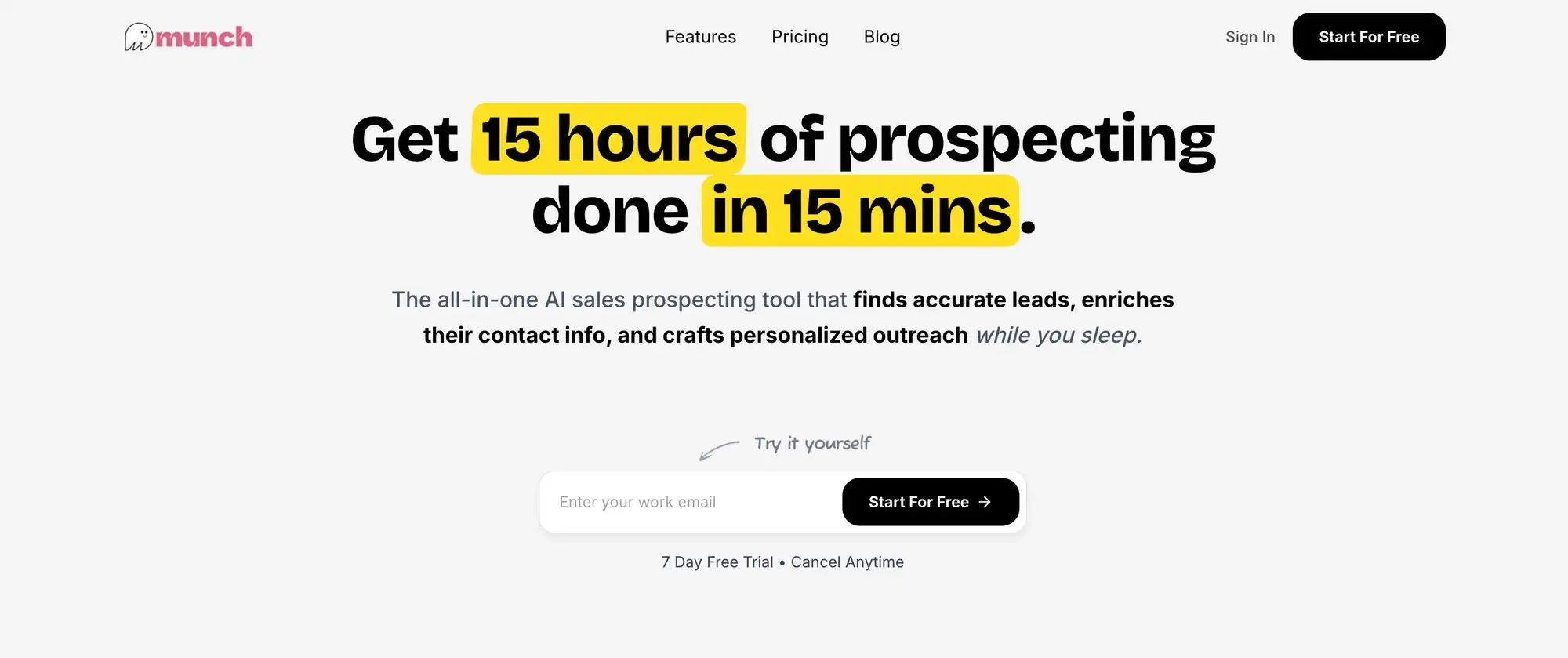
Tired of juggling a dozen tabs just to find one good lead? Munch rolls the entire top-of-funnel outbound process (discovery, enrichment, and personalized outreach) into a single, streamlined platform. It’s designed to stop the madness of manual prospecting and replace it with an AI-powered workflow that feels less like a chore and more like a cheat code for pipeline generation. For sales teams drowning in spreadsheets and outdated contact lists, Munch is the streamlined, intelligent alternative that aims to turn hours of grunt work into minutes of strategic action.
This platform operates as a unified engine for B2B sales development. Instead of duct-taping a lead scraper to a data enricher and then feeding it all into a separate sequencing tool, Munch handles the entire chain. It's built for speed and precision, claiming it can take you from zero to a fully launched, hyper-personalized campaign in about the time it takes to brew a pot of coffee.
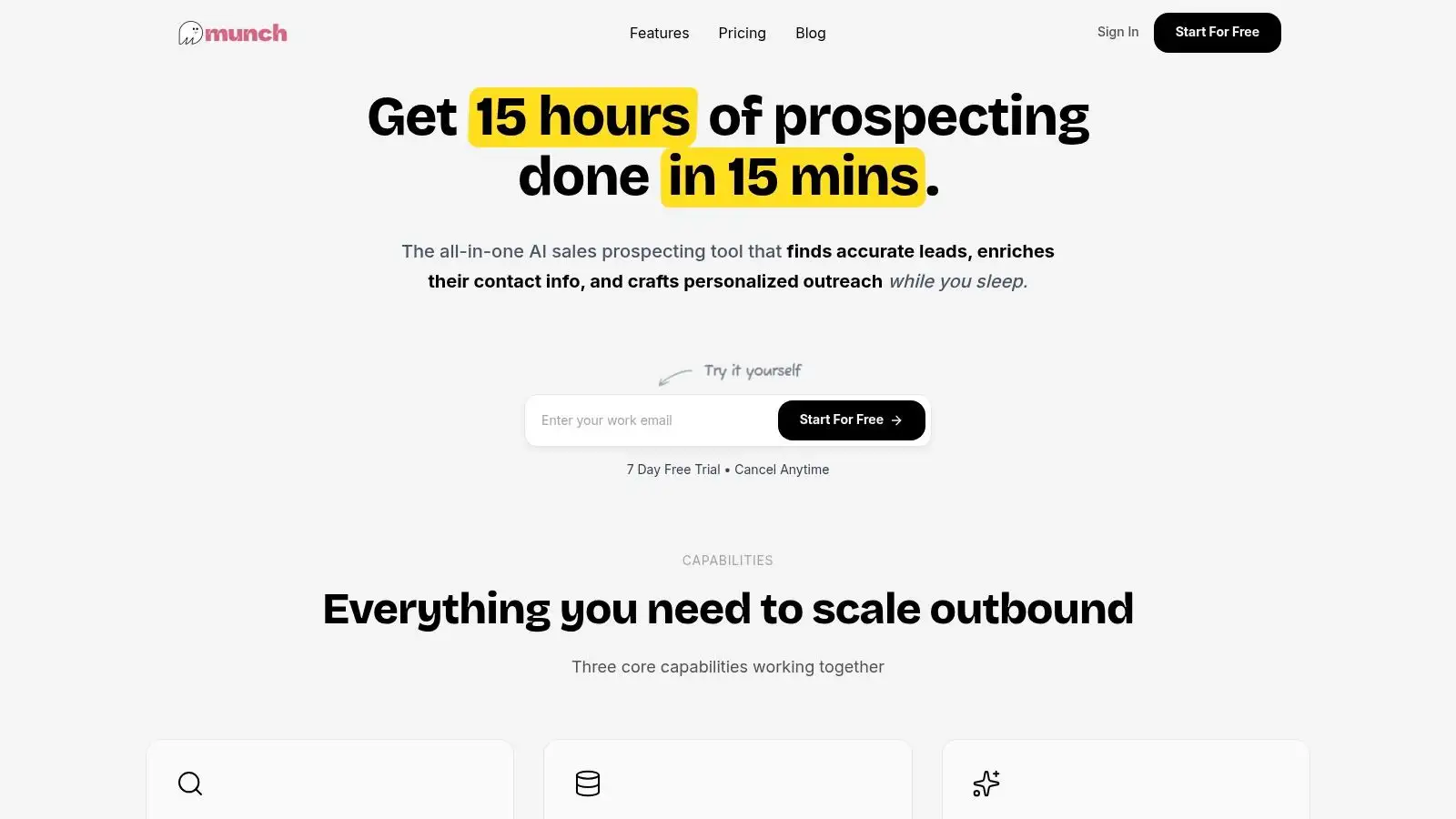
Why Munch Stands Out
Munch's core strength lies in its unified workflow. It’s not just another AI tool for sales; it's a complete system. The magic starts with its ability to scan dozens of verified data sources for real-time buying signals. Think of it as your own personal sales-focused NSA, flagging companies that just received funding, hired a key executive, or adopted a new technology that makes them a perfect fit for your product.
Once it finds a potential lead, it scores them against your Ideal Customer Profile (ICP) in real time. No more guessing games. From there, its waterfall enrichment process kicks in, cross-referencing multiple data providers to deliver verified emails, direct dials, firmographics, and technographics with a claimed 95%+ accuracy. This multi-layered approach is designed to eliminate the data decay that plagues so many outbound campaigns.
Finally, the AI gets to work crafting one-to-one, context-aware messages for each prospect. It pulls in the specific buying signals it found, like a recent job change or a new tech stack addition, to generate outreach that feels genuinely personal, not like a templated blast from a robot that just learned what "synergy" means.
Core Features & Use Cases
-
AI-Powered Lead Discovery: Automatically surfaces high-intent leads based on 50+ real-time signals like funding events, new hires, and technology adoption. It’s ideal for SDRs who need a continuous stream of qualified, timely prospects.
-
Waterfall Data Enrichment: Provides a comprehensive, multi-source verified profile for each contact, including emails, mobile numbers, company size, and tech stack. This feature is crucial for teams that demand high data accuracy to protect their domain reputation.
-
AI-Personalized Outreach: The AI drafts unique, context-aware emails and LinkedIn messages for every prospect at scale. This allows founders and small teams to execute sophisticated, personalized campaigns without hiring a dedicated copywriter.
-
Multi-Channel Sequencing: Supports integrated email and LinkedIn outreach sequences, allowing you to engage prospects across multiple touchpoints from a single interface.
Actionable Tip: When setting up your first campaign in Munch, focus your ICP on a specific, high-value buying signal. For example, instead of targeting all "VPs of Marketing," target "VPs of Marketing at B2B SaaS companies with 51-200 employees that just started using HubSpot in the last 90 days." This level of precision is where the platform’s discovery and personalization AI truly shines.
Pricing Structure
Munch uses a transparent, credit-based model with a 7-day free trial to get you started.
| Plan Name | Monthly Price | Credits/Month | Key Features |
|---|---|---|---|
| Basic | $49 | 1,000 | Core discovery, enrichment, and AI outreach features. |
| Pro | $99 | 2,200 | Includes all Basic features plus expanded support. |
| Advanced | $249 | 5,500 | Includes all Pro features, priority support, and a dedicated account manager. |
Pros & Cons
Pros:
-
All-in-One Workflow: The seamless integration of discovery, enrichment, and outreach drastically reduces operational complexity and tool-switching.
-
High-Quality Data: The waterfall enrichment process and 95%+ email accuracy claim give campaigns a strong foundation for success.
-
Intent-Driven Prospecting: Focusing on real-time buying signals ensures outreach is timely and relevant.
-
Rapid Time-to-Value: The platform is designed for speed, enabling teams to launch targeted campaigns in minutes, not days.
Cons:
-
Features in Development: Some advanced functionalities, like native CRM integrations and A/B testing, are listed as "coming soon," which might be a limitation for mature sales teams.
-
Credit-Based Cost: While transparent, the credit system could become expensive for teams running extremely high-volume outbound campaigns.
Website: https://usemunch.com
2. G2 – AI Sales Assistant category
Alright, let's talk about the paradox of choice. You know you need one of the shiny new AI tools for sales, but searching for one feels like trying to pick a movie on Netflix on a Friday night. You scroll endlessly, paralyzed by options, until you just give up and re-watch The Office for the ninth time. G2’s AI Sales Assistant category is the friend who grabs the remote, says "We're watching this," and it’s always a banger.
Instead of being a single tool, G2 is a massive, peer-review-powered marketplace. Think of it as the Rotten Tomatoes for B2B software, where real users (not paid actors) share the unvarnished truth about what it’s really like to use a platform. This category specifically corrals all the AI-powered sales assistants, from conversation intelligence bots to automated outreach sequencers, into one place.
Why It’s Your Secret Weapon for Research
G2's superpower is its structured, verified user feedback. You’re not just reading random rants; you're getting structured data you can actually use.
-
G2 Grid® Reports: This is the main event. It plots tools on a quadrant based on user satisfaction and market presence. Want a proven leader? Look in the top right. Prefer an up-and-coming disruptor that users adore? Check out the "High Performers" quadrant. It’s like a fantasy football draft board for your sales tech stack.
-
Side-by-Side Comparisons: Pick up to four tools and see how they stack up on key features, satisfaction scores, and user demographics. It’s the ultimate spec sheet showdown, helping you quickly see if a tool is a heavyweight champion or just a lightweight contender.
-
Deep Filtering: You can slice and dice reviews by company size, industry, role, and even region. This ensures the feedback you’re reading comes from someone whose challenges mirror your own, not from a Fortune 500 behemoth when you’re a three-person startup.
How to Use G2 to Find Your Next AI Sales Tool
-
Start Broad: Head to the AI Sales Assistant category and browse the Grid. Get a feel for the major players.
-
Shortlist 3-5 Contenders: Based on the Grid and "Best of" lists, pick a handful of tools that look promising.
-
Dive Deep into Reviews: Don’t just read the 5-star raves. Scrutinize the 3 and 4-star reviews. This is where you’ll find the honest, nuanced feedback about a tool’s limitations and real-world quirks.
-
Compare Features: Use the comparison tool to see exactly where your top picks differ. For example, one tool might excel at CRM integration while another has a killer personalization engine.
Pro-Tip: Pay close attention to reviews that mention implementation and customer support. A groundbreaking AI tool is useless if it takes six months to set up and the support team ghosts you like a bad Tinder date.
The Good, The Bad, and The Price Tag
Let's break down the pros and cons.
| Pros | Cons |
|---|---|
| Massive Volume of Verified Reviews: Hear directly from thousands of real users. | Sponsored Placements: Top spots can be paid for, so scroll down a bit. |
| Powerful Filtering & Comparison: Cut through the noise and find what matters. | Not a Direct Seller: G2 is a middleman; you're routed to vendor sites. |
| Discover Niche Tools: Find hidden gems you wouldn't see on other lists. | Review "Gaming": Some vendors can be aggressive in soliciting positive reviews. |
G2 itself is free to use for research. The pricing you see is for the actual tools listed, and G2 provides direct links to vendor pricing pages or free trial sign-ups.
Ultimately, G2 isn't a tool you use for sales, but a meta-tool you use to find the best AI tools for sales. It fast-tracks your research, validates your choices with social proof, and helps you avoid the dreaded buyer's remorse. For a broader overview of how different tools fit into a modern sales workflow, our own guide can help connect the dots; you can learn more about creating a complete AI-powered sales stack to see how discovery, personalization, and outreach tools work together.
3. Capterra – AI Sales Assistant directory
If G2 is the Rotten Tomatoes for software, think of Capterra as the IMDb. It’s a vast, comprehensive database where you can find practically any tool ever made, complete with cast (features), crew (company info), and user reviews. When you’re staring at the endless universe of AI tools for sales, Capterra helps you filter the signal from the noise, especially when budget is your primary concern.
As a Gartner-owned company, Capterra brings a certain heavyweight credibility to the software directory game. Its AI Sales Assistant directory is a clean, no-nonsense listing of over 200 platforms. It’s less about the flashy quadrant charts and more about straightforward, filterable data, like a well-organized spreadsheet that saves you hours of manual research.
Why It’s Your Secret Weapon for Research
Capterra's strength lies in its simplicity and powerful, business-centric filters. It's designed to get you from a vague need ("I need AI for sales") to a concrete shortlist ("I need these three tools that offer free trials and integrate with Salesforce") as quickly as possible.
-
Granular Pricing Filters: This is where Capterra shines. You can filter tools by pricing models like free trials, one-time licenses, or monthly subscriptions. It’s the perfect way to weed out enterprise-only tools that would make your CFO break out in a cold sweat.
-
Feature-Based Shortlisting: Need a tool that specifically handles call summarization or predictive lead scoring? Capterra lets you tick checkboxes for the exact features you need, instantly narrowing the field to only the most relevant options.
-
Buyer Guides & Comparisons: Capterra offers helpful guides and "Alternatives to..." suggestions right on the page. It’s like having a helpful store clerk who, after hearing what you’re looking for, points you to three similar options you hadn’t considered.
How to Use Capterra to Find Your Next AI Sales Tool
-
Start with Your Dealbreakers: Head to the AI Sales Assistant directory and immediately apply your non-negotiable filters. Set your budget, deployment needs (cloud or on-premise), and must-have features.
-
Sort and Scan: Use the "Highest Rated" and "Most Reviews" sorting options to bring the most trusted tools to the top. This gives you a quick lay of the land.
-
Build a Quick Shortlist: Capterra makes it easy to compare tools side-by-side. Check the boxes next to a few promising candidates to see how they stack up on features, ratings, and pricing models.
-
Click Out for Trials: Once you have your top 2-3 contenders, use the direct "Visit Website" links to jump straight to their landing pages and sign up for a trial or demo.
Pro-Tip: Don’t ignore the "Independent Research" notes. These are little nuggets of insight from Capterra’s own analysts that can provide context you won’t find in a user review, like a tool’s ideal customer profile or its place in the market.
The Good, The Bad, and The Price Tag
Let's see how it stacks up.
| Pros | Cons |
|---|---|
| Simple Sorting & Fast Comparisons: Quickly find top-rated tools. | Sponsored Placements: The top results can be paid ads, so scroll down. |
| Useful for Broad Market Scans: Get a quick overview of the entire category. | Vendor-Hosted Trials: You can't buy or trial directly on Capterra's site. |
| Excellent Budget-Based Filtering: Easily find tools that fit your price point. | Less Detailed Review Data: Reviews can be less in-depth than on G2. |
Using Capterra for research is completely free. The platform makes its money from vendor placement and referrals, so you can browse and compare to your heart's content without paying a dime.
Capterra is an indispensable first stop in your software discovery journey. It’s the tool you use to build your initial longlist before you dive deeper into specific reviews. By helping you understand the market landscape, you can make more informed decisions when building your stack for automated lead generation.
4. Salesforce AppExchange / AgentExchange (Agentforce)
If your sales team lives and breathes Salesforce, venturing outside of that ecosystem for new tools can feel like cheating on your CRM. You have to deal with new logins, clunky integrations, and data sync issues that make you want to throw your laptop out the window. The Salesforce AppExchange is your CRM’s way of saying, "It's okay, you can see other apps, as long as you meet them at my house."
The AppExchange is Salesforce's official marketplace, a walled garden of apps and AI agents that are security-reviewed and built to plug directly into your Sales Cloud. Think of it as the App Store for your iPhone, but instead of downloading Flappy Bird, you’re installing powerful AI tools for sales like conversation intelligence, predictive forecasting, and automated data enrichment. The new AgentExchange (or Agentforce) is the next evolution, offering pre-built AI agents to handle specific sales and service tasks.
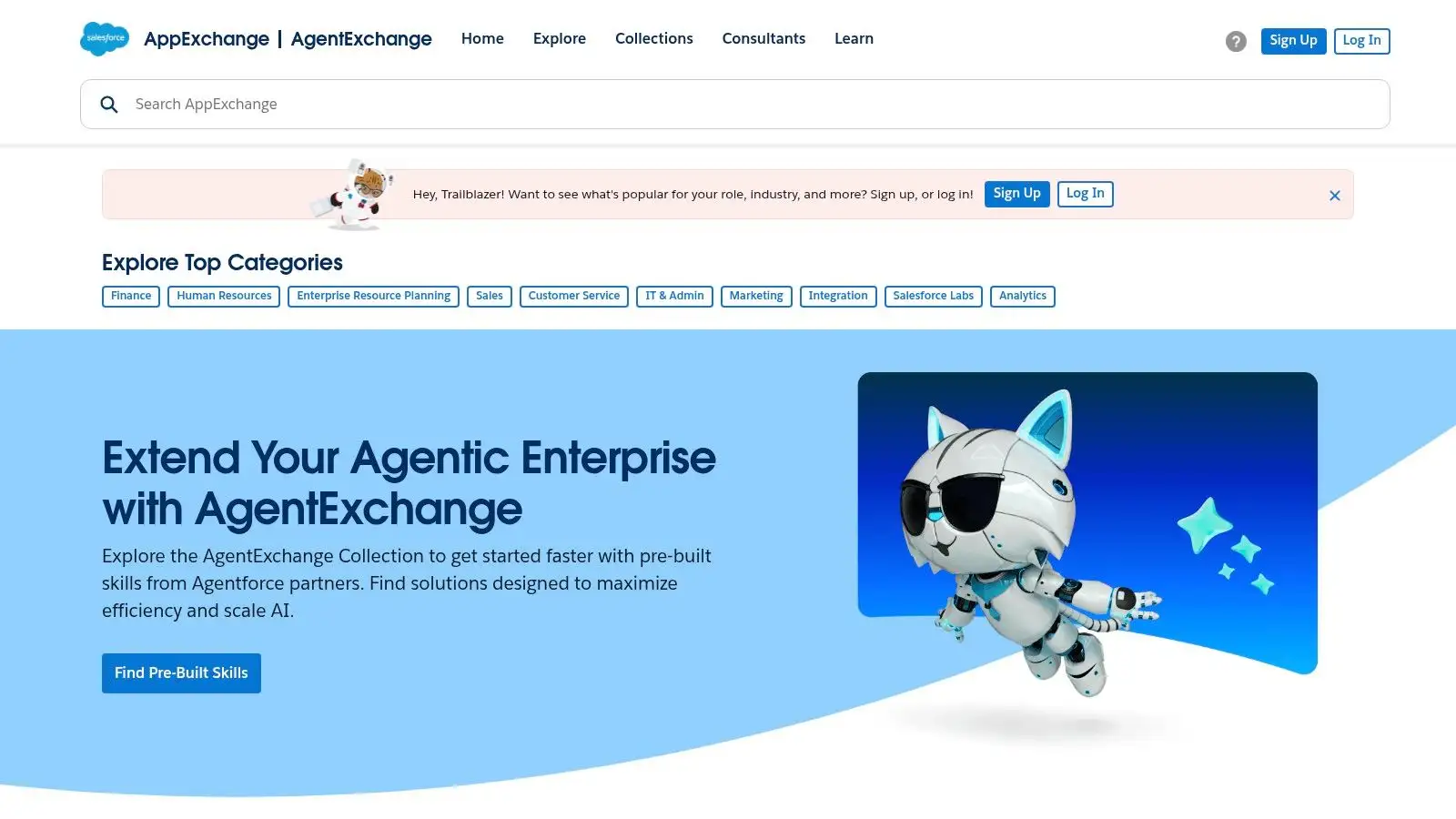
Why It’s Your Secret Weapon for Research
The AppExchange’s biggest advantage is its native integration. These aren’t just tools that "work with" Salesforce; they are built for Salesforce. This eliminates the integration headaches and data silos that plague teams trying to stitch together a dozen disparate platforms.
-
Security-Reviewed & Native: Every app has passed a Salesforce security review. This gives your admin and IT team peace of mind, knowing a new tool isn't going to open up a backdoor to your precious customer data.
-
Centralized Management: Your Salesforce admin can install, manage licenses, and handle procurement for all AppExchange apps from one place. No more chasing down individual vendor contracts or credit card receipts.
-
Pre-Built AI Agents: With AgentExchange, you can deploy AI agents designed for specific workflows. For example, imagine an agent that automatically drafts follow-up emails based on call notes or one that flags at-risk deals by analyzing activity data, all without leaving your Salesforce UI.
How to Use the AppExchange to Find Your Next AI Sales Tool
-
Start with a Problem: Don't just browse aimlessly. Identify a bottleneck in your sales process. Is it lead enrichment? Call coaching? Forecasting accuracy?
-
Filter Aggressively: Head to the Salesforce AppExchange and use the powerful filters. You can search by category (e.g., "Sales Intelligence"), pricing model, user rating, and even the specific Salesforce editions it supports.
-
Read the Reviews & Watch Demos: Just like G2, the AppExchange has user reviews. Pay attention to feedback from companies of a similar size and industry. Most listings include detailed videos and demos.
-
Install in a Sandbox: The beauty of Salesforce is the sandbox environment. Test a new app in a sandbox to see exactly how it works with your specific configuration and data before deploying it to your entire team.
Pro-Tip: Check the "Release Date" and "Latest Release" on a listing. This tells you how actively the vendor is maintaining and improving the app. An app that hasn't been updated in over a year might be a red flag.
The Good, The Bad, and The Price Tag
Let's break down the pros and cons of sourcing tools this way.
| Pros | Cons |
|---|---|
| Native Integrations: Reduces setup friction and data governance issues. | Salesforce-Dependent: Useless if you're not a Salesforce customer. |
| Strong Partner Ecosystem: Access to enterprise-grade, reviewed solutions. | Varying Costs: Pricing is set by individual vendors and can differ wildly. |
| Centralized Procurement: Simplified license management via your SF admin. | Newer Agent Features: The AgentExchange is newer; evaluate agent maturity. |
The AppExchange itself is free to browse. The apps and agents listed come with their own pricing, which can range from free to thousands of dollars per month, depending on the vendor and edition. Listings are usually transparent about pricing tiers.
Ultimately, the AppExchange isn't a single tool, but rather the safest and most efficient place for Salesforce-native teams to find their next AI sales tools. It ensures that whatever you choose will play nicely with your core system of record, saving you from the integration nightmares that can kill a new tool's ROI before it even gets off the ground.
5. HubSpot App Marketplace
If your sales stack is a well-oiled machine, HubSpot is often the central engine humming away. But adding new parts can feel like trying to install a Nintendo 64 cartridge into a PlayStation 5; the compatibility just isn't there. The HubSpot App Marketplace is your official adapter, ensuring every new AI tool you add plugs in seamlessly, without causing your entire system to crash.
It’s the curated, walled garden of integrations designed specifically for the HubSpot ecosystem. Instead of you hunting down tools and praying they play nice with your CRM, HubSpot has pre-vetted over 1,500 apps, many of which are powerful AI tools for sales, to extend the platform's native capabilities. Plus, with their own built-in AI Guided Selling, they're bringing some intelligence directly into the mothership.
Why It’s Your Secret Weapon for Integration
The primary value here is the plug-and-play simplicity. For teams already living and breathing HubSpot, this marketplace eliminates the technical headaches and data silos that come with bolting on third-party tools.
-
Vetted and Verified: Every app on the marketplace has been reviewed by HubSpot, so you know it meets certain standards for quality and security. It’s like an exclusive App Store, but for your revenue engine.
-
Built-in AI Features: HubSpot’s own AI Guided Selling provides task guidance, call summaries, and next-best-action suggestions right within Sales Hub. This reduces the need for extra point solutions for basic AI-driven workflows.
-
Clear Compatibility: Each listing transparently states which HubSpot plan (e.g., Sales Hub Professional, Enterprise) and user permissions are required. No more signing up for a trial only to discover it won't work with your current subscription.
-
Streamlined Data Sync: Because the integrations are official, the data sync between the app and your HubSpot CRM is designed to be smooth and reliable. For instance, customer data, deal stages, and contact information flow where they’re supposed to.
How to Use the HubSpot Marketplace to Find Your Next AI Sales Tool
-
Start in the Marketplace: Head to the HubSpot App Marketplace and use the search bar or categories to find AI tools (e.g., search for "prospecting" or "conversation intelligence").
-
Filter by Your Needs: Use the left-hand filters to narrow down apps by pricing model, HubSpot Hub compatibility, and features.
-
Check the Requirements: Before you get too excited, open the listing and check the "Requirements" section to ensure it works with your HubSpot plan.
-
Read the Reviews & Install Guide: See what other HubSpot users are saying and review the setup documentation to gauge the implementation effort.
Pro-Tip: Look for apps with a high number of installs and recent positive reviews. This is a strong signal that the integration is well-maintained and widely trusted by other teams like yours.
The Good, The Bad, and The Price Tag
Let's look at the trade-offs of staying within the HubSpot universe.
| Pros | Cons |
|---|---|
| Seamless install and data sync with HubSpot. | Many apps require paid tiers of both HubSpot and the app. |
| Built-in AI reduces the need for multiple separate tools. | Marketplace value is highest if you're already on HubSpot. |
| Vetted apps mean higher quality and better security. | May have fewer niche or cutting-edge options than the open market. |
The HubSpot Marketplace is free to browse. However, you'll often need to pay for both the third-party app and potentially a higher-tier HubSpot subscription (like Professional or Enterprise) to unlock the full integration capabilities.
For teams committed to the HubSpot platform, the marketplace is the safest and most efficient way to build out an AI-powered sales stack. It turns the complex task of integration into a simple, one-click process. This streamlined approach is a core principle of effective sales automation, which you can explore further to understand what is sales automation and how integrated systems drive efficiency.
6. Microsoft AppSource – Sales in Microsoft 365 Copilot
If your sales team lives and breathes in Microsoft Outlook and Teams, introducing a new, separate tool can feel like asking them to learn Klingon overnight. It’s disruptive, confusing, and probably involves a lot of frustrated groaning. Microsoft’s approach with Sales in Microsoft 365 Copilot is to bring the AI directly into the apps your team already has permanently open, making adoption less of a hostile takeover and more of a helpful upgrade.
Microsoft AppSource is the enterprise App Store where your IT admin can find, vet, and deploy this AI assistant. Instead of reps individually signing up for a new tool, Copilot is pushed out organization-wide, connecting directly to your CRM (Dynamics 365 or Salesforce) and embedding itself into the daily grind. It's less of a shiny new object and more of a superpower upgrade for the tools you already pay for.
Why It’s Your Secret Weapon for Productivity
The genius of Copilot is its native integration. It's not a browser extension or a separate app you have to alt-tab to; it’s right there in your Outlook sidebar or Teams meeting summary. This deep context makes it one of the most seamless AI tools for sales if you're a Microsoft shop.
-
In-App Intelligence: Get AI-generated meeting prep briefs, email summaries, and draft replies without ever leaving Outlook. It pulls real-time data from your CRM, so you’re not just getting a generic summary; you’re getting context specific to that customer.
-
Centralized Deployment: This is a big one for the RevOps and IT folks. Admins can deploy and manage Copilot via the Microsoft 365 admin center, ensuring security, compliance, and consistent access for the whole team. No shadow IT here.
-
Unified Experience: By bundling this functionality into the broader Microsoft 365 Copilot license, it simplifies procurement and licensing. You’re not buying another point solution; you’re expanding the capabilities of your core productivity suite.
How to Use AppSource to Deploy Your AI Sales Assistant
-
Find the App: Head to the Sales in Microsoft 365 Copilot page on AppSource.
-
Review Documentation: AppSource provides all the deployment guides, documentation, and prerequisites your IT team will need. This is where they’ll confirm CRM compatibility and user permissions.
-
Deploy via Admin Center: An admin with the right permissions can deploy the app to specific users or the entire organization directly from the Microsoft 365 admin center.
-
Connect Your CRM: Once deployed, you’ll connect either your Dynamics 365 or Salesforce instance to start pulling in customer data.
Pro-Tip: The key to a successful Copilot rollout is the CRM connection. Ensure your CRM data is clean and your reps' permissions are set correctly beforehand. The AI is only as good as the data it can access.
The Good, The Bad, and The Price Tag
Let's break down the pros and cons.
| Pros | Cons |
|---|---|
| Familiar Microsoft UX: Minimal learning curve for reps already in Outlook/Teams. | Microsoft Ecosystem Lock-in: Best suited for orgs already standardized on M365. |
| Enterprise-Grade Controls: Strong deployment and security guidance for IT admins. | Dependency on Licensing: Full capabilities rely on correct M365 and CRM licensing. |
| Deep Integration with CRM Data: Pulls real-time context from Dynamics or Salesforce. | Not a Standalone Tool: It’s an enhancement, not a complete, independent platform. |
Access to Sales in Microsoft 365 Copilot is tied to your Microsoft 365 licensing. It typically requires a Microsoft 365 E3 or E5 license, plus the Copilot for Microsoft 365 add-on license.
Ultimately, this isn't about discovering a new platform but about empowering the one you already use. By baking AI directly into the workflow, Microsoft removes friction and makes powerful sales assistance a natural part of a rep’s day. You can learn more about how artificial intelligence in sales is changing workflows to see how embedded tools like this fit into the bigger picture.
7. AWS Marketplace – SaaS sales intelligence and agent solutions
Let's be honest, getting a new sales tool approved can feel like pitching a movie sequel to a room full of skeptical studio executives. There's endless paperwork, security reviews, and budget committees. Your Head of Finance scrutinizes every line item like it’s a personal expense, and by the time you get a "yes," the technology is already two versions old. The AWS Marketplace is your secret backdoor, the well-dressed executive producer who walks in and says, "Just put it on my tab."
Instead of being a specific tool, the AWS Marketplace is an enterprise-grade digital catalog where you can find, buy, and deploy thousands of software listings, including a whole suite of powerful AI tools for sales. Think of it as the App Store for your company's cloud infrastructure, where procurement is already pre-approved and billing is consolidated. You find the tool you need, and it gets tacked onto your company's existing AWS bill. No new vendors, no new contracts, no three-month procurement saga.
Why It’s Your Secret Weapon for Procurement
The true power of the AWS Marketplace isn't just the software selection; it's the radical simplification of the buying process, especially in larger organizations that are already running on AWS. It turns a bureaucratic marathon into a quick jog.
-
Consolidated Billing: All your software subscriptions are rolled into one neat AWS invoice. This makes your finance and procurement teams very, very happy. It’s like getting one bill for all your streaming services instead of a dozen tiny, confusing charges.
-
Private Offers & Negotiated Terms: This is the enterprise power move. You can negotiate custom pricing, multi-year contracts, and unique terms directly with the software vendor through the marketplace. It lets you leverage your company's scale to get a better deal without the usual contract redlining nightmare.
-
Built-in Security & Compliance: Since the tools are integrated with AWS, they often inherit the security and compliance standards your company already trusts. This massively shortens the security review cycle that can stall tool adoption for months.
How to Use AWS Marketplace to Find Your Next AI Sales Tool
-
Start with Categories: Head to the AWS Marketplace and navigate to the sales intelligence or agent solutions categories. You'll find everything from data enrichment platforms to AI-powered CRMs.
-
Filter by Delivery Method: Choose how you want to deploy the software. Many modern AI tools are available as SaaS, meaning you can subscribe and start using them almost instantly.
-
Review Vendor Listings: Check out the product details, customer reviews, and available pricing models (pay-as-you-go, annual contracts, etc.).
-
Engage with Private Offers: If you represent a larger team or company, don't just click "buy." Use the private offer feature to contact the vendor and negotiate a deal that fits your specific needs and budget.
Pro-Tip: Coordinate with your company's cloud or IT team before you start shopping. They can tell you about your company's AWS setup, existing credits, and any internal processes for marketplace procurement. Getting them on your side early makes the process frictionless.
The Good, The Bad, and The Price Tag
Let's break down the pros and cons of buying this way.
| Pros | Cons |
|---|---|
| Streamlined Legal & Procurement: Bypasses months of typical vendor onboarding. | Requires an AWS Account: Useless if your company isn't an AWS customer. |
| Consolidated Invoicing: One bill to rule them all, simplifies expense reports. | Listing Quality Varies: Some vendor pages are less detailed than others. |
| Negotiate Discounts at Scale: Private offers allow for significant cost savings. | Not All Tools Are Self-Serve: Some listings require a demo before you can buy. |
The AWS Marketplace itself is free to browse. The cost is for the software you subscribe to, with pricing that can be hourly, monthly, or based on multi-year contracts you negotiate.
Ultimately, the AWS Marketplace is less of a discovery engine and more of a procurement hyper-lane for companies already invested in the AWS ecosystem. It’s the perfect place to acquire tools for things like lead prospecting and enrichment. In fact, many tools found here are designed to enhance your data quality; you can learn more about what data enrichment is and how it fuels effective sales outreach to see why these platforms are so critical.
Top 7 AI Sales Tools Comparison
| Item | 🔄 Implementation complexity | ⚡ Resource requirements | 📊 Expected outcomes | 💡 Ideal use cases & tips | ⭐ Key advantages |
|---|---|---|---|---|---|
| Munch | Low to Moderate: SaaS setup, quick time-to-campaign; some integrations still “coming soon” | Moderate: credit-based pricing, seats for SDRs, integration work as features roll out | High: claims (site) ~3x pipeline growth and dramatic prospecting time savings | B2B SDRs, growth-stage GTM teams; use waterfall enrichment + ICP scoring for high-precision outreach | Unified discover-enrich-personalize workflow; high claimed data/email accuracy; AI-scaled one-to-one outreach |
| G2 – AI Sales Assistant category | Very low: research platform, no deployment required | Low: time investment to read reviews and compare vendors | Moderate: faster, peer-validated shortlisting and vendor signal | Vendor research and shortlist creation; verify sponsored placements vs organic reviews | Large review volume, side-by-side comparisons, G2 Grid and buyer guides |
| Capterra – AI Sales Assistant directory | Very low: directory browsing, no install | Low: time to filter by price/features | Moderate: quick market scan and budget-based shortlists | Early-stage vendor screen by budget/feature; double-check sponsored ordering | 200+ listings, pricing/plan filters, buyer guides |
| Salesforce AppExchange / AgentExchange | Moderate to High: requires Salesforce admin installs and org configuration | High: Salesforce licenses, admin/procurement involvement | High for Salesforce orgs: native apps reduce sync friction and governance issues | Best for Salesforce-native organizations; evaluate agent maturity and security | Native integrations, enterprise governance, partner ecosystem and admin deployment flows |
| HubSpot App Marketplace (and AI Guided Selling) | Low to Moderate: in-product installs and guided setup | Moderate: HubSpot plan requirements plus partner app costs | High for HubSpot customers: streamlined sync and embedded AI guidance | Ideal for teams already on HubSpot; leverage built-in AI to limit point-tool sprawl | 1,500+ integrations, built-in AI Guided Selling, simplified data sync |
| Microsoft AppSource – Sales in Microsoft 365 Copilot | Moderate: admin deploy via Microsoft 365 center and CRM connectors | High: Microsoft 365 licensing and CRM permissions required | High for MS365 shops: improved email/meeting productivity and briefs | Best for organizations standardized on Microsoft 365; confirm licensing and CRM access | Deep Outlook/Teams UX integration, enterprise deployment controls |
| AWS Marketplace – SaaS sales intelligence & agents | Moderate: procurement and admin setup, private-offer negotiation | High: AWS account, procurement processes, potential vendor demos | High for procurement-driven orgs: consolidated billing and negotiated terms | Enterprise procurement teams seeking centralized billing and contracts; confirm self-serve availability | Private offers, consolidated AWS invoicing, flexible commercial and contracting options |
The Credits Roll: Choosing Your Co-Pilot for Sales Success
And... scene. We've just navigated the sprawling, sometimes chaotic, world of AI tools for sales. It’s a landscape that can feel as complex as the T-1000's liquid metal assembly, but far more useful for hitting your quota. From dedicated all-in-one platforms to massive ecosystem marketplaces, the options are as varied as the characters in a Quentin Tarantino film.
The central theme of this whole production is simple: the age of brute-force, spray-and-pray sales is officially over. Your competitors are already equipping their teams with AI co-pilots, turning hours of manual grunt work into minutes of strategic action. They are finding better leads, writing more compelling outreach, and closing deals while you're still trying to figure out if "prospecting" is a verb or a cry for help. The choice is no longer if you should adopt AI, but how and which tools you’ll use to stay in the game.
Your Mission, Should You Choose to Accept It
Choosing the right tool isn't about finding the one with the flashiest features or the slickest landing page. It's about a strategic match. It's less like picking a starter Pokémon (where Charmander is clearly the only correct choice) and more about building a balanced team.
To avoid analysis paralysis and pick your perfect AI sidekick, consider these three critical factors:
-
Your Current Tech Stack: Are you a die-hard Salesforce shop? Then diving into the AppExchange is your logical first step. Do you live and breathe HubSpot? Their marketplace and native AI tools are designed to integrate seamlessly. Sticking within your existing ecosystem minimizes friction and shortens the learning curve, preventing your new tool from becoming expensive shelfware.
-
Your Biggest Bottleneck: What's the one task that makes your sales team collectively groan? Is it finding high-intent leads that haven’t been contacted by every SDR on the planet? Is it the soul-crushing task of writing personalized emails at scale? Pinpoint your biggest pain point and find a tool specifically designed to eliminate it. If your workflow involves juggling five different tabs for discovery, enrichment, and outreach, a consolidated platform like Munch is designed to solve that exact fragmentation problem.
-
Your Team's Workflow & Scale: Are you a solo founder hacking together a pipeline, or are you a sales leader managing a team of twenty SDRs? A freelancer might need a flexible, powerful, all-in-one tool to act as their entire sales department. A large enterprise, however, will need something that offers robust integrations, security compliance, and team-based analytics. Don't buy a bazooka when you just need a well-aimed slingshot.
The Final Takeaway: Don't Get Left on Read
Ultimately, the best AI tools for sales are the ones that get used. They should feel less like another piece of software you have to log into and more like a natural extension of your sales process. The goal isn't just to automate tasks; it's to augment your team's skills, freeing them up to do what humans do best: build relationships, tell compelling stories, and close deals.
The AI revolution in sales isn't some distant, futuristic concept from a sci-fi movie. It's happening right now, in your competitor's CRM. The only question left is whether you're going to be the hero who leverages this new power or the side character who gets left behind in the first act. The choice is yours.
Ready to stop juggling tabs and start closing deals? Munch is the all-in-one AI platform that finds your high-intent leads and writes the personalized outreach for you. See how the right ai tools for sales can transform your pipeline by starting your free trial at Munch.